Author Archives: %s

Happy Halloween

31 Oct 21
Kim Manuel
No Comments

Happy Halloween!!!  November is right around the corner and we are super excited for the beginning of a new tax season.

What’s around the corner?

  • Practice Lab 2021 (ETA November 15th)
  • IRS Cut-Over (TBD)….Once the IRS makes the announcement, we will make a blog post.  You will still have access to your application, but you will not be able to e-file any returns until the IRS brings e-file back online in January (date to be determined).
  • Orders — We will begin sending out notifications for software orders the week of Thanksgiving….look for the notifications in your inbox on Monday, November 29th.


Sneak Peek 2021: Changes to the E-file section (Part 14)

28 Oct 21
Kim Manuel
No Comments

We are excited to begin introducing changes to the e-file section of the application.  These changes are designed to increase efficiency and to produce a more quality return.  As we begin seeing these changes internally, we will introduce them to you to make you aware of any changes that could impact the day to day operations of your site.

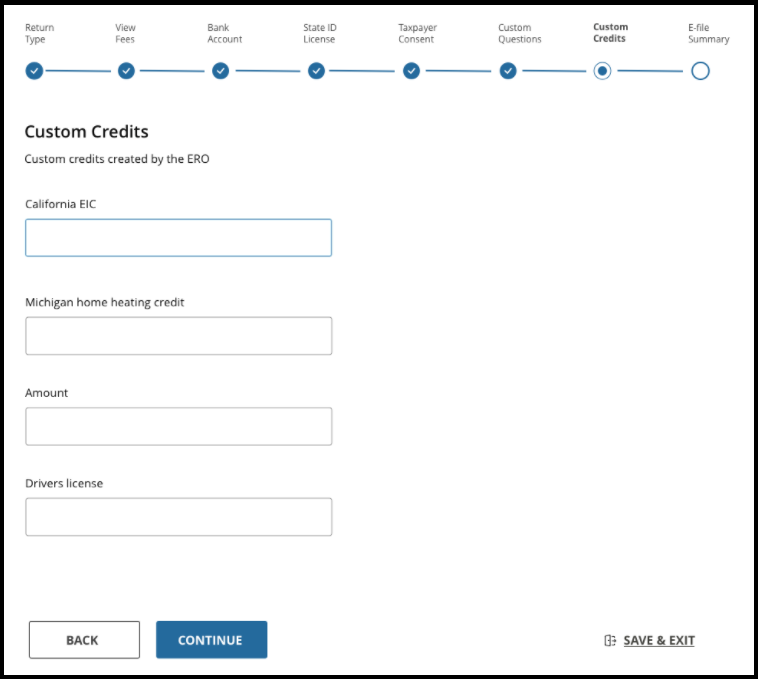
Custom Credits

The only change to the custom credits is how you access them.  They will be located on a tab between Custom Questions and the E-file Summary/submission page.  The continue button at the bottom of the page will save the information you have entered in the section.


Sneak Peek 2021: Changes to the E-file Section (Part 13)

28 Oct 21
Kim Manuel
No Comments

We are excited to begin introducing changes to the e-file section of the application.  These changes are designed to increase efficiency and to produce a more quality return.  As we begin seeing these changes internally, we will introduce them to you to make you aware of any changes that could impact the day to day operations of your site.

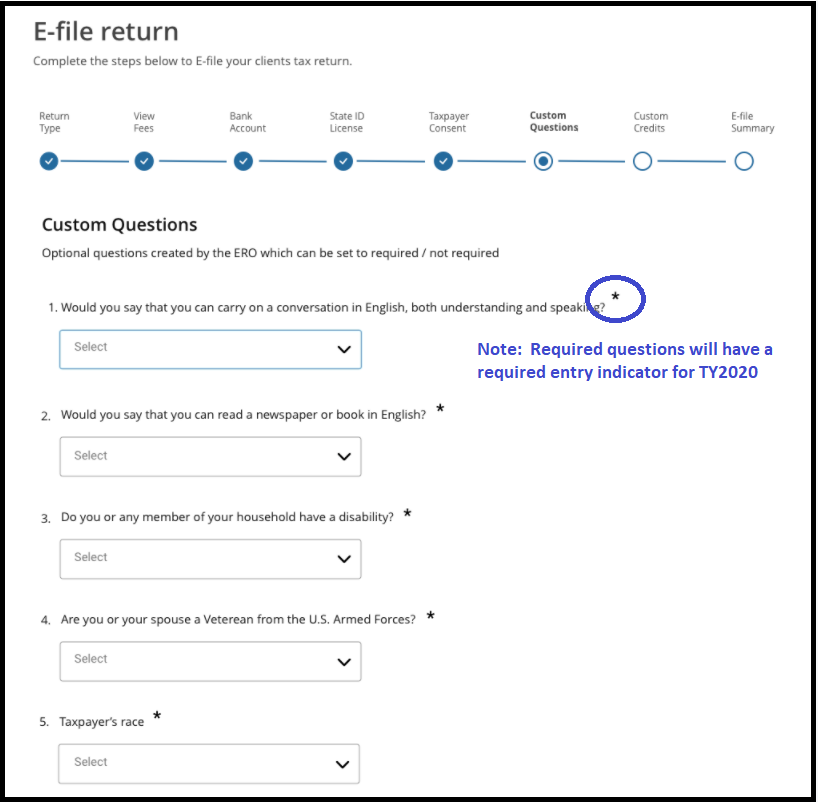
Questions Section

There are several changes to the Questions section that will allow for a better user experience:

  • Required questions will have a “required” indicator to be more consistent with required entries within a return
    • Note:  The mock up does not mean all IRS assigned questions will be required, they were just used as an example:
  • Answers to the questions will be saved once the user selects Continue at the bottom of the questions section.
    • This allows the user to navigate back to the return or other sections of the return without losing the answers

FSA URLs for 2020 Software

28 Oct 21
Kim Manuel
No Comments

The URLs expired after October 21st.  The links will no longer offer free tax prep to the taxpayers nor offer access to prior year return(s). In the FSA world, 2020 FSA software is now considered prior year.

As we begin receiving new orders for TY2021, new URLs will be generated based on the order received from the IRS and emailed to the volunteer site contact in January of 2022.


Sneak Peek 2021: Changes to the E-file Section (Part 12)

26 Oct 21
Kim Manuel
No Comments

We are excited to begin introducing changes to the e-file section of the application.  These changes are designed to increase efficiency and to produce a more quality return.  As we begin seeing these changes internally, we will introduce them to you to make you aware of any changes that could impact the day to day operations of your site.

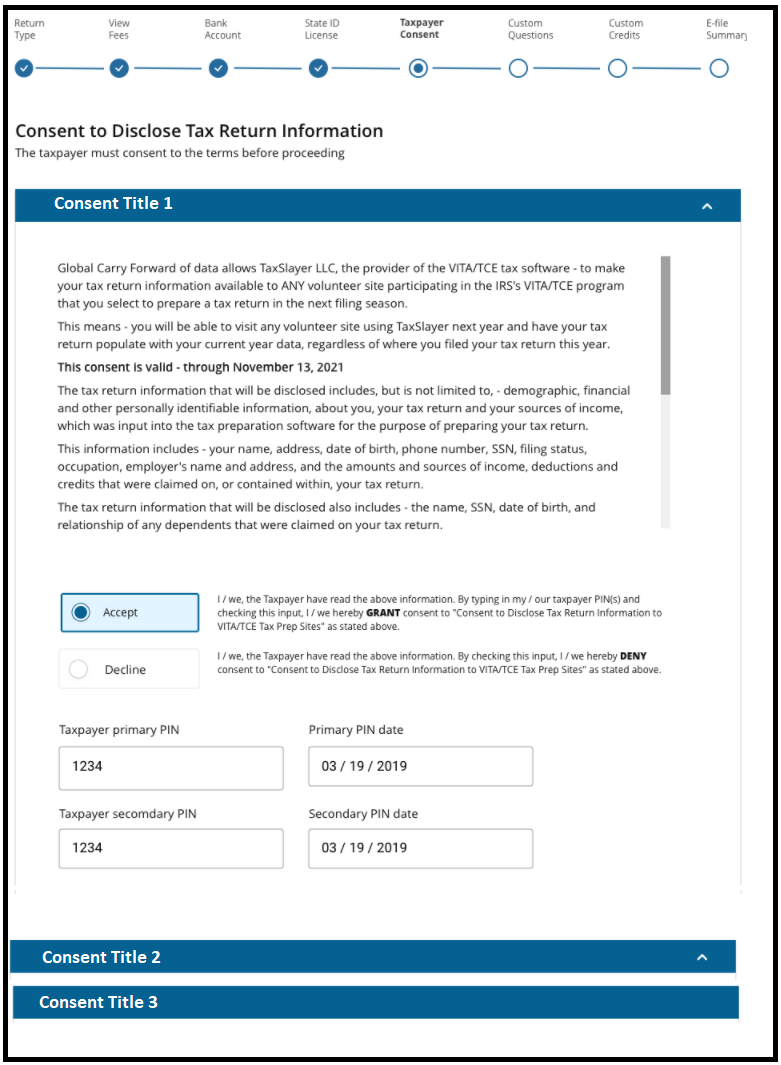
Consents

All consents that are assigned and/or created at the site level will be made available to the user/preparer in the Consent Section.  The same consent rules apply that the consent(s) must be answered before  you can mark the return for review or mark the return complete.  The below example displays how the screen will appear if you have more than one consent.  You will be displayed the first consent and then can expand the additional consents.  The consents are displayed in the order they are either assigned and/or created at the site.


Sneak Peek 2021: Changes to the E-file Section (Part 11)

26 Oct 21
Kim Manuel
No Comments

We are excited to begin introducing changes to the e-file section of the application.  These changes are designed to increase efficiency and to produce a more quality return.  As we begin seeing these changes internally, we will introduce them to you to make you aware of any changes that could impact the day to day operations of your site.

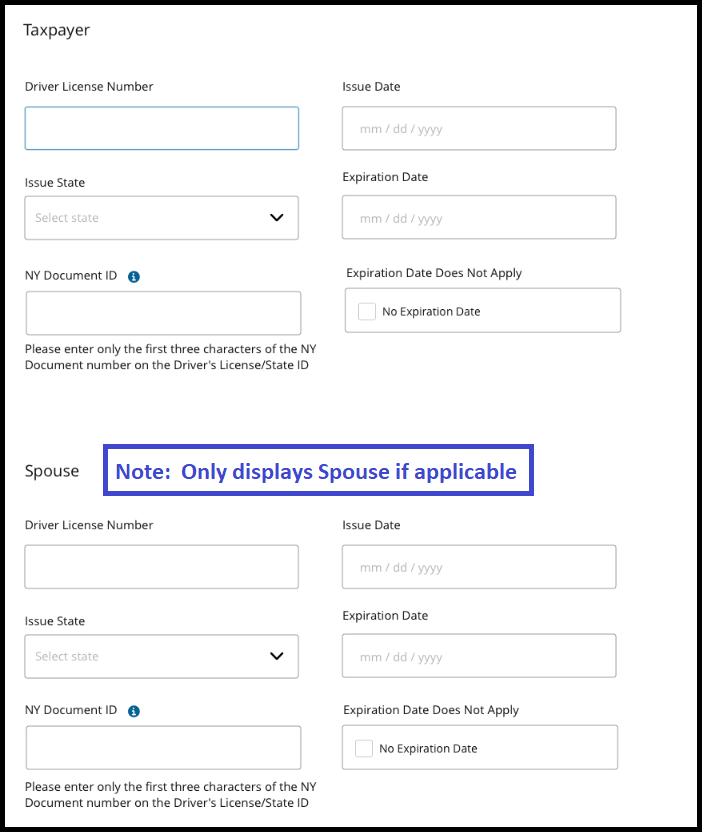
Drivers License/Identification information

The Drivers License/State Identification information will display once a selection has been made. Note: If this tab displays as “optional” you can simply skip to the next section.


Sneak Peek 2021: Changes to the E-file Section (Part 10)

25 Oct 21
Kim Manuel
No Comments

We are excited to begin introducing changes to the e-file section of the application.  These changes are designed to increase efficiency and to produce a more quality return.  As we begin seeing these changes internally, we will introduce them to you to make you aware of any changes that could impact the day to day operations of your site.

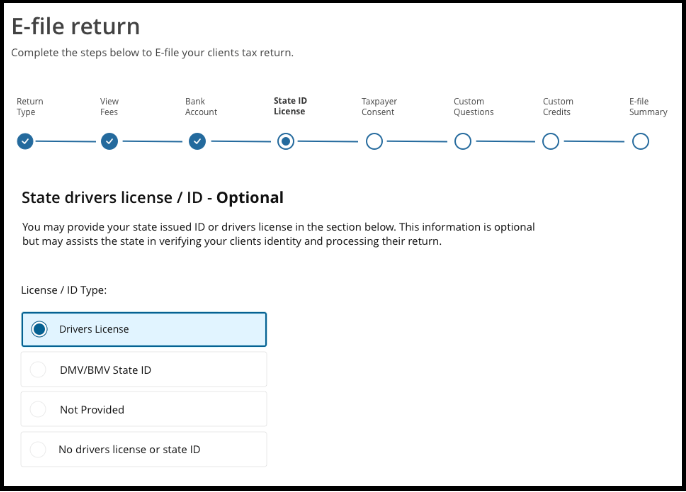
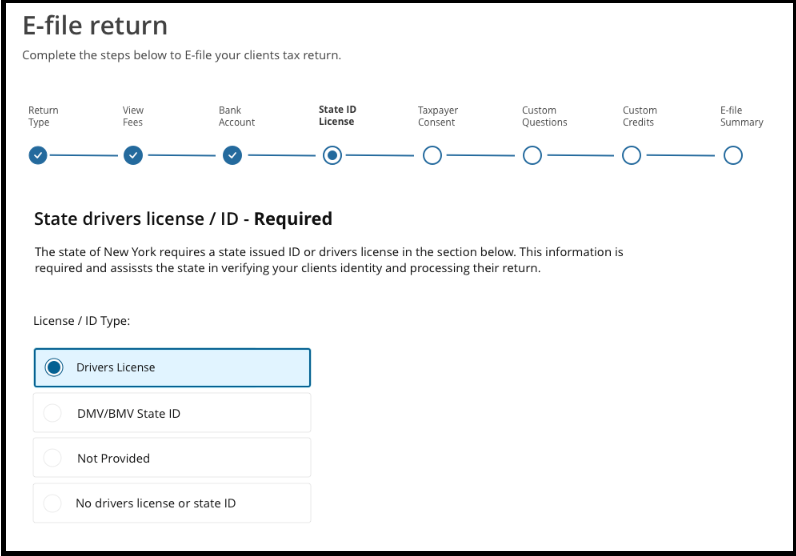
Drivers License/ID

We have moved the Drivers License/ID section closer to the bank information section.  The section will display if the driver’s license is optional for the state or required by the state(s) associated with the return.

Advantage:  Improves the flow of the information where the user/preparer may need to see physical documents from the taxpayer when preparing the return.

Sneak Peek 2021: Changes to the E-file Section (Part 9)

25 Oct 21
Kim Manuel
No Comments

We are excited to begin introducing changes to the e-file section of the application.  These changes are designed to increase efficiency and to produce a more quality return.  As we begin seeing these changes internally, we will introduce them to you to make you aware of any changes that could impact the day to day operations of your site.

Bank Account: 8888 View

The bank account tab will allow you to enter direct deposit and/or direct debit information based on the Federal and/or State return type.  The basic functionality of it remains the same as it does in the current application.  We recommend setting selecting to use Form 8888 in office setup.  This will allow you easy access as you promote savings to have a deposit split into multiple accounts and/or allow the taxpayer to have a portion of their refund allocated to savings bonds.  Advantage:  The new layout only displays one active account at a time.  This makes it less confusing for the taxpayers that only want their refund deposited into one account.  If the taxpayer wants the refund deposited into multiple accounts, the user will expand the 2nd and then 3rd account.