Category: FAQ

FAQ: Pro Online e-file Part 2

26 Oct 17
Kim Manuel
,
No Comments

Continuation of questions we received about e-file during the Administrator Webinar

Q: Anywhere to see state validation errors?

A:  Yes, they are listed on the Validation Errors report under the Reports Section.  They typically have a detailed explanation of the validation error and a helpful hint on how to correct it.

Q:  How can I determine if a state return was transmitted with the federal?

A:  You can run reports for Returns Awaiting Acknowledgements.   This report is located under Management Reports.  If the state is marked for e-file it is automatically transmitted with the Federal return.  Once the Federal return is accepted, it will be made available for the state to pick up and process.

Q:  Once a rejected return is corrected, does it automatically queue up for re-transmission? I just have to add it to the transmission page?

A:  No, you have to click Add Return and add it to the transmission.

Q:  What prior year returns will I be able to electronically file when Pro Online 2017 is delivered?

A:  The IRS accepts electronic files for the current year and 2 prior years.  You will be able to file electronically with TSO 2017, TSO 2016 and TSO 2015.

Q:  Will tags prevent efile (which is preferable) ? or can it be efiled regardless of whether there or not?

A:  You can make return tags required in office setup to create an e-file

Q: If a return is rejected and we must paper file it, will we be able to change the status to complete?

A:  When you change the return type in e-file to a paper option, it will automatically change the status to paper.  This new feature is already available in the application

Q:  Will selecting a return type of paper on the efile screen cause the Status to change to Paper

A:  Yes, this is a new feature we added over the summer.
FAQ: Pro Online e-File Part 1

25 Oct 17
Kim Manuel
No Comments

These are some of the questions we received about Electronic Filing during our Administrator Webinar:

Q: On the transmissions screen, if a return has rejected and then been corrected and resubmitted, how does it show on the transmissions screen?  Will it show both the original reject and the subsequent transmission?

A:  Once a rejected return has been corrected and transmitted, it no longer shows on the Transmission screen.  The client History will show the original transmission date/time, the reject, and the secondary transmission date/time.  If the return is rejected a subsequent time, it will show on your Rejected Clients list.  Rejected returns must be added to the transmission list by selecting the Add Returns button.

Q:  When a return is created for e-file does a “time created” register as well?

A:  We do store Date/Time Created.  You can see this in Client Return Status

Q:  How will it look if we need to send the state only when the federal cannot be e-filed?

A:  You will select the Send State Only box in e-file and select a federal filing type.  You will see a message that the state will be sent by itself.  Even though you must select a federal filing type, the federal return will not be filed.  Once e-file information is complete, the user can either select to send the return from the submission page or it will display to be sent on the transmission page.

Q:  Can a return be modified after it has been marked complete?

A:  Yes, the return can always be modified

Q:  Rejected Clients on Welcome screen-will this bring up state rejects, too?

A:  No, this list is generated based on IRS rejected returns

Q: When you do a tax return and submit from the Submission page within the return, do you still have to go to the transmissions tab to send them to the IRS?

A:  If you select Save and Transmit from the Submission page in e-file, you do not need to go to the transmission page for that return.

Blog posted 10/25/2017


FAQ: Pro Online: Due Diligence Checklist

24 Oct 17
Kim Manuel
, , , ,
No Comments

These are some of the questions we received about the due diligence checklist during our Administrator Webinar:

Q: Are the EITC questions and other questions underneath it going to stay populated when the return goes from the preparer to the reviewer and the reviewer is  going through the screens?

A:  Due Diligence will not be required for TaxSlayer Pro Online 2017.  However, the questions do remain answered for the prior years when someone goes back through them fore view purposes.

Q: If there is no longer a due diligence checklist, how can the preparer remove the EIC when the program calculates it, but the taxpayer does not qualify?

A:  The process will remain the same.  Navigate to Form 8862 via Forms Search and complete the Not Eligible for EIC section

Q: Will the due diligence check list go away for prior years or just TY 2017?

A: Just TaxSlayer Pro Online 2017

Q: Will the Due Diligence checklist go away for desktop?

A:  No, this only applies to TaxSlayer Pro Online.


Blog posted 10/24/2017


FAQ: Pro Online Custom Questions

23 Oct 17
Kim Manuel
, ,
No Comments

These are some of the questions we received about Custom Questions during our Administrator Webinar:

Q: Is there a way to make the Assigned Questions = REQUIRED?

A:  The four default question we deliver at the request of the IRS cannot be marked  as required.  Custom questions that are created at the site level can be marked as required.  If the site belongs to a multi-site or relational group, the questions can be marked required before they are assigned to the site.

Q:  Can you make a pre-set question inactive because you are substituting your own version of the question and you want that one active?

A:  No, assigned questions cannot be marked as inactive, however the 4 assigned are not required to be answered.  It is important to note that if you are using your own version of the question, those answers are not being reported up to the IRS in their weekly reports.

Q: Will the 4 delivered questions show up for all the years of the software, or only for the 2017 year?

A:  Yes, the 4 assigned questions on behalf of the IRS will show up in the returns for all years

Q: How do you collect the data after you have gathered it?

A: Reports can be run at a site level for the data captured for custom questions.

Q:  Can one rearrange the order of the answers to preset questions ?

A:  No, they will be arranged in the order requested by the IRS Core Team.

Q: I want to require Custom questions for the current year, but not for prior years.  Is there a way to “unrequire them” for prior years?

A:  No

Q: Can more than one response to a single question be marked?

A:  No.  If you are seeing a pattern of taxpayers with a combination, you can add that combination to the answer bank at any point.  The modified questions and answers are available for existing and new returns.

Q: Can you delete those questions completely?

A: No, you cannot modify or delete anything assigned to the site.

Blog Posted 10/23/2017


FAQ: Pro Online Custom Credits

22 Oct 17
Kim Manuel
,
No Comments

These are some of the questions we received about Custom Credits during our Administrator Webinar

Q: What are Custom Credits used for?

A: They are typically used to capture data for reporting purposes that changes with each return so a picklist is not a good solution through Custom Questions.  Sites typically use these to capture refundable state credits and any numerical information that may not be captured for reporting purposes when completing the tax return.

Q: I understand. we use to be able to track how many homesteads were processed.  When using the software for 2016, there wasn’t a way to capture this information.

A:  Depending on the data you are collecting, you can capture this information via Custom Questions if Yes/No or by Custom Credits if you are tracking the amount of the credit.

Q: Are they going to be able to use alpha in custom credits?

A:  No, the primary purpose of these fields is to allow the preparer to enter numerical information that changes with each return.

Q: Is there anyway to assign a number to each taxpayer for reporting purposes without using the custom credit section?

A:  No, if you want to assign a unique number to a taxpayer for reporting purposes, you will need to create a custom credit.  This will allow the unique number to be entered.

blog Posted 10/22/2017


FAQ: Pro Online Relational EFIN Consents

21 Oct 17
Kim Manuel
,
No Comments

The following were questions asked during our Administrative Webinar:

Q: If I order software that contains a relational EFIN, will the relational consent automatically show up in each return or do I need to add it?

A:  The Relational Consent will be assigned to the sites by TaxSlayer.

Q:  What is the purpose of the assigned Relational consent?

A:  This is what allows TaxSlayer to share taxpayer information with the main Relational EFIN for the purposes of running reports.

Q: Can an assigned Consent be modified?

A:  No, assigned consents cannot be modified.

Q: What does the system actually do if folks do not consent to relational EFIN?

A:  The efile cannot be created and the return will have to be paper filed.

Q:  Will the pin auto filled for those consents?

A:  No, the PIN for consents cannot be automatically generated

Q:  Is the Relational EFIN scenario applicable to desktop users?

A:  No, it is only applicable to Pro Online users.

Blog Posted 10/21/2017

FAQ: Pro Online Client List

20 Oct 17
Kim Manuel
,
No Comments

The following were common questions asked during our Site Administrative Webinar:

Q:  Will the date the tax return was created be displayed on the client list?

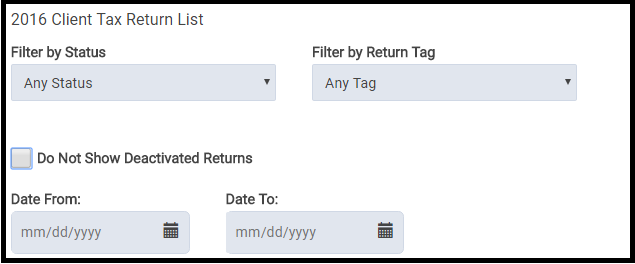
A:  No, but you can easily filter the returns by date.

Q:  Can you transfer a prepared return to another user?

A:  Yes, if the user has the appropriate rights enabled in their security template, the preparer can be changed from the Tools drop down on the Office Client List.  Select Change Preparer from the drop down list and then select the appropriate preparer to change the return to:

 Q: Will paper return show as paper return this year?

A:  Yes, it also currently shows as paper for TaxSlayer 2016 if the return type in e-file for the federal return is marked with a paper option.

Q: Is there any way to “lock” a return after it has been quality reviewed so nobody but admins can get back into it?

A: No, but there is a new feature that allows the site admin to restrict who can see a return once it has been accepted so no changes can be made to it.  Another option would be to password protect the returns.  This will prevent the user from editing the return, printing the return, or seeing the information listed in Client Return History.

Blog Posted 10/20/2017