9:01 am EST We are looking at a couple of items and will update this post when we are ready for you to submit e-files.
9:01 am EST We are looking at a couple of items and will update this post when we are ready for you to submit e-files.
Issue #5408 – Once you have edited or created a template that has the Scanned Document feature selected, editing the template will remove the check.
Workaround: Create or edit the appropriate security template; select the box for Scanned Documents, Click save. DO NOT edit the template. If you do, please remember to check the box again.
(1) If you are presented with the carry forward screen, you can remove the checkmark and the 1099-MISC will not carry forward
(2) you can navigate to the 1099-MISC summary screen and delete the 1099-MISC
Update 02/05/2021: You can now access the e-file section of all prior years. Note: We will not be turning on the ability to electronically file 2019 and 2018 until the week of February 15th.
We are currently experiencing an error when trying to access the e-file section of all prior years. We are currently working towards a solution.
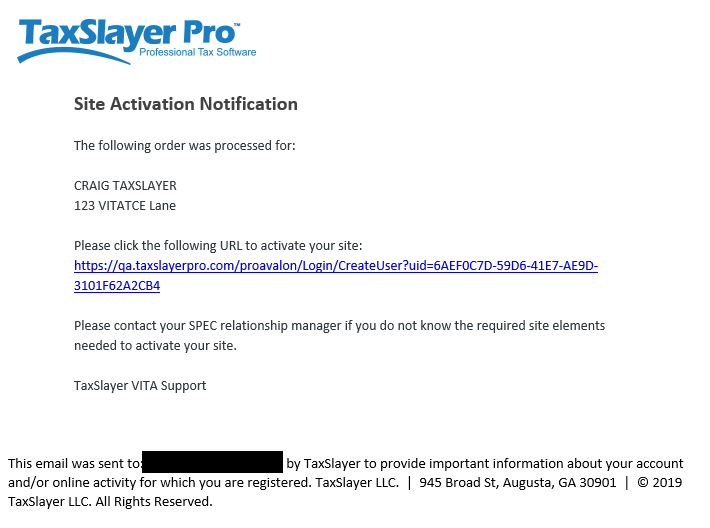
(1) Setting up your site administration credentials
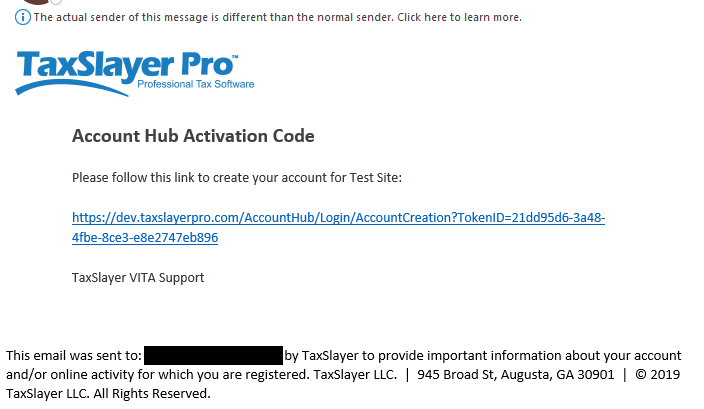
Setting up login credentials for Account Hub (where you can download the contingency software)
1/21/21 – Preparation of 1040NR and 1040PR returns using the FSA Kiosk URLs is now available.
We are in the process of enabling 1040NR and 1040PR via the FSA Kiosk URLs. We anticipate enabling these two forms by Monday, January 25th.
Once these are enabled, you will be able to do the following:
All partners are invited to join a series of conference calls during the upcoming filing season. TaxSlayer will be participating in these partners only calls to provide updates on the software, address concerns, and answer questions. Please save these dates and access information to your calendar. Looking forward to hearing you on the calls!
Please remember that questions concerning a specific tax return should be directed to VITA/TCE support. TaxSlayer will not have access to answer tax return or site specific information on the call.
| Date/Time | Access Information |
| January 28, 2021
1 – 2 pm EST |
Dial-in: 888-251-2949 or 215-861-0694 Access Code: 5840963# Need an international dial-in number? Need assistance with your audio? Please dial 888-796-6118. |
| February 11, 2021
1 -2 EST |
Dial-in: 888-251-2949 or 215-861-0694 Access Code: 5057344# Need an international dial-in number? Need assistance with your audio? Please dial 888-796-6118. |
| February 25, 2021
1 -2 EST |
Dial-in: 888-251-2949 or 215-861-0694 Access Code: 1329665# Need an international dial-in number? Need assistance with your audio? Please dial 888-796-6118 |
| March 11, 2021
1 -2 EST |
Dial-in: 888-251-2949 or 215-861-0694 Access Code: 2807882# Need an international dial-in number? Need assistance with your audio? Please dial 888-796-6118. |
| March 25, 2021
1 -2 EST |
Dial-in: 888-251-2949 or 215-861-0694 Access Code: 9284553# Need an international dial-in number? Need assistance with your audio? Please dial 888-796-6118 |
| April 8, 2021
1 -2 EST |
Dial-in: 888-251-2949 or 215-861-0694 Access Code: 7972388# Need an international dial-in number? Need assistance with your audio? Please dial 888-796-6118 |