9:58am ET – This has been resolved.
9:40am ET – We are aware of an issue when attempting to make entries in the state area of the W-2. Our developers are actively investigating. This post will be updated as additional information is available.
9:58am ET – This has been resolved.
9:40am ET – We are aware of an issue when attempting to make entries in the state area of the W-2. Our developers are actively investigating. This post will be updated as additional information is available.
1/23/2023 10:45am ET: This has now been resolved.
We wanted to make you aware of an issue that will impact, as of this morning (1/23/2023), returns with a future date selected for direct debits. Currently, you can select a future direct debit date in e-file, however, what is reflecting on the PDF is the current date. This means that returns submitted with a direct debit payment method, the current date will be sent with the return instead of the future date selected. Our developers are actively looking into this issue.
Note: This only impacts returns as of 7:00am ET on Monday, January 23rd if an amount is owed and a future direct debit date is selected.
Friday, January 20th
4:05 PM: 28 additional returns were received that did not get sent during Controlled Launch. These returns will have a status of “Transmitted” on your client list. Once we start sending returns on Monday, these returns will be sent to the IRS. No action is required by you.
3:09 PM: We have turned efile off. Thank you to everyone that participated. This allowed us to identify some unexpected items.
1:27 PM: We have sent 29 e-files and received 29 acks. We are currently seeing some unexpected things with the acknowledgements from a software perspective.
We are researching these issues in order to get them resolved prior to opening day.
10:05 AM: E-file has been turned on to transmit from the Submission page from inside the return.
—————————————————————————————————————————————
We will be turning on the ability to submit 2022 e-files for a few hours on Friday, January 20th from approximately 10am – 3pm Eastern. Our goal is to send around 100 VITA/TCE returns during controlled launch.
Yes
No
We will hold the return and submit it on Monday, January 23rd when e-file opens.
We have implemented a new system for sending out VITA/TCE email notifications. Effective 11/29/2022 at 1:00 PM EST. Any one that subscribed to our blog post prior to this date and time will need to complete the subscription process.
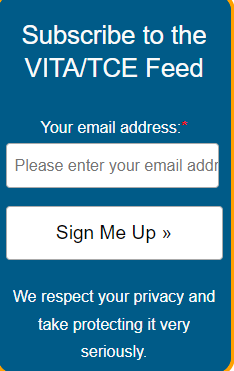
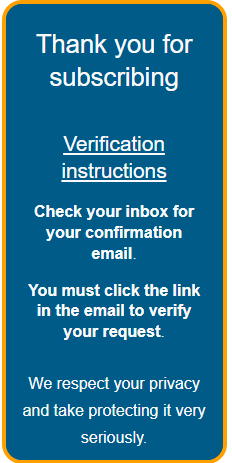
Steps for signing up to receive VITA/TCE Blog email notifications, which includes Release Notes, Breaking News and a lot of informative information to help you navigate TaxSlayer and tax season.
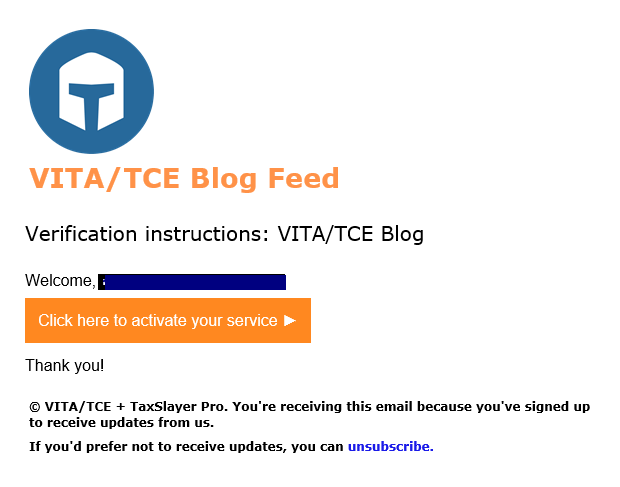
NOTE: The email will come from [email protected]

TIP: If you want to sign up for multiple email addresses, you will need to open the blog in a different instance of your browser
This item in Office setup was removed after we created and published our training materials. It is no longer needed due to the change made to the e-file section last year. The third party designee is an optional question on the Return Details page in the e-file section.
You will also notice a new section titled Office Designee within the Office Setup page. This defaults to blank. DO NOT change the selection.

Keep in mind, that these are considered live returns and will show in your reports and counts. If you are having your volunteers complete practice returns, we strongly recommend you have them create practice returns in the Practice Lab (remember, it is a super site in the production system).
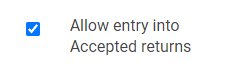
We have added the following definition to Security Manager “Allow entry into Accepted Returns”. It is enabled by default for all of the TaxSlayer assigned templates.
What is the purpose?
If you remove the checkmark, the user will not be able to open an accepted return to make modifications to it. This feature can be used instead of using the “Hide Accepted Returns from Limited Users” definition. The advantage is that they can still see the accepted returns in their list, but cannot open and modify them.
Ad Hoc Site Scenario:
Site has a “main” site and also has one or more “ad hoc” site .
Instructions for Setting up in TaxSlayer Pro Online:
Note: If a volunteer prepares returns at the main site and each ad hoc site, they will need a username for each to ensure the correct SIDN is in the e-file. The preparer can use the same email address in this circumstance.
Click here to download a PDF of complete instructions