TaxSlayer VITA/TCE support will close today, November 27th at 12:00pm ET and will reopen on Monday, December 2nd at 8:00am ET. We hope everyone has a safe and happy Thanksgiving!
Practice Lab: 2019 Practice Exercises
12/2/2019 – The Puerto Rico practice exercises have been updated to 2019.
- Please note current Practice Exercise answers may not reflect some 2019 changes as the application will continue to receive updates as final forms/instructions are released to software vendors. We will work to update the 2019 Practice Exercises as much as possible on a as-needed basis.
11/27/2019 – All Practice Exercises have been updated to 2019 except the Puerto Rico Exercises.
- Please note current Practice Exercise answers may not reflect some 2019 changes as the application will continue to receive updates as final forms/instructions are released to software vendors. We will work to update the 2019 Practice Exercises as much as possible on a as-needed basis.
To help set expectations in the field, the practice exercises under Section 6 of the Practice Lab will be updated to 2019 the week of Thanksgiving. We wanted to provide extra time for additional updates to be applied to the 2019 software before updating the exercises. This time of year both the IRS and State Departments are continually releasing and finalizing forms, schedules, and instructions to software vendors. Regular updates will be implemented into the software as information is released/provided to software vendors. At this time, the practice exercises are still based on the 2018 application.
Custom Questions and Associated Answers — Reminder
The answers entered on a return for TY 2018, TY2017, and TY2016 will be eliminated from our system on December 30th.
If you need to run any additional reports for Custom Questions, you will need to run these prior to December 30th.
What happens when I run the reports for prior years 2018, 2017 and 2016 after December 30th?
The reports will run, but the data for the answers entered into the tax return will not be on the report
Will the list of answers still be available for the prior year questions?
Yes, the list of answers will still be available when you create a new prior year return or edit an existing prior year return.
I made my questions required, will my preparers be forced to answer them again for prior year returns?
No, we will by-pass the “is required” feature for questions associated with prior year returns.
If I edit a prior year return or amend a prior year return will I be required to answer the questions again?
No
If I answer the questions on prior year returns after 12/31/2019, will the data show up when I run reports for the prior year?
Yes, If the data is entered in prior years after 12/31/2019 it will s how up in that prior year’s report.
We will post additional information throughout the next few months as reminders and if we get additional questions.
Practice Lab: RunTime Errors (RESOLVED)
11/21/2019 7:15 pm ET: The service has been resolved. If you are getting a blank page, or experiencing slowness going to the Practice Lab or your site, you should open a new browser (not just a new browser tab) and try again. Our engineers are continuing to investigate to determine the reason for the service errors.
11/21/2019 6:34 pm ET: We are aware some users are receiving run time errors when attempting to access the Practice Lab and/or their site. We are currently investigating.
11/21/19 – 10:42am ET: The service has been resolved.
11/21/19 – 10:39am ET: We are aware some users are receiving run time errors when attempting to access the Practice Lab and/or their site. We are currently investigating.
Practice Lab Videos: Updated & Converted to a New Format (Now Live)
The following links will activate the updated videos. We have also changed to a format that does not require Adobe Flash. This requires that we change all of the links already associated with the videos on the Practice Lab. While this is being worked on, the following links will play the updated videos:
Note: If viewing the Practice Lab videos using Internet Explorer or Microsoft Edge and you see the below message, click “Cancel” to continue viewing. You can also Google Chrome to view the Practice Videos without issue.

Section 1: Getting Started with TaxSlayer Pro Online Download Mini Guide
Section 2: Configuring TaxSlayer Pro Online Download Mini Guides
Setting up Site Information Security Templates Adding Preparers Custom Questions
Printing Configuration Return Management Reports Managing Multiple Sites
Section 3: Installing TaxSlayer Pro Desktop Download Mini Guides
Contingency Procedures Installation and Network Configuration Setting up Site Information
Setting up Security Templates Creating Users/Preparers Custom Questions
Printing Configuration Managing Returns Updating and Transferring Working with Reports
Section 4: Preparing a Return Download Mini Guides
Starting a Return Basic Income Part 1 Basic Income Part 2 Adjusted Gross Income
Standard and Itemized Deductions Basic Credits Other Taxes Payments and Estimates
Affordable Care Act State Income Tax Advanced Topics Part 1 Advanced Topics Part 2
Printing a Return Taxpayer Search 1040X 1040NR
Section 5: Electronic Filing Download Mini Guides
Practice Lab 2019 — Refund Monitor (RESOLVED)
11/13/19 – When inside a return, you may need to perform a hard refresh of your screen for the Refund Summary to appear. Do a hard refresh using Ctrl+F5. It may require a few attempts.
The Refund Monitor is currently not visible in Practice Lab 2019. This will be corrected in a future update.
Custom Questions and Associated Answers — Reminder Notification
The answers entered on a return for TY 2018, TY2017, TY2016, and TY2015 will be eliminated from our system on December 30th.
If you need to run any additional reports for Custom Questions, you will need to run these prior to December 30th.
What happens when I run the reports for prior years 2018, 2017 and 2016 after December 30th?
The reports will run, but the data for the answers entered into the tax return will not be on the report
Will the list of answers still be available for the prior year questions?
Yes, the list of answers will still be available when you create a new prior year return or edit an existing prior year return.
I made my questions required, will my preparers be forced to answer them again for prior year returns?
No, we will by-pass the “is required” feature for questions associated with prior year returns.
If I edit a prior year return or amend a prior year return will I be required to answer the questions again?
No
If I answer the questions on prior year returns after 12/31/2019, will the data show up when I run reports for the prior year?
Yes, If the data is entered in prior years after 12/31/2019 it will s how up in that prior year’s report.
We will post additional information throughout the next few months as reminders and if we get additional questions.
Imperfect Return Indicator — What is it?
2019 Enhancement to prevent the display of the Imperfect Return selection
We have added an option to Security Templates to prevent the Imperfect Return indicator from being presented to the preparers.
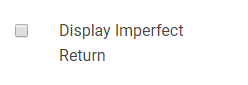
We are not selecting this for any of the Security Templates assigned to the sites by TaxSlayer. We recommend that you do not select this in any of your custom security templates.
Disadvantages of Using the Imperfect Indicator; The IRS matches the information on the back end the site is unaware of the match changes to make corrections on the return. This will result in the same data being carried forward next year and the return being rejected for the same business rule. The returns with the Imperfect Return Indicator are typically processed in 4-6 weeks after acceptance.
Original Post
If your federal return is rejected for a SSN/Name Control business rule, you will see the Imperfect Return option appear under the Federal Return type on your e-file page.
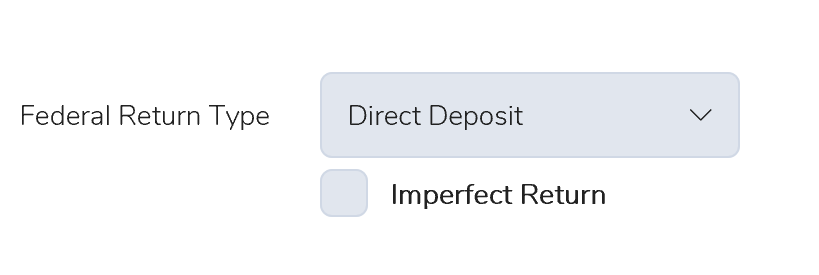
We give the preparer the choice of working with the taxpayer to make this correction or allowing the IRS to make the the correction. If selected, an “Exception” status indicates to the IRS that the return was previously rejected for the business rule. The IRS will continue to process the return and a notice will be sent to the taxpayer advising them of any change made as a result of the Imperfect Return indicator. This prompts the IRS system to match the information from previously accepted returns. The returns with the Imperfect Return indicator are typically processed in 4-6 weeks after acceptance.
Disadvantages of Using the Imperfect Indicator; The IRS matches the information on the back end the site is unaware of the match changes to make corrections on the return. This will result in the same data being carried forward next year and the return being rejected for the same business rule.