The mini-guide and video for the Customer Portal is now Available on the blog. These are not available in the Practice Lab at this time.
Click Here for the video.
Click Here for the training guide.
The mini-guide and video for the Customer Portal is now Available on the blog. These are not available in the Practice Lab at this time.
Click Here for the video.
Click Here for the training guide.
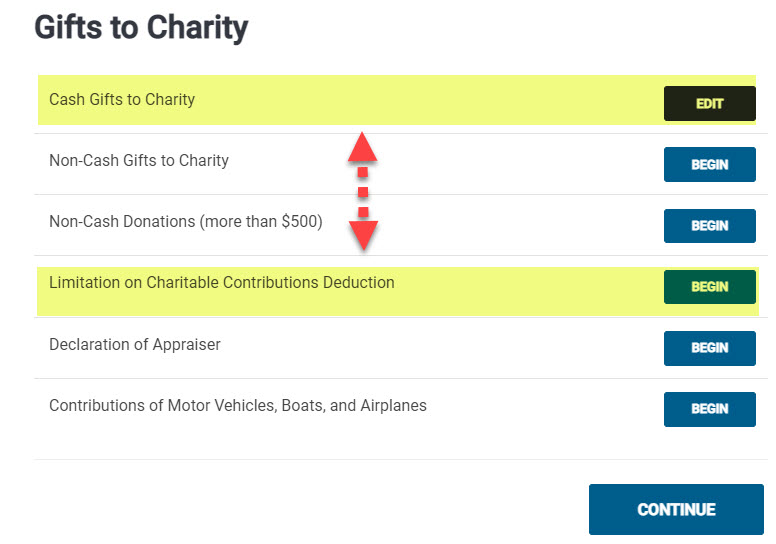
In most cases, the amount of charitable cash contributions taxpayers can deduct on Schedule A as an itemized deduction is limited to a percentage (usually 60 percent) of the taxpayer’s adjusted gross income (AGI). Qualified contributions are not subject to this limitation. Individuals may deduct qualified contributions of up to 100 percent of their adjusted gross income. Contributions that exceed that amount can carry over to the next tax year. To qualify, the contribution must be:
Contributions of non-cash property do not qualify for this relief. Taxpayers may still claim non-cash contributions as a deduction, subject to the normal limits.
It is a two-step process.

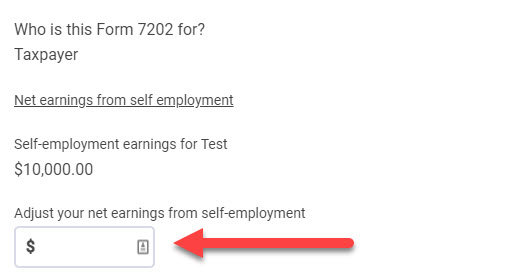
Question: In the current iteration of the Form 7202 page inside TaxSlayer, how do I elect to use the 2019 net earnings from self-employment?
Answer: To use 2019 net earnings from self-employment when calculating any applicable credit using Form 7202, the 2019 Net SE earnings MUST BE greater than the 2020 Net SE Earnings. If this is the case for your client, enter as a positive number, the difference between 2019 and 2020 Net SE Earnings into the “Adjust your net earnings from self-employment” field (shown below). The manually entered value will add to the already calculated 2020 Net SE Earnings and carry to Line 7 of Form 7202.
For example: If the 2020 Net SE Earnings is $10,000, but in 2019 it was $17,000, the difference is $7,000. Inside the TaxSlayer application, $7,000 would be entered in the adjustment field. This would add to the $10,000 already calculated in the return and carry a total of $17,000 to Line 7 of Form 7202.
Note: We realize this is not intuitive and are working to improve the experience when electing to utilize 2019 Net SE Earnings for this credit.

Question: Are we able to electronically file a $0 AGI (Adjusted Gross Income) return through TaxSlayer if the return is receiving the Recovery Rebate Credit?
Answer: Yes, if the tax return has $0 in AGI (due to no income or only Social Security Income), but is receiving the Recovery Rebate Credit (non-zero value on Line 30 of F1040), this return CAN BE electronically filed to the IRS using TaxSlayer (Pro Online, Pro Desktop, and FSA).
Additional information from IRS.gov HERE.
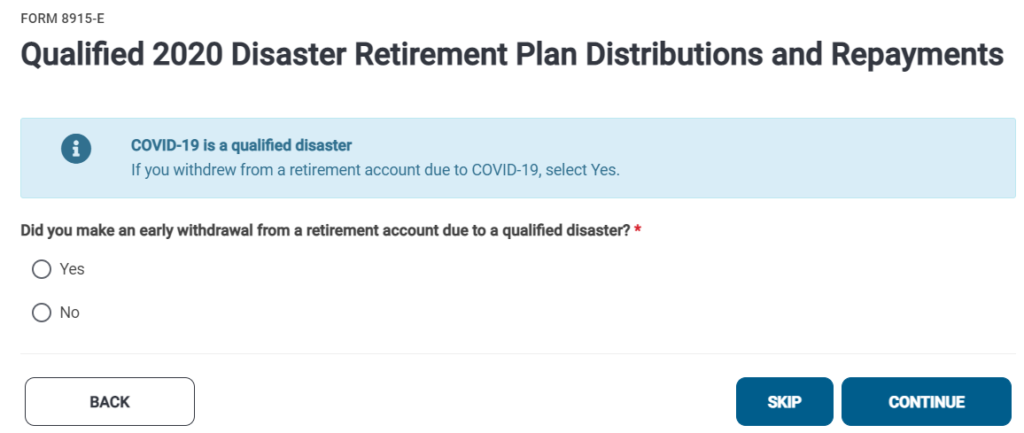
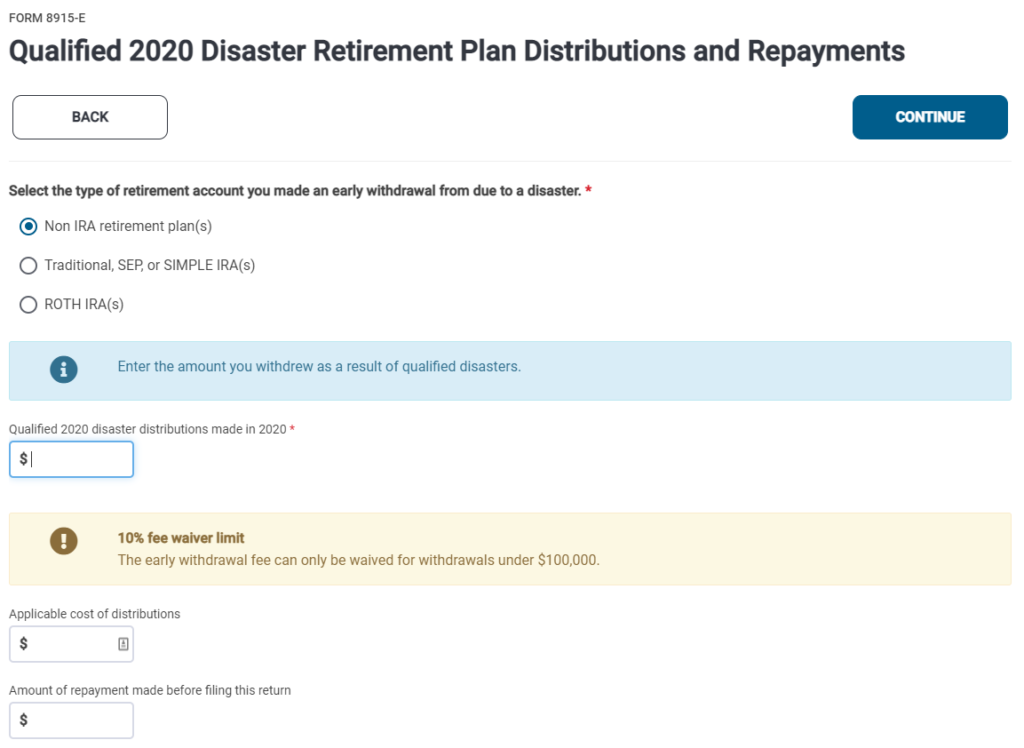
Form 8915-E for Qualified 2020 Disaster Retirement Plan Distributions and Repayments, is now available within the 2020 Pro Online application. For Phase I implementation, to trigger this form, the Code in Box 7 must be 1, J, or S. When a 1099-R is present with the before mentioned codes, preparers will be presented to option to utilize Form 8915-E if their clients would like. Phase II implementation will prompt the election to use Form 8915-E regardless of the code in Box 7.
The special lookback rule, included in the most recent Coronavirus Relief Package, allows lower income individuals to use their earned income from 2019 to determine their Earned Income Tax Credit and the refundable portion of the Child Tax Credit in 2020. This provision is now included in TaxSlayer Pro Online within the Personal Information page, shown below.

This is just a reminder that tax season support hours (below) do not begin until “Start New Return” is turned on in 2020. January 18th is tentatively scheduled to be that date, however, the opening date is subject to change.
Until “Start New Return” is turned on in 2020 support hours are Monday-Friday, 8am-5pm ET.