Category: Software News

Practice Lab: 2020 State Returns – LIVE

05 Jan 21
Craig Smith
No Comments

1/5/2021 – 2020 State Returns are now live! Please note the information posted below when reviewing the initial state application release.

Note: Initial load times may be slower than normal, but this will subside as additional state returns are created, etc.


The initial release for 2020 state returns will be this week. The expectation is to have them turned on by mid-week (Wednesday). This blog post will be updated once they are live.

It is important to keep in mind when accessing 2020 state returns once live, some states may have been delayed (and are still experiencing delays) in releasing final 2020 forms/instructions due to the late passing of any legislation and impact of COVID-19.  As you prepare 2020 state returns in the Practice Lab, you may still see 2019 calculations and/or PDF forms. Customer Service will not be creating issues for these items until the states are closer to finalization.  As information continues to be released and finalized by the states, the Practice Lab will be updated to reflect the most recent information available.

TaxSlayer VITA/TCE Support: Support Hours for New Years

31 Dec 20
Craig Smith
No Comments

TaxSlayer VITA/TCE Support will be closed beginning Thursday, December 31st at 12:00pm ET. Regular off-season support hours resume Monday, January 4th at 8:00am ET. Extended support hours will begin when “Start New Return” in 2020 is live (tentatively scheduled for January 18th).

New Forms Now in 2020 Practice Lab

30 Dec 20
Craig Smith
No Comments

The below new forms are now available in the application.

  • Note: Form 8915-E is not yet available.

Deferral of Self-Employment – This is now available in the Schedule SE page. The total net earnings will be displayed for ease of use.


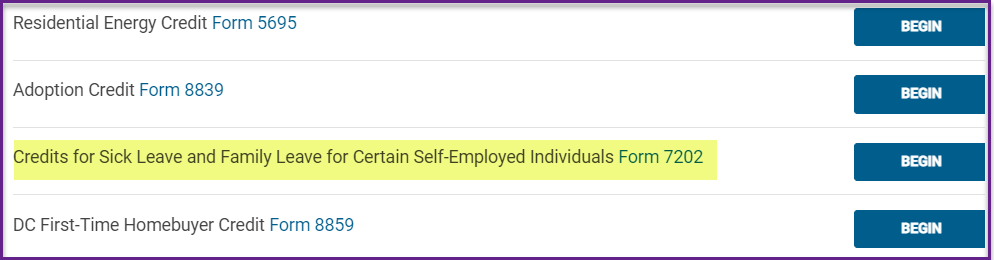
Form 7202 – This is now available in the Credits Menu


Schedule LEP – This is now available in the Personal Information page


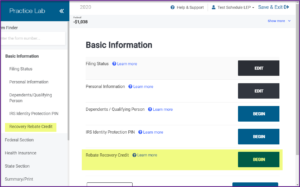
Recovery Rebate Credit – This is now available in the Basic Information menu


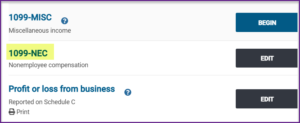
Form 1099-NEC – This is now available in the Income menu (1099-MISC has also been updated to 2020)

TaxSlayer VITA/TCE Support: Christmas Hours

23 Dec 20
Craig Smith
No Comments

TaxSlayer VITA/TCE Support will be closed on Thursday, December 24th and Friday, December 25th. Normal off-season support hours will resume on Monday, December 28th at 8:00am ET.

Merry Christmas and Happy Holidays to all!

TY2020 Orders: What to expect

16 Dec 20
Kim Manuel
No Comments

When will TaxSlayer start processing TY2020 orders?

We have received and processed the first order from the IRS.  We will receive orders on a weekly basis through December 31st and then on Tuesdays and Thursdays in January.

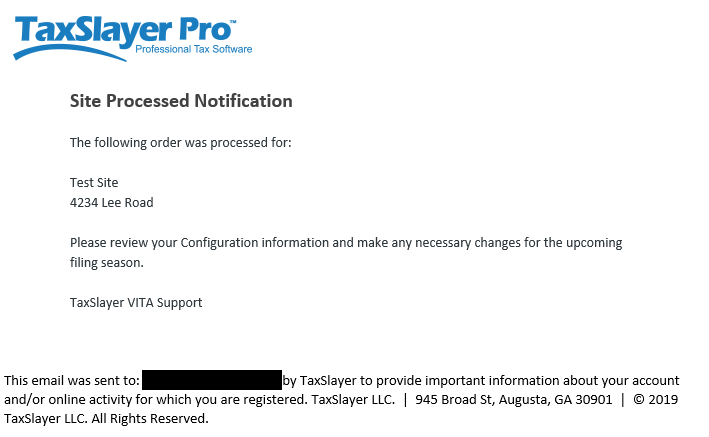
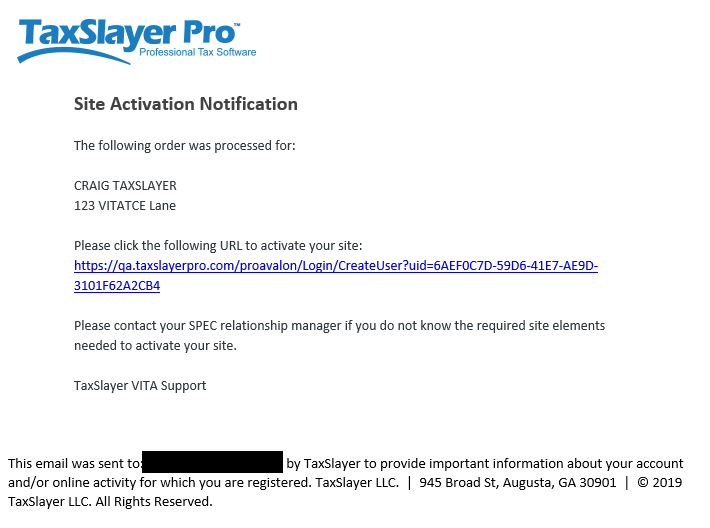
Returning Sites will receive the following email letting you know the order has been processed

There is no attachment to the email.  It is notifying  you that your site has been processed for TY2019.  Site Admins can use their existing login credentials to start getting your site ready for the upcoming filing season.  We currently do not have a date of when we will turn on the “Start New Return” feature at the production sites (we estimate mid-January).  However, you can access all items under configuration to setup new users, etc.


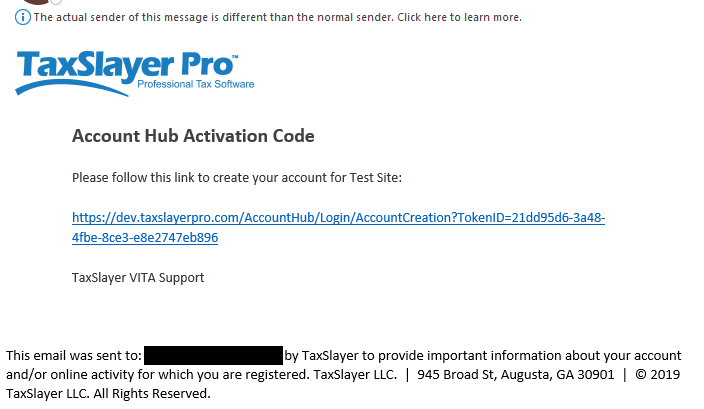
New Sites will receive the following two emails.

(1) Setting up your site administration credentials


Setting up login credentials for Account Hub (where you can download the contingency software)


Desktop 2020: Error entering EFIN Validation Code (Resolved with Instructions)

15 Dec 20
Kim Manuel

No Comments

Update 7:19 am:  If you have already downloaded the TY2020 installation MSI, you will need to uninstall it and download the MSI again.

If you have already downloaded and installed the TY2020 installation MSI, you will need to navigate to your Control Panel and do the following:

  • Uninstall TaxSlayer 2020
  • Verify services are stopped: Right-click on task bar > go to Task Manager > More Details > Services tab > Find TaxProgram2020 > right-click to stop services
  • Navigate to the drive you installed the program to
  • Select TaxSlayer
  • Delete the 2020Net folder
  • Install the newly downloaded MSI

New for TY2020:  When you are asked if you purchased the premium bundle, select No.  If you accidentally select Yes or selected yes out of curiosity, just close out of the page because there is no code for you to enter.


We are currently experiencing an error when entering your 2020 EFIN Validation Code.  We have escalated this to our development team.  Tracking ID: 408988

TaxSlayer Online 2018: 404 Server Error (Resolved)

14 Dec 20
Kim Manuel
No Comments

Update 9:45 am:  The error has been resolved.


We are currently receiving a 404 – Server Error when trying to create a new return or open an existing return in TaxSlayer Online 2018.  We have opened a ticket with our IT engineers.

VITA/TCE Support Hours for Wednesday, December 9th

09 Dec 20
Craig Smith
No Comments

TaxSlayer VITA/TCE support will close today at 1:45p ET for a company wide meeting. Normal off-season hours will resume on Thursday, December 10th at 8:00a ET.