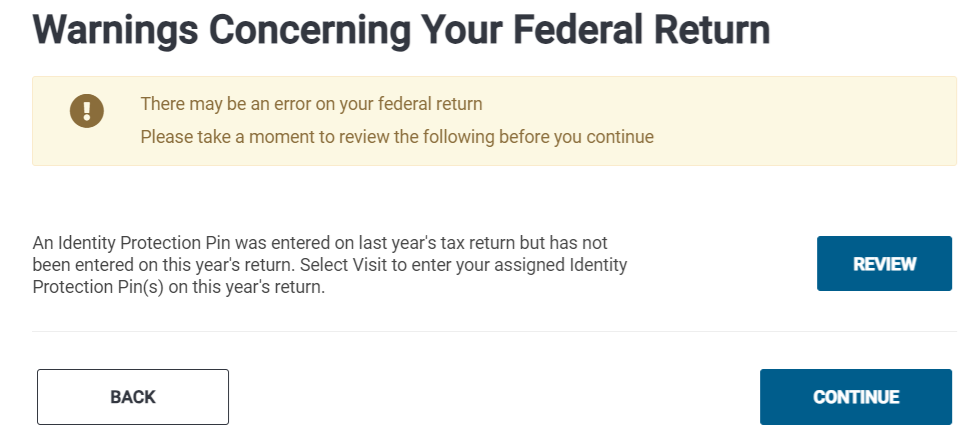
If Prior Year Carryforward is used and anyone in the return had an IP PIN in the prior year and does not have one in the current year, a warning is displayed to the preparer at e-file as a warning:

If Prior Year Carryforward is used and anyone in the return had an IP PIN in the prior year and does not have one in the current year, a warning is displayed to the preparer at e-file as a warning:

9:11am ET – All TaxSlayer Production Systems are actively running as expected at this time.
The Crowdstrike Incident is impacting a large number of businesses that use Microsoft Windows to host files. This is currently impacting your ability to open returns and print returns from the client list. Our IT team is closely monitoring the “Crowdstrike Incident” and is following any guidelines released to lessen or eliminate the impact on our applications and services.
You may experience pages with the following wording:
This error has caused you to be logged out of your account. We have been notified and are currently working to correct the problem.
We’re excited to announce that TaxSlayer Pro Online now supports a “1040 Estimated Payments Calculator” tool. This tool is housed under the Payments & Estimates menu > Vouchers for 20XX Estimated Tax Payments. Below is a series of screenshots highlighting this new tool.

Users will see the current year column auto-populated from data in the return. The next years column is where users can enter data for next year.

After entering all applicable information, the bottom of the 2nd page will display the estimated tax as well as the suggestion quarterly payments to make during the year. Currently, users will need to manually enter this amount in the Vouchers for Estimated Tax Payments menu. We have entered an enhancement to offer an option to auto-fill the calculated quarterly payment into the Vouchers for Estimated Tax Payments menu.

After completing the 1040 Estimated Payments Calculator tool, users have the option to generate a PDF shown below.


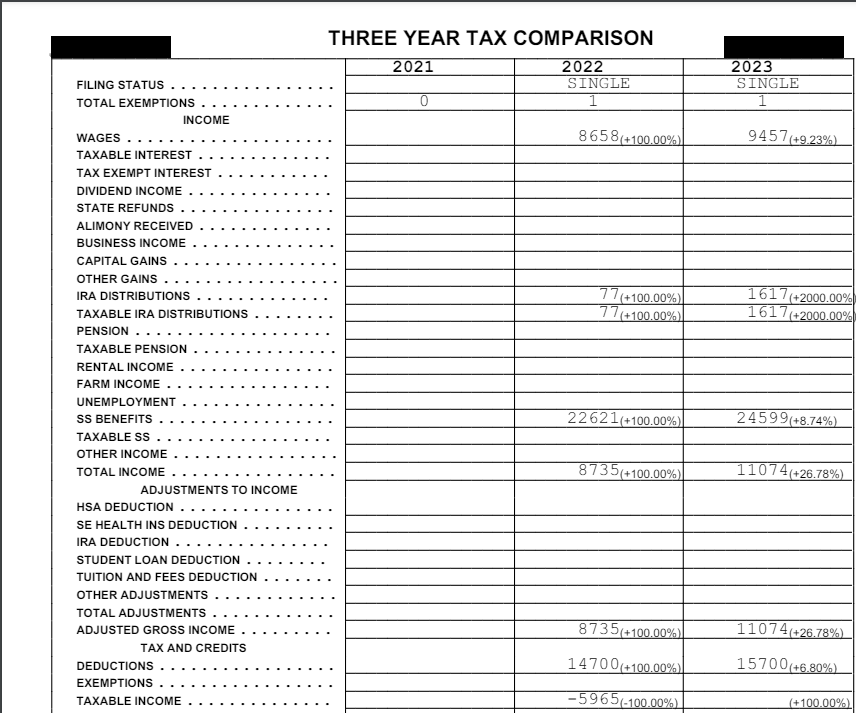
With this mornings deployment, the Prior Year Comparison utility on the Summary/Print page has been enhanced to better serve you and the taxpayers you serve! Check out the highlights and screenshots below.


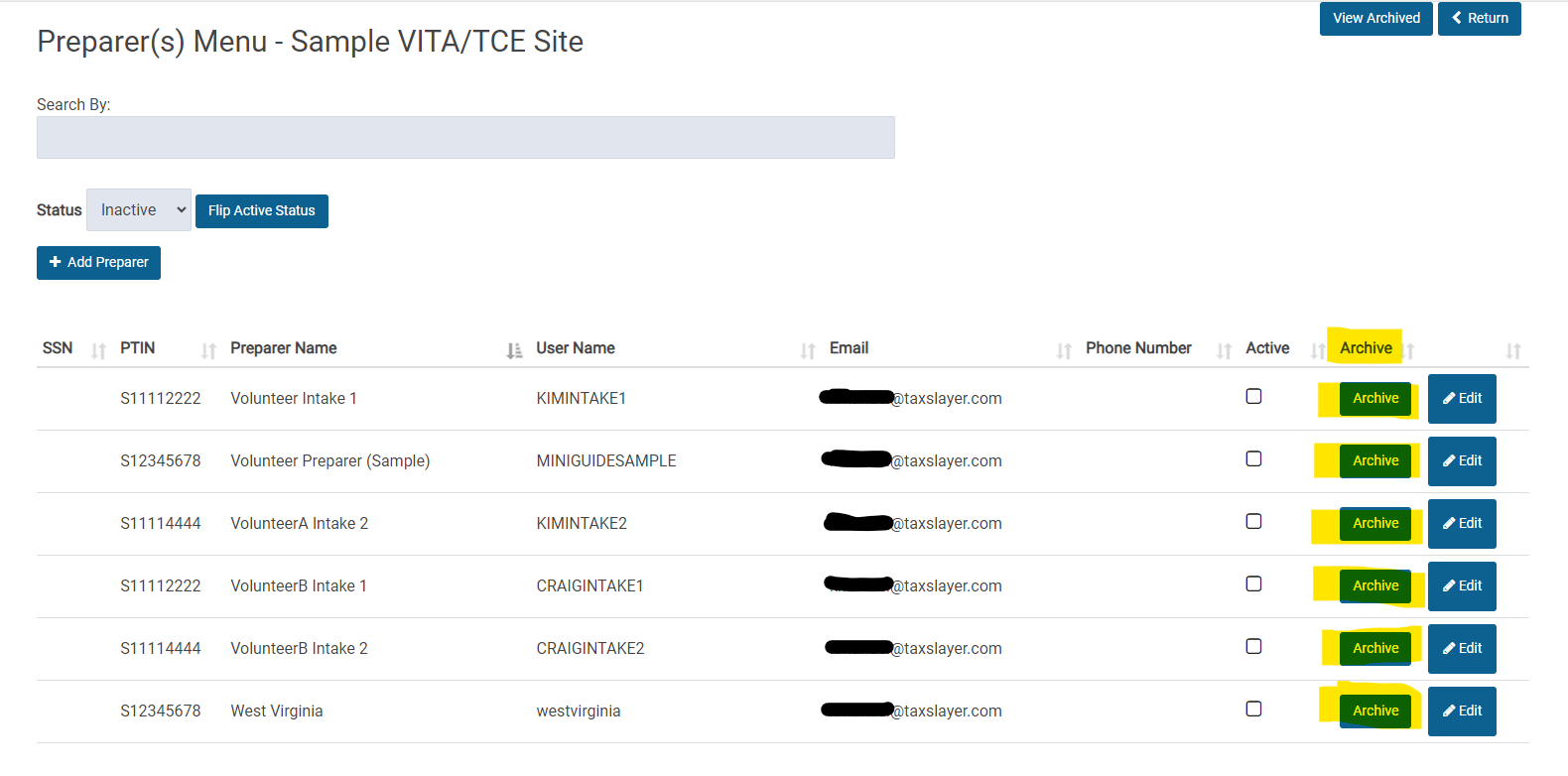
We have added an easier way to archive Preparers that you know will not be volunteering at your site in the future.
This process will make it easier to manage your active/inactive users by not displaying those that will not be returning.

Update (11:56am) We have identified the issue and restarted all necessary services. You will slowly see the returns change from “Received” to “ready” to “Sent”. Once they are sent to the IRS, you will see the acks come back in their normal timely fashion.
We are experiencing a delay in returns being sent to the IRS. These will appear with the status of “Transmitted” on your Client List and will display as “received” on the client status. We have opened a high priority ticket with our development team to resolve this.
Update 04/09/2024 8:47am: This has been resolved. You can now continue through the extension process.
Scenario: You select to File an extension and the page just spins
Workaround: Click “Your Office” on the left navigation panel to exit the page
Solution: We have entered a high priority ticket to resolve this.