As a prior year FSA Kiosk user, how do I access my prior year accepted return? Great question – here’s the answer!
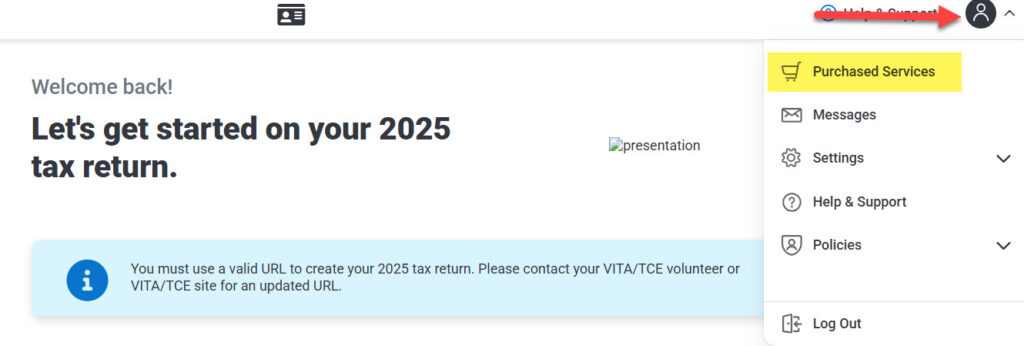
- Log in to your existing TaxSlayer FSA account which will land you on the Welcome Back/Tax Home page.
- On the top right of the page, expand the dropdown menu shown below and click on “Purchased Services”.
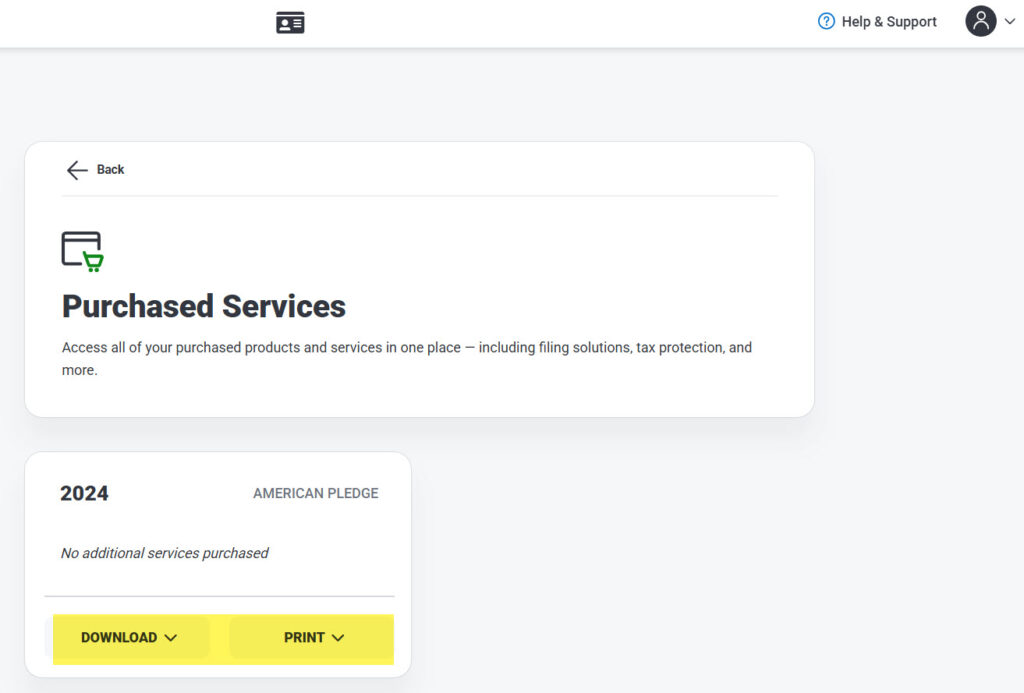
- From the “Purchased Services” page, you’ll see the prior years available for download/print going back 3 years.
- For any year needed, expand the “Download” or “Print” menus to generate a PDF of the Federal and any state returns e-filed and accepted in that year.