E-filing prior year returns is now live. The IRS allows the current + 2 prior years for electronic file. For this filing season, this means 2022, 2021, and 2020 Federal returns can be electronically filed. Most states with the exception of Rhode Island also allow prior year state e-files.
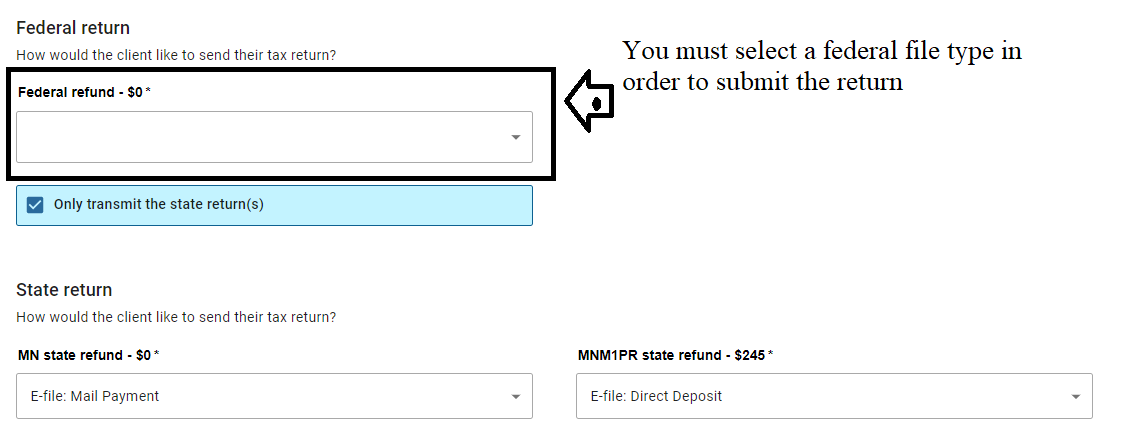
Send State Only is now on
Send State Only has been activated. Remember, you must select an e-file option for the Federal Return Type.
You must transmit state only returns from the Submission page. They WILL NOT show up on the Transmission menu
Message from Connecticut: Individual MeF Gateway Issue [UPDATE]
1/26/2023 – Update from CT: The issue that Connecticut was experiencing with our Individual Income Tax Gateway erroneously rejecting 2022 Individual Income Tax Returns with the QUALIFYINGSURVIVINGSPOUSE status has been resolved. If you were holding any of these submissions, you can now transmit them to Connecticut
We received the following information from Connecticut
Connecticut is experiencing an issue with our Individual Income Tax Gateway where 2022 Individual Income Tax Returns with the QUALIFYINGSURVIVINGSPOUSE status are being erroneously rejected with a schema validation error. I am hoping that this issue will be fixed in the next day or two. In the meantime, please refrain from sending to Connecticut any 2022 Individual Income Tax return that has the QUALIFYINGSURVIVINGSPOUSE filing status.
FSA URL Sites: Requirements and Tips for Support
Recommended method: Email because 90% of the time we need to conduct research that is taxpayer specific. However, we do provide support to the site that is hosting the FSA URL via VITA/TCE Email or phone support. You will need to have the following information:
- SIDN Assigned to the FSA URL
- Taxpayer Email (Email address used to create their FSA taxpayer account)
- Taxpayer Username (username they created with your FSA URL)
- Specific error message: (reject code, validation error, or any other type of error message the taxpayer may be seeing)
Note: VITA/TCE support cannot interact directly or indirectly with the taxpayer. The taxpayer will be directed back to your site.
DO NOT give out the VITA/TCE support number or email address to your taxpayer.
State Availability [RESOLVED]
1/24/2023 – 12:33pm ET: This has been resolved.
We are aware that Louisiana is the only state available. We are working to make the other states “available”
Electronic Filing is officially open for TaxSlayer Pro Online
We have turned on the ability to electronically file current year returns.
We strongly recommend you open and review each return prior to sending it electronically. All returns sent to us on Friday during the Controlled Launch window have been sent and acknowledged by the IRS.
Controlled Launch Announcement — Friday, January 20th (Update 4:05 PM)
Friday, January 20th
4:05 PM: 28 additional returns were received that did not get sent during Controlled Launch. These returns will have a status of “Transmitted” on your client list. Once we start sending returns on Monday, these returns will be sent to the IRS. No action is required by you.
3:09 PM: We have turned efile off. Thank you to everyone that participated. This allowed us to identify some unexpected items.
1:27 PM: We have sent 29 e-files and received 29 acks. We are currently seeing some unexpected things with the acknowledgements from a software perspective.
- If your return was rejected, it will show on the client list as rejected, but you currently cannot see any reject details.
- The IRS Ack reports are not rendering any data (assuming the same thing is happening for accepted returns)
- The client status does not seem to be updating to appropriate status
We are researching these issues in order to get them resolved prior to opening day.
10:05 AM: E-file has been turned on to transmit from the Submission page from inside the return.
—————————————————————————————————————————————
We will be turning on the ability to submit 2022 e-files for a few hours on Friday, January 20th from approximately 10am – 3pm Eastern. Our goal is to send around 100 VITA/TCE returns during controlled launch.
Will I get an IRS acknowledgement?
Yes
Does this speed up the process of the taxpayer getting their refund any earlier?
No
What happens if I submit a return and it is not sent during Controlled Launch?
We will hold the return and submit it on Monday, January 23rd when e-file opens.
Action Required: Blog Post Email Notifications
THE IMAGES IN THIS POST ARE SCREENSHOTS AND CANNOT BE CLICKED
We have implemented a new system for sending out VITA/TCE email notifications. Effective 11/29/2022 at 1:00 PM EST. Any one that subscribed to our blog post prior to this date and time will need to complete the subscription process.
Steps for signing up to receive VITA/TCE Blog email notifications, which includes Release Notes, Breaking News and a lot of informative information to help you navigate TaxSlayer and tax season.
- Scroll to the bottom of this (or any) article
- Look to the right side of the screen
- The image below is just a screenshot and cannot be clicked
- Enter your email address and select “Sign Up”
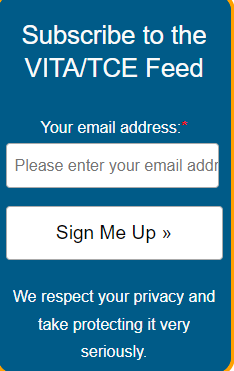
- You will see a verification instruction dialog box
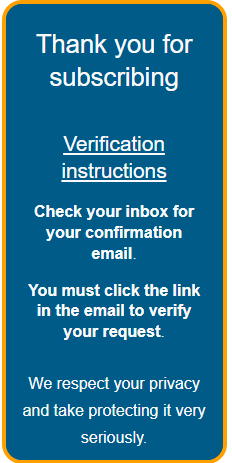
- Check your email. Make sure you check your SPAM or JUNK folder.
NOTE: The email will come from [email protected]

- Follow the onscreen instructions:
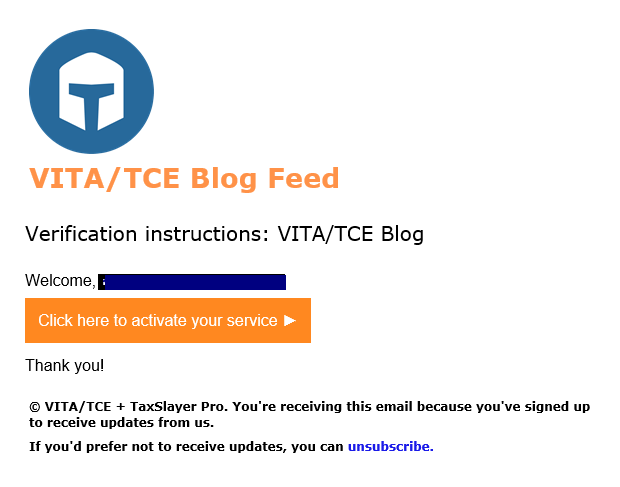
- You will be taken to the VITA/TCE Blog homepage.
TIP: If you want to sign up for multiple email addresses, you will need to open the blog in a different instance of your browser