This has been resolved as of 2/1/2022.
Scenario: I have transmitted efiles for 2020 and 2019 and they are still in Transmitted Status
Resolution: Issue 6527: This has been reported our development team and will provide a resolution when resolved.
This has been resolved as of 2/1/2022.
Scenario: I have transmitted efiles for 2020 and 2019 and they are still in Transmitted Status
Resolution: Issue 6527: This has been reported our development team and will provide a resolution when resolved.
Scenario: I upload a PDF to scanned documents and I do not have the option for “Add to Customer Portal”
Solution: The taxpayer needs to register their customer portal. They must have an established portal in order to have the ability to add a PDF that they can access via “Files from my Preparer”

Scenario: You selected Send Document from the Submission page and received the Failed to Send Document Message box
Solution: The taxpayer has not established/registered their customer portal. We do not allow the document to be sent if the customer does not have a registered portal.
Scenario: I do not see a PDF after the completion of the green progress bar
Solution: The PDF will open in a new tab. Look for the browser message that this pop-up is disallowed and allow for this type of pop-up

Current year 1040, 1040NR, 1040PR = On
Current year 1040X = ETA week of 2/6
Current year State Only = 1/31
2020 1040, 1040NR, 1040PR, 1040X and State only = On
2019 1040, 1040NR, 1040PR, 1040X and State only = On
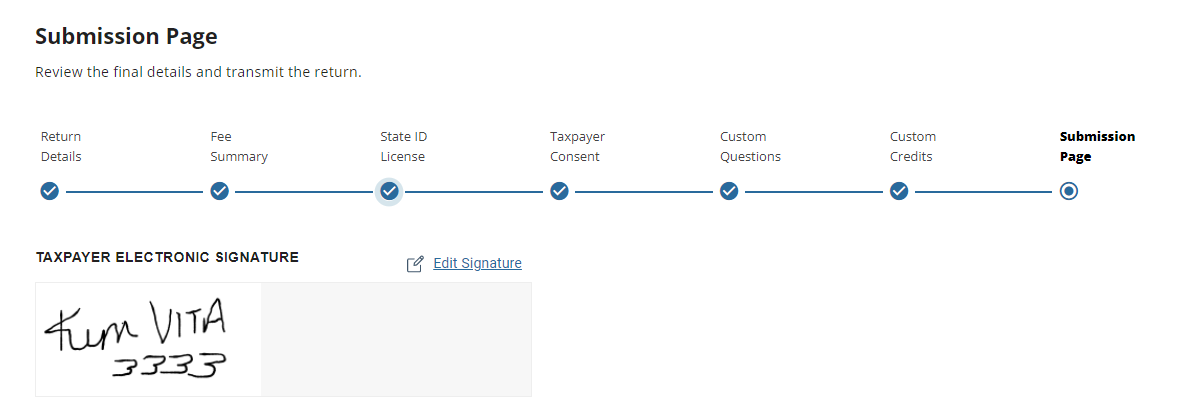
You will see the signatures displayed on the Submission page once they have been signed.

You can then print the return from any print option to see the signatures on the 8879, 1040, accepted consents and any applicable state docs (not all state docs have signatures)
You can then select “Send Document” (currently you have to generate a PDF first) to make the signed documents available tot he taxpayer.
Scenario: We are not seeing the signature being applied to all forms, only the accepted consents.
We are actively working to resolve this so you can visibly see the signature on the appropriate forms.
You should NEVER email the full SSN or put the full SSN in a chat conversation. We can look the return up by last 4 and EFIN
F1040-065-04: At least one of the following must have a non-zero value on Form 1040: ‘TotalIncomeAmt’ or ‘AdjustedGrossIncomeAmt’ or ‘TaxAmt’ or ‘TotalTaxBeforeCrAndOthTaxesAmt’ or ‘TotalCreditsAmt’ or ‘TotalTaxAmt’ or ‘TotalPaymentsAmt’.;
Returns in this condition cannot be electronically filed.