Author Archives: %s

Pro Online 2021: Submission page “undefined” error when saving or transmitting return [RESOLVED]

03 Feb 22
Kim Manuel
No Comments

Scenario:  I have completed the e-file section and I receive the red error banner with no explanation when trying to Save & Exit or Transmit the return

Possible Reason:  We are currently not displaying the appropriate message if the site has “Require Return Tag(s) for Saving Returns” selected in office setup.

Troubleshoot:  Select a return tag to see if this resolves the error or navigate to Office Setup to see if the below option is selected.  This may give you an indication of how to Save & Exit or Transmit the return.

Resolution:  This issue is scheduled to be resolved with our Friday morning deploy

Contacting VITA/TCE Support: Tip for getting a quicker resolution

03 Feb 22
Kim Manuel
No Comments

EVERY email you submit to VITA/TCE support should include at least one of the following

  • EFIN -or-
  • SIDN
  • Last 4 of the TP SSN (if reason for contact is about a return(s) at your site)

We are seeing at least 75% of all emails coming in without this information.   Unless the email is very generic, the support team will have to send a reply back asking for identifying information.  Please help us provide a more timely resolution by including this information in your original email.

Customer Portal: Where do signatures appear on State Returns?

02 Feb 22
Kim Manuel
No Comments

Customer Portal signatures will only be displayed on the state equivalent e-file forms 8879/8453 if the state supports a digital signature.

Note:  The signatures do not appear on the on the primary state forms (that are the state equivalent to the 1040).

At the time of this post, the following states support a digital signature on the state 8879/8453

AL, AR, AZ CA, CO, DE, GA, IA, IL, IN, KY, LA, MA,  MD, MI, MS, NM, NY, OK, OR, PA, SC, VA, VT, WV

Pro Online 2021: Signature Areas on the Submission Page

02 Feb 22
Kim Manuel
No Comments

We are getting several inquiries on the purpose of the signature areas on the Submission Page;

What is the purpose of the Taxpayer Signature block?

It actually serves two purposes.  In both cases, the signatures print on the tax return

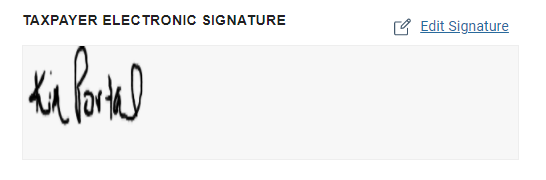
Primary purpose:  This allows the preparer to see that the taxpayer has established and signed their documents via their customer portal


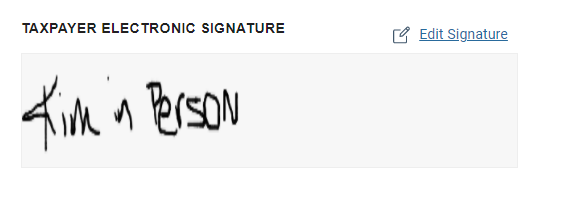
Secondary Purpose:  You can allow the taxpayer to use your mouse or touch screen and sign their tax return if you are preparing their return in person.


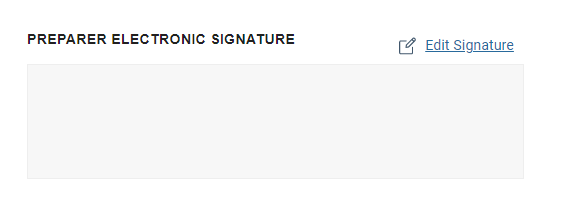
What is the purpose of the Preparer Signature Block?

It actually does not serve any purpose since VITA/TCE volunteer preparers are not required to sign the tax return.  We have put in a work order to hide this block (it has been hidden in the past).  However, if you sign your name in it, it will print on the tax return.

Username Procedures: As volunteers begin using your production site

02 Feb 22
Kim Manuel
No Comments

If you are a volunteer for a site and your username is marked as “Inactive” when you attempt to login, you MUST contact your site administrator.  VITA/TCE support cannot mark your username as active because we do not know the procedures put in place for your site by the site administrator.

Pro Online 2021 Security Template: Do Not Force Return Review

01 Feb 22
Kim Manuel
No Comments

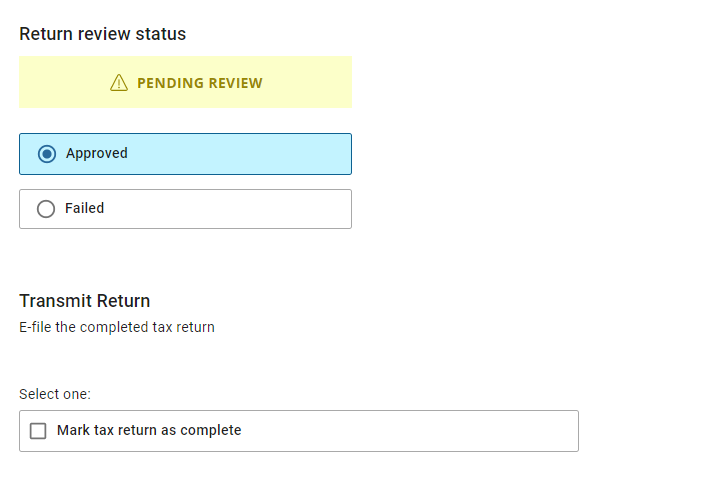
The redesign of the e-file section has caused some confusion over when to use the security template option of “Do not Force Return Review”

How do I force a preparer to mark a return for review?

Review your security template and make sure the following option does not have a checkmark next to it.  This will force the user to mark the return for review prior to saving and exiting the return.


The Mark Return Complete option does not automatically display when my reviewer approves the return

Edit the security template associated with the reviewers username and select the checkmark next to “Do not Force Return Review”.  This will allow the “Mark Tax Return as Complete” box to automatically appear


Why does TaxSlayer recommend using a different username to review the return?

The application is designed to capture key changes in the client history.  If the preparer and quality reviewer are using the same username, any changes to key items such as AGI, RTN, ACCT, refund/balance due are logged as the same user which could make it harder to track down changes to the return.

Customer Portal: Sending link via text only

31 Jan 22
Kim Manuel
No Comments

Scenario:  I sent my taxpayer a customer portal link via text only (did not enter an email address)

Problem:  The taxpayer cannot register their portal because we are currently requiring an email address in the registration process

We are working to resolve this.

Alternative:  Click Customer Portal and enter phone number and email address and resend them the link.  It will go to the email account.

Alternative 2:  You can enter their email address in the efile section, Save & Exit the return and they can enter that into the portal registration


Customer Portal: Edit and Clearing signatures

31 Jan 22
Kim Manuel
No Comments

We currently have an issue reported where if the following happens, the signatures are no longer being displayed on the return

  1. The taxpayer changes their signature via their registered customer portal and it no longer prints on any forms
  2. Preparer clears or edits the taxpayer signature from the submission page and it no longer prints on any forms

(Issue 6556)

We are actively working to resolve this.  We recommend you encourage the taxpayer to only sign once (my signature looks like I signed a squiggly line with the wrong hand, but it is still a signature).  We also strongly recommend you don’t clear it from within the application until this is resolved.