Author Archives: %s

Customer Portal: Taxpayer Access to Tax Documents

07 Oct 21
Kim Manuel
No Comments
Q: How long can a Taxpayer access their tax documents in their Customer Portal account?
  • A: Current year return access is available through November of the current year.
    • Future Enhancement: The goal for a future year enhancement is to allow the taxpayer to have access to multiple year returns associated with their secured customer portal.
Q: Does a Taxpayer need a new Customer Portal login each year it is used?
  • A: Short answer: No, the same login can be used by the taxpayer, but only the current year return (at this time) will be available until access to multiple years is available.
  • A: Longer answer: If the taxpayer uses Customer Portal in Year 1. In Year 2, the preparer will still need to send a link to the taxpayer for Customer Portal for that year. The Taxpayer can use the new link to login to their existing Customer Portal account, which will automatically link to the current year return.

Customer Portal: What type of files can the taxpayer upload to their secured portal

23 Sep 21
Kim Manuel
No Comments

The taxpayer is allowed to upload the following file types to their secured customer portal

  • pdf
  • png
  • jpg
  • tif
  • doc
  • docx
  • xls
  • xlsx

The size limitation is a max of 5 meg per file with a total max of 25 meg of files the taxpayer can upload.

Support Phones and Chat: Technical Difficulties [RESOLVED]

07 Sep 21
Kim Manuel
No Comments

We are currently experiencing technical challenges with our phone system.  This impacts our ability to take inbound calls and chats.  You can continue to reach out to support via email during this time.

Sneak Peak 2021: Taxpayer and Spouse E-mail Address Input Fields

27 Aug 21
Kim Manuel
No Comments

Drum roll please…….it is finally coming to a Pro Online application near you.

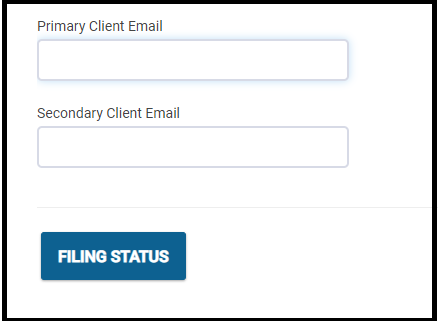
You will be able to enter the Taxpayer/Spouse e-mail address on the Personal Information page.  It will be located directly under the telephone number fields.

Customer Portal: Methods to send the link to the taxpayer

16 Aug 21
Kim Manuel
No Comments

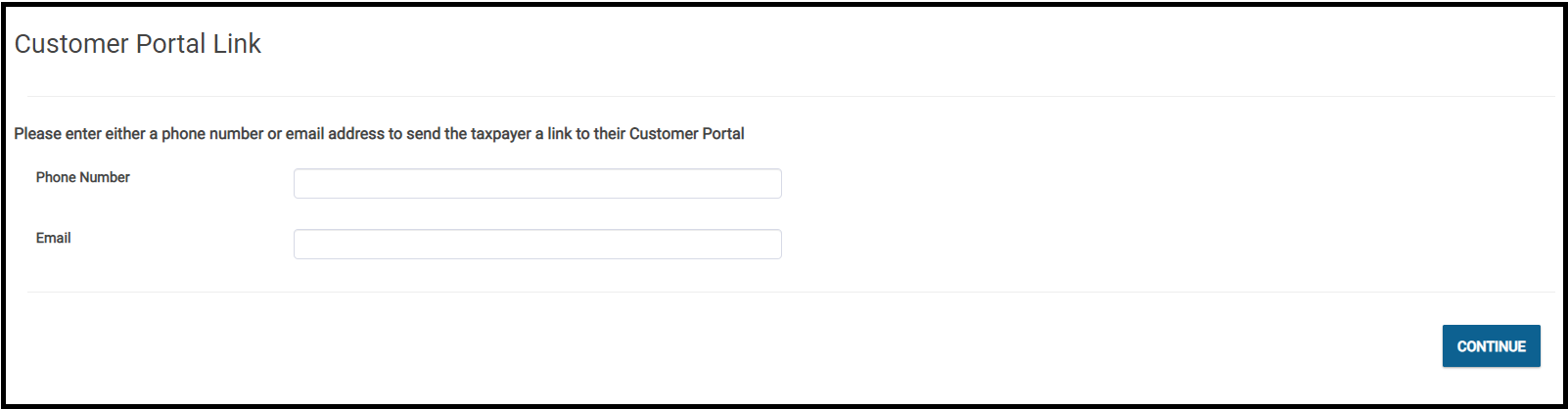
The volunteer will have two options for sending the link to the taxpayer

  1. Send the link to the taxpayer via email (The goal is to pull this from the return)
  2. Send the link to the taxpayer via text

Please note that if both options have been completed, the application defaults to sending the link to the taxpayer via their email address

Below is a screenshot that demonstrates what the volunteer will see when they select customer portal

Customer Portal: How do I send the taxpayer a link?

12 Aug 21
Kim Manuel
No Comments

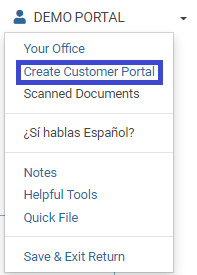
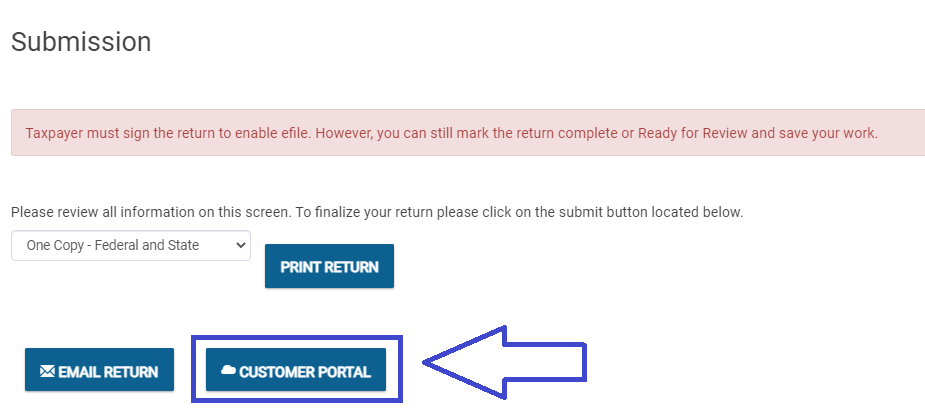
There will be three access points available to all users that have been granted access to use the customer portal feature after completing the Basic Information section:

  1.  Taxpayer name dropdown


2.  Left Navigation Bar


3. Submission Page

Suggestion Box: Send us your Summertime Suggestions

11 Aug 21
Kim Manuel
No Comments

Click here to submit a suggestion

We are working through the suggestions you submitted to us during the season. We encourage you to continue to send us suggestions throughout the summer and fall.

Reminder: The suggestion box should not be used for calculation errors or software issues.  You should reach out to VITA/TCE support.

Customer Portal: Frequently Asked Questions (Part 4)

08 Aug 21
Kim Manuel
No Comments

Can another preparer complete the chat or only the preparer who started the chat?

Another preparer cannot complete the chat but if the have an active security template they can view the chat.  We have a feature request in to allow any user that can see the return to complete or start a chat, however at this time we do not have a commitment that this will completed for TY2021.

Can we send the 13614 and 14446 to the taxpayer to fill out through the portal? Are there questionnaires built into the portal?

No, The taxpayer information must already be available to you before you start a return cannot be sent to the taxpayer via the portal. We have a feature request submitted, but have not received commitment that it can be implemented this year.

We will not be adding built-in questionnaires as this feature can be used across all VITA/TCE Pro Online sites and is also used by our Pro customers.

Will VITA sites and their taxpayers have access to the TaxSlayer mobile app to utilize the portal?

No

Just to make sure I understand correctly: The volunteer must create a new return and complete the Basic Information before they can access the Client Portal and send the Link to the taxpayer. So, a taxpayer cannot create their own account on the client portal without the link and cannot complete the basic information on their own. Is that correct?

Yes, the client portal utilizes the return ID to establish the secured portal