The mini-guide and video for the Customer Portal is now Available on the blog. These are not available in the Practice Lab at this time.
Click Here for the video.
Click Here for the training guide.
The mini-guide and video for the Customer Portal is now Available on the blog. These are not available in the Practice Lab at this time.
Click Here for the video.
Click Here for the training guide.
The taxpayer is allowed to upload the following file types to their secured customer portal
The size limitation is a max of 5 meg per file with a total max of 25 meg of files the taxpayer can upload.
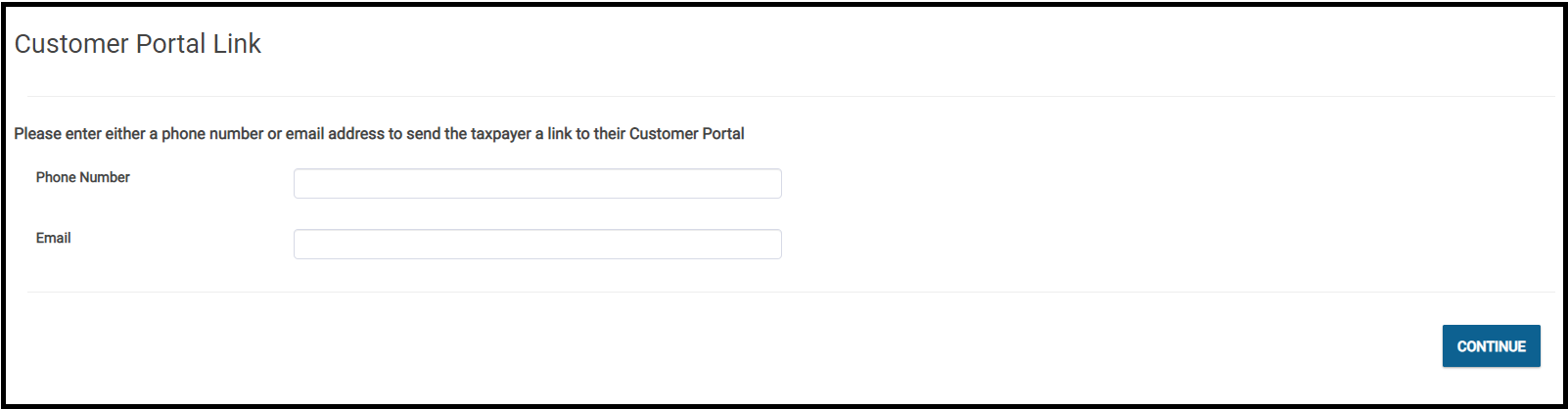
The volunteer will have two options for sending the link to the taxpayer
Please note that if both options have been completed, the application defaults to sending the link to the taxpayer via their email address
Below is a screenshot that demonstrates what the volunteer will see when they select customer portal
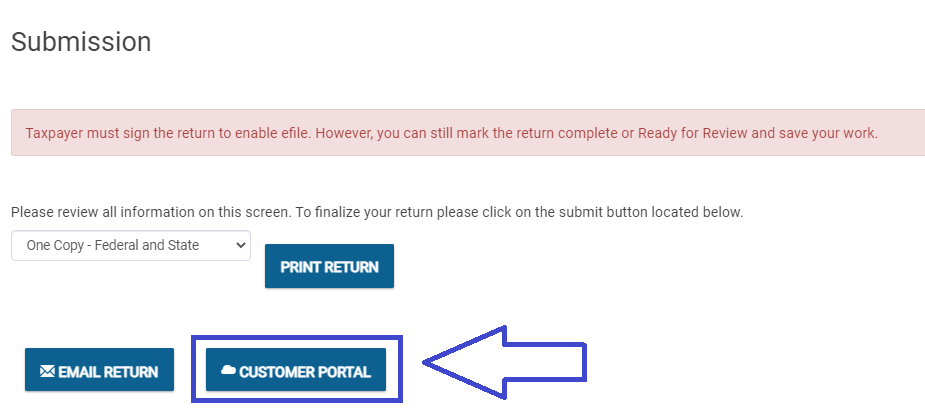
There will be three access points available to all users that have been granted access to use the customer portal feature after completing the Basic Information section:
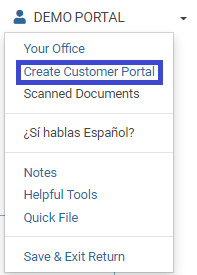
2. Left Navigation Bar

3. Submission Page
Another preparer cannot complete the chat but if the have an active security template they can view the chat. We have a feature request in to allow any user that can see the return to complete or start a chat, however at this time we do not have a commitment that this will completed for TY2021.
No, The taxpayer information must already be available to you before you start a return cannot be sent to the taxpayer via the portal. We have a feature request submitted, but have not received commitment that it can be implemented this year.
We will not be adding built-in questionnaires as this feature can be used across all VITA/TCE Pro Online sites and is also used by our Pro customers.
No
Yes, the client portal utilizes the return ID to establish the secured portal
No, but if you have sent the link , the site can establish procedures to determine which returns are still in progress. The preparer can check for uploaded documents via the tools drop down menu from the client list. The sites can also use return tags to track this information.
No. The taxpayer creates a signature by signing with their mouse. They can also sign with a stylus or their finger for touch screen enabled devices
When the preparer logs in to TaxSlayer Pro Online, they will see the chat notification that they have an unread chat message.
5 meg maximum per file with a total limitation of 25 meg per return
This has not been an issue on the Pro side of the house where they have been using this feature for several years
No, however a best practice is to have them take a photo with their ID and upload it to the customer portal
Yes. we will be creating a mini guide and a training video that is specific to how to use the customer portal. Craig will also be covering this during his enhancement webinars that are scheduled to be conducted in December.
All sites that have a license to use TaxSlayer Pro Online will have the ability to use the Customer portal feature.
No. TaxSlayer will automatically delete uploaded documents in November of each year.
Yes, if their phone has the capability.
No
Volunteers will have access to the Customer Portal when the “Start New Return” feature is turned on in January 2022.
Q: What happens if the preparer is in a return and a chat comes in?
A: When the preparer closes the return, they will see the chat notification that they have an unread message
Q: If the return is open, can I open the taxpayer’s document from another computer?
A: Yes. The uploaded documents can be opened via Tools>>Scanned Documents from the client list on a totally separate computer/device.
Q: Do I have to have dual monitors to utilize the feature?
A: No, The uploaded documents can be opened via Tools>>Scanned Documents from the client list on a totally separate computer/device.
Q: Is the client portal available in Spanish
A: No, but we will log an enhancement request to allow the taxpayer to switch to Spanish for a future year (not this year)
A: If the preparer changes the return to Spanish and then sends the tax document to the customer portal, the return will display the forms that we translate to Spanish