Category: RESOLVED

TaxSlayer Pro Online: Chat Support Unavailable (RESOLVED)

19 Jan 19
Craig Smith
No Comments

1/21/2019

Chat support is now available.

1/19/2019

VITA/TCE chat support is currently unavailable at this time. Phone and e-mail support are still available during normal support hours.

TaxSlayer Pro Online: 2018 Start New Return Currently Off (RESOLVED)

17 Jan 19
Craig Smith
No Comments

1/17/2019 – 9:41am ET

Start New Return for 2018 is now on. We apologize for the inconvenience this may have caused.

1/17/2019 – 8:56am ET

With this mornings deploy, “Start New Return” for 2018 live sites was mistakenly turned off. We are actively working to turn this back on.

Practice Lab: PDF not generating for PL 2018 or PL 2017 (RESOLVED)

12 Jan 19
Kim Manuel
No Comments

Update 1:20 pm EST:  PDF rendering issue has been resolved.

Update 12:19 PM EST:  Our engineers are still working to determine why printing will not render the PDF.


We have opened an escalated IT ticket to determine why the PDF is not being generated.  We are working to get this resolved.


2018: Style-Sheets Not Consistently Loading & Scrambled 1040 view (RESOLVED)

29 Nov 18
Craig Smith
No Comments

UPDATE 12/4/18 – 2018 1040 View has been corrected.

UPDATE: 11/30/18 – Style-sheets are now loading as expected. This has been resolved.

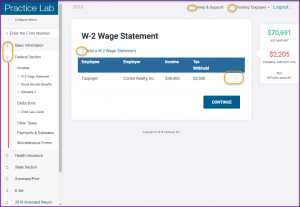
11/29/18 – One impact related to the deployment from this morning caused an issue with consistently loading style-sheets within the 2018 program. Generally, this can be resolved by refreshing your window (sometimes it can take a few tries). We are aware and working to correct this display issue. Below is a screenshot of what may be impacted: Icons on the left navigation menu, the EDIT and DELETE icons, and certain other icons may not properly be loading initially.

This is only an issue related to downloading style sheets and also impacts the data being displayed on the 1040 view. Issue ID 2242

Printing Information (RESOLVED)

15 Nov 18
Kim Manuel
No Comments

All years are now generating PDFs outside and inside of the tax return.

Issue Creating New 2014 Returns (RESOLVED)

27 Sep 18
Craig Smith
,
No Comments

10/3/18 – 3:15pm ET

Issue #2149 has been resolved and new 2014 returns can now be prepared once again. We apologize for the inconvenience this may have caused at your sites.

9/27/18 – 10:40pm ET

We have opened Issue #2149 where users are receiving the “An unexpected error has occurred” message when clicking “Start Return” after entering a Taxpayer SSN. This is only impacting the creation of new 2014 returns. Existing 2014 returns can still be accessed from Client Search. We will update this post once this issue has been resolved.

Kentucky E-file notification – (RESOLVED – 9/27/18)

06 Sep 18
Kim Manuel
,
No Comments

UPDATE (9/27/18): Statement from Kentucky “Kentucky MeF is once again operational.  We are currently retrieving submissions and processing them.  Acknowledgements will follow.  We appreciate the patience you have shown and know that we will work to clear the backlog as soon as possible.   We have not downloaded since 9/2, so it may take some time to clear.

  • If your site has any outstanding KY acknowledgements, they should begin appearing over the next few days.

UPDATE (9/24/18): Kentucky is expecting to begin processing acknowledgements early this week. They are currently in the process of updating their Production Certificate.

We received the following notification from Kentucky

Please be advise that we are nonoperational for individual acknowledgements.  They are working to resolve this issue.


Pro Online: “Direct Debit” Payment Warning showing with State Return Type “E-file: Direct Deposit” in error (RESOLVED)

21 Jun 18
Craig Smith

No Comments

This is now resolved as of 6/26/18

Issue #2059 has been opened to address an issue where the new “Direct Debit payment amount cannot exceed amount due” message is being prompted when marking state returns as “E-file: Direct Deposit“. Note: This is only occurring at sites where the 8888 is offered.

Until this issue has been resolved, state returns can be filed using state return types “E-file: Paper Check” or “Paper Return” when the 8888 is offered at the site or site admins can adjust “Office Setup” within “Configuration” to not offer the 8888. Federal returns can still be filed as “E-file: Direct Deposit” as normal.