Category: Software News

2020 State Only e-file: Temporarily turned off [RESOLVED]

15 Feb 21
Kim Manuel
No Comments

We have temporarily turned off state only efile to troubleshoot a problem with the associated federal return.

Scenario:  You select to send the return as “state only”

Problem:  The state only return flag was not set properly and the federal return was also sent, which was most likely rejected, which flagged your state only returns as “dead” in our system.

Solution:  We have this as a high priority issue and are working on a solution.  Once we have the issue resolved, we will update this post with instructions on how to identify and resend your state only returns.

Scanned Documents — FAQ

15 Feb 21
Kim Manuel

No Comments

Can we have documents scanned right into the TaxSlayer application or do we have to scan them to a computer first before we can upload them into TaxSlayer?

You cannot scan right into TaxSlayer.  You must scan the documents and save the PDF to a secured location.  Once you start the return and complete the personal information section,  you can upload the PDFs from  your secured location.

What type of documents can I upload?

PDF is the only format that we support.

E-file: 2020 State Only and Prior Year e-file

15 Feb 21
Kim Manuel
No Comments

We have turned on the following e-file services:

  • 2020 State Only (exception is MN and AL, the fix for this should be released on 2/16)
  • 2019 1040 and state only (RI does not participate in prior year e-file)
  • 2018 1040 and state only (RI does not participate in prior year e-file)

FSA Kiosk Users: Usage of Tiny URL and other URL shorteners

15 Feb 21
Kim Manuel

No Comments

Update 2/15/2021:  We are hearing that other URL shortening programs may also be “hit and miss” with their redirect services.  We (TaxSlayer) have no control over how a third party URL shortening program works with our URLs.  We STRONGLY recommend that you use the URLs we generated and distributed.

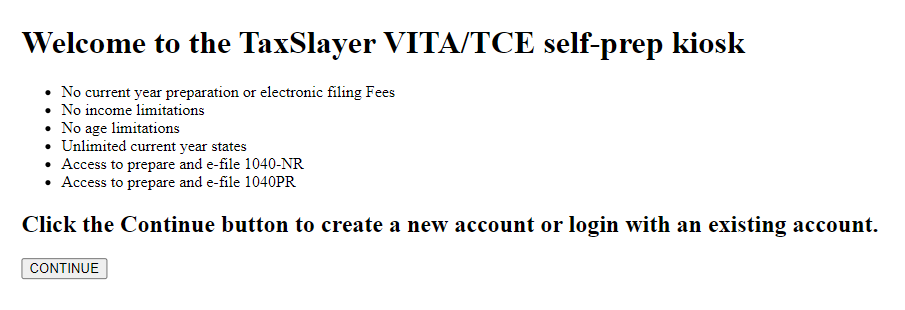
If your taxpayer got redirected to the wrong TaxSlayer.com site with a shortened URL, you will need to send them the TaxSlayer URL that we originally sent them and walk them through deactivating their return and starting it again with the proper URL and from the VITA/TCE Self-Prep Kiosk landing page (pictured below)

————————————————-

We are hearing reports that links shortened using Tiny URL are no longer working as they were when they were created.  They are NOT redirecting to the appropriate VITA/TCE Kiosk landing page.  We have not seen this with other URL shortening programs.

The original URLs distributed are working as expected.  Your taxpayers should 100% of the time be directed to the VITA/TCE Landing Page.  If they are not, you need to ensure you are using the URL that you received from TaxSlayer.  We have no control over any redirects generated by a URL shortening application.
Pro Online New Feature: Carryforward from 2018 to 2020

12 Feb 21
Kim Manuel
No Comments

This feature was created due to the impact that COVID 19 had on the sites last year.  The carryforward feature will now look for the traditional prior year and global carry forward from 2020 to 2019 and if not found, it will look to see if the return was created at that site in 2018.  If the return exists for 2018, it will carryforward demographic and some other basic information like W-2 and dependent information.  It will not carry forward any item that requires a calculation like accumulated depreciation.


When should I open my returns so I can e-file them on February 12th?

11 Feb 21
Kim Manuel
No Comments

You will be required to Open all returns created before the 12th tomorrow (February 12th) in order to electronically file them.  Remember, once we turn e-file on, you can easily submit them from the Submission page in e-file while you are opening and giving them one last look.


2020 Rejects: What is Trending?

10 Feb 21
Kim Manuel
No Comments

Other than the normal name/SSN mismatch rejects, we are seeing the following rejects trending from our paid preparer-based control launch.

R0000-905-01  Electronic Filing Identification Number (EFIN) in the Return Header must be listed in the e-File database and in accepted status

How do I fix this?  You will need to reach out to e-services and/or your SPEC RM

The IRS can inactivate your Authorized IRS e-file Provider status if we receive undeliverable mail or are unable to contact you. Publication 3112, IRS e-file Application and Participation states that you must revise your e-file application within 30 days of any change.

Update your application with new information such as:

  • Principals
  • Responsible Officials
  • Personal Credential
  • Address
  • Phone numbers
  • URL information

Updates may require that you submit the application indicated by the “Application Status” of “Resubmission Required” on the summary screen.

IND-181-01  The Primary Taxpayer did not enter a valid Identity Protection Personal Identification Number (IP PIN). Please visit www.irs.gov/getanippin for further information and resubmit your return with the correct number.

How do I fix this?  The IRS opened up the IP PIN to all taxpayers.  If the taxpayer applied and received one, they will need to give you the information to enter into the return.  We are seeing a significant amount of rejects where the IP PIN has not been entered.  This is most likely because the taxpayer doesn’t realize it needs to be entered in the tax return.

Controlled Launch: Ready, Set…Send us your 2020 e-files (Turned off – Thank you)

10 Feb 21
Kim Manuel
No Comments

4:22pm:  We have turned the ability to submit e-files back off.  We had a great response to our request for you all to submit your e-files.


We have turned on the ability to electronically submit 2020 e-files.  However, during this time period, you will have to open the return and Submit the return from the Submission page.  This is due to our added requirements of opening the returns created prior to 2/12.