Category: Software News

2020 Rejects: What is Trending?

10 Feb 21
Kim Manuel
No Comments

Other than the normal name/SSN mismatch rejects, we are seeing the following rejects trending from our paid preparer-based control launch.

R0000-905-01  Electronic Filing Identification Number (EFIN) in the Return Header must be listed in the e-File database and in accepted status

How do I fix this?  You will need to reach out to e-services and/or your SPEC RM

The IRS can inactivate your Authorized IRS e-file Provider status if we receive undeliverable mail or are unable to contact you. Publication 3112, IRS e-file Application and Participation states that you must revise your e-file application within 30 days of any change.

Update your application with new information such as:

  • Principals
  • Responsible Officials
  • Personal Credential
  • Address
  • Phone numbers
  • URL information

Updates may require that you submit the application indicated by the “Application Status” of “Resubmission Required” on the summary screen.

IND-181-01  The Primary Taxpayer did not enter a valid Identity Protection Personal Identification Number (IP PIN). Please visit www.irs.gov/getanippin for further information and resubmit your return with the correct number.

How do I fix this?  The IRS opened up the IP PIN to all taxpayers.  If the taxpayer applied and received one, they will need to give you the information to enter into the return.  We are seeing a significant amount of rejects where the IP PIN has not been entered.  This is most likely because the taxpayer doesn’t realize it needs to be entered in the tax return.

Controlled Launch: Ready, Set…Send us your 2020 e-files (Turned off – Thank you)

10 Feb 21
Kim Manuel
No Comments

4:22pm:  We have turned the ability to submit e-files back off.  We had a great response to our request for you all to submit your e-files.


We have turned on the ability to electronically submit 2020 e-files.  However, during this time period, you will have to open the return and Submit the return from the Submission page.  This is due to our added requirements of opening the returns created prior to 2/12.
Controlled Launch: Hold Tight!!!

10 Feb 21
Kim Manuel
No Comments

9:01 am EST We are looking at a couple of items and will update this post when we are ready for you to submit e-files.


Scanned Document: Security Templates (RESOLVED)

10 Feb 21
Kim Manuel

No Comments

Issue #5408 – Once you have edited or created a template that has the Scanned Document feature selected, editing the template will remove the check.

Workaround:  Create or edit the appropriate security template; select the box for Scanned Documents, Click save.   DO NOT edit the template.  If you do, please remember to check the box again.

Recovery Rebate Credit and $0 AGI Returns

09 Feb 21
Craig Smith
No Comments

Question: Are we able to electronically file a $0 AGI (Adjusted Gross Income) return through TaxSlayer if the return is receiving the Recovery Rebate Credit?

Answer: Yes, if the tax return has $0 in AGI (due to no income or only Social Security Income), but is receiving the Recovery Rebate Credit (non-zero value on Line 30 of F1040), this return CAN BE electronically filed to the IRS using TaxSlayer (Pro Online, Pro Desktop, and FSA).

  • Note: There is NO need nor requirement to enter $1 as Interest Income or Other Income and is NOT recommended.

Additional information from IRS.gov HERE.

1099-NEC for TY 2020, but they had a 1099-MISC in TY2019

05 Feb 21
Kim Manuel
No Comments

How can I remove the 1099-MISC from a return because the income is now reported on a 1099-NEC?

(1) If you are presented with the carry forward screen, you can remove the checkmark and the 1099-MISC will not carry forward

(2) you can navigate to the 1099-MISC summary screen and delete the 1099-MISC

Form 8915-E – Phase I

05 Feb 21
Craig Smith
No Comments

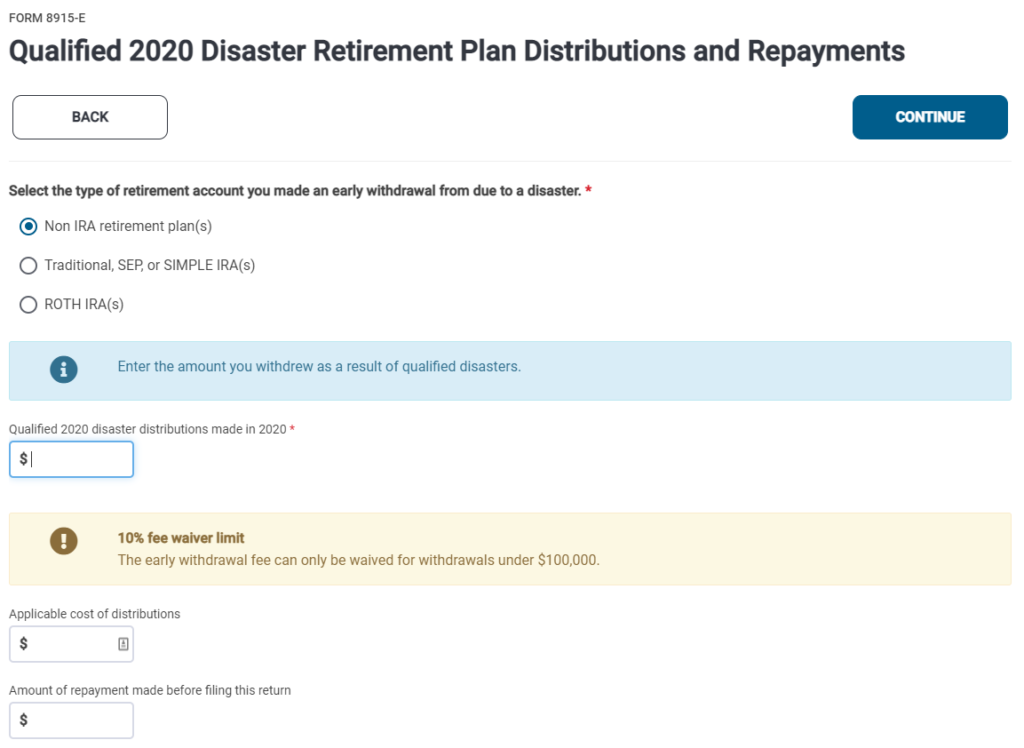
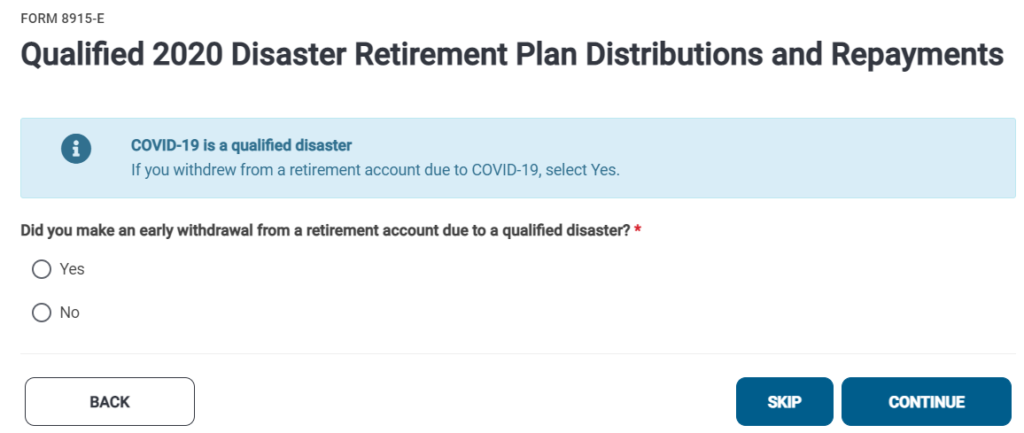
Form 8915-E for Qualified 2020 Disaster Retirement Plan Distributions and Repayments, is now available within the 2020 Pro Online application. For Phase I implementation, to trigger this form, the Code in Box 7 must be 1, J, or S. When a 1099-R is present with the before mentioned codes, preparers will be presented to option to utilize Form 8915-E if their clients would like. Phase II implementation will prompt the election to use Form 8915-E regardless of the code in Box 7.

Prior Year Applications (2019, 2018, 2017 and 2016) [RESOLVED]

02 Feb 21
Kim Manuel
No Comments

Update 02/05/2021:  You can now access the e-file section of all prior years.  Note:  We will not be turning on the ability to electronically file 2019 and 2018 until the week of February 15th.


We are currently experiencing an error when trying to access the e-file section of all prior years.  We are currently working towards a solution.