Author Archives: %s

Information from SPEC HQ: Possible Scam Reporting of Elder Care Wages

20 Mar 18
Kim Manuel
, ,
No Comments

Background:  We received a report of a possible scam involving taxpayers claiming Elder Care Wages to receive a larger refund that includes refundable credits such as Earned Income Tax Credit.  The taxpayers visiting the site provided a handwritten document claiming to be from an individual stating they paid the taxpayer for elder care.

Message for Relationship Managers:

  • Share the possible scam with partners.
  • Advise partners that the Site Coordinator has the discretion to decline tax preparation services if sufficient documentation is not provided by the taxpayer.

Message for Partners:

  • Be vigilant in identifying possible scams.
  • Report possible scams to your local SPEC representative.
  • Use the below reference documents to assist with reporting possible scams.

Reference Tools:

VTA-2018-06: To Provide an update on the “Extender” provisions

20 Mar 18
Kim Manuel

No Comments

The following VTA contains updated information on the extender provisions

Click here to download PDF


Desktop 2017: Errors after updating (RESOLVED)

19 Mar 18
Kim Manuel
,
No Comments

Updated 8:52 am:  

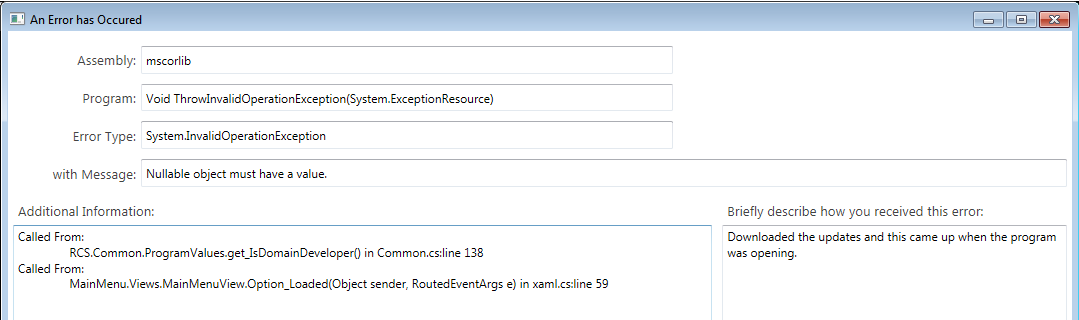
When the error appears, click OK and then go in to Updates.  Download the latest update and the error will be resolved.

Updated 8:47 am:  The updating causing the error has been rolled back.  Anyone opening the program from this point forward should not receive the below errors.  We are in the process of building a fix for the user receiving the below error.

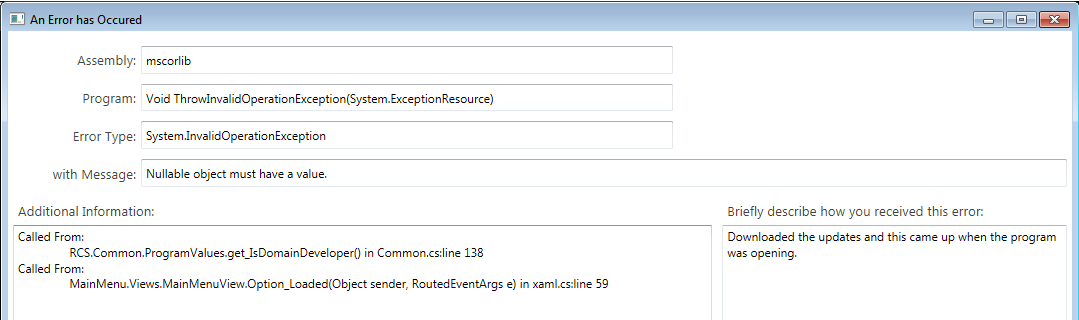
Scenario:  Desktop users are receiving the following errors after this morning’s update:

Solution:  This will be resolved within the next hour.

Note:  This does not impact Pro Online

Volunteer Time: All Partners Call Notes from March 15

19 Mar 18
Kim Manuel

No Comments

Items discussed by TaxSlayer

  • Filed close to 700,000 returns since our last all partners call
    • Overall you are close to 2% ahead of last year’s volume, which is really good considering the weather challenges of the past two weeks in the northeast and e-file across the industry has been trending down 2%
  • For partners that are Certified Acceptance Agents for applying for and renewing ITINs, we have made some changes to allow information to flow to the bottom of the W-7
    • Added a section in preparer(s) setup to add your Acceptance Agent Information
  • We lengthened the State fields on the W-2 (primarily the EIN field) so it is easier for the QR to quality review the return. You can now see the entire entry without having to click in the box.
  • Rejected returns marked as “paper” are no longer included in the Rejected Returns Report
  • The Rejected Clients call to action button on the Welcome screen only blinks once now
  • Added California Wildfires and Tropical Storm Harvey to the Disaster Designation list in Personal Information
  • Added the Customer Retention Report to the list of VITA reports inside the program.
    • Purpose is to run a report for a specific time from last year to determine which taxpayers have not had their returns prepared for the current year
    • Could potentially be used next year for planning purposes because it lists the date the taxpayer’s return was completed
  • We are posting informational messages from SPEC Headquarters to help reach the goal of 4 million returns
  • We posted a message at the request of New York on how to handle expired driver’s license for taxpayer or spouse
    • They do accept expired driver’s license as a valid form of identification
    • We are making a program change to accommodate this specific for the state of New York because other states do not acknowledge an expired license as a valid form of ID
    • Their preference is to hold a state return IF they have an expired drivers license
    • You can create a custom tag to identify the return and use the notes to enter the expiration date
  • What is the best report to use to identify if the site has marked state returns as paper rather than an electronic return type?
    • Navigate to Management Reports
    • Select Detailed Return Report under the Pro Web Reports section
    • This will allow you to filter the state return type column to identify paper returns

Q:  What can be done to prevent things breaking when fixes are pushed out?

A:  The goal of course is for this to not happen.  We go through a series of regression testing for each released based on the changes that are being made.

Q:  How can rejected returns be removed from the Rejected Clients list?

A:  Once you mark a return as paper, it will be removed from the rejected clients list and the rejected clients reports

Q:  Where is the direct debit information printed on the return?

A:  It is printed on the Client List form, which is currently in the Quality Review print set.  An alternative to pulling this up and just printing out the page, would be to create a Direct Debit print set that just has the Client List Form in it.  This would allow you to print the tax return as normal and then for those taxpayers using direct debit, you can choose that print set and it will just generate a PDF with the Client list form in it.  You can then print the entire Client List for or the page the information is listed on.

Q:  Checking to see when  prior year reports will pull return data for TY2016 returns that were prepared after January 1st, 2018

A: We do have an issue in development to display this information on the Site Production Detail and Summary reports for 2016.  The following reports until Management Reports will display information on these returns

  • ProWeb Reports — Detailed Return Report
  • Electronic Filing Summary Report
  • State Detail Summary Report

Q:  Is there any type of checklist that prints when you complete a paper return letting the taxpayer know what they need to do?

A:  No there is not.

Q:  Is there a way to show the direct debit date?

A:  Currently no.  We already have that documented as a requested revision to next year’s software.

Product Update Alert: Monday, March 19th @ 5:00 am EDT

16 Mar 18
Kim Manuel
,
No Comments

We will be putting the returns in maintenance mode at 5:00 am ET on Monday, March 19th to apply a series of updates.  The updates are scheduled to include:

  • Resolution for Issue ID 1640 (RRB-1099-R)
  • 1040 View for MFS returns displaying Spouse name in the wrong entry
  • Correction for VT Renter’s Renter’s Rebate (Issue #1589)
  • User Interface update to the drop-down menu display within Wisconsin state program
  • Fixed a display issue on the IN amended return where the county code was not showing on the PDF (Issue #1613)
  • Fixed a Kansas EIC issue where EIC was not calculating in instances where the KS EIC was the same amount as the tax liability (Issue #1589)
  • Update the drop-down options within the MA Schedule C menu for Costs of Goods Sold (Issue #1619)
  • Added back Oregon subtraction #308 for Tuition and Fees Deduction within Part Year OR returns (Issue #1615)
  • Update to the NM program that if an amount is owed and state return type is Direct Debit, do not generate the payment voucher (Issue #1571)

Pro Online:  Adding 1099-MISC Income to an existing Schedule C

16 Mar 18
Kim Manuel

No Comments

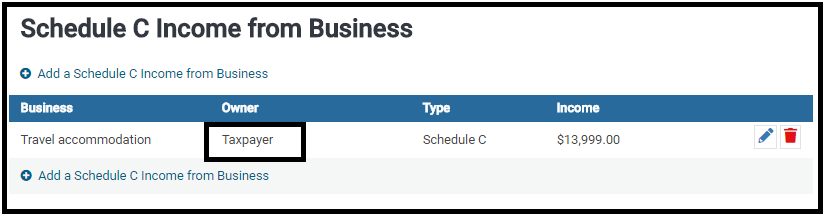
Scenario:  A schedule C has already been created for the taxpayer or spouse and you want to add additional income to the existing schedule C.

Example of existing Schedule C assigned to the Taxpayer

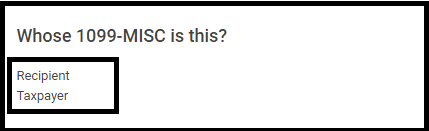
Next:  Add a 1099-Misc for the Taxpayer with a $ value in Box 7:  non employee compensation and click Continue

You will be presented with Where would you like to add the income?

Options:

(1) Click the Edit icon to add the income to an existing Schedule C. (Will add to the Income of the existing C)

(2) Click Create a New Schedule C income from business (Will add the income to a new Schedule C)

Volunteer Time: The Faces of VITA

16 Mar 18
Kim Manuel

No Comments

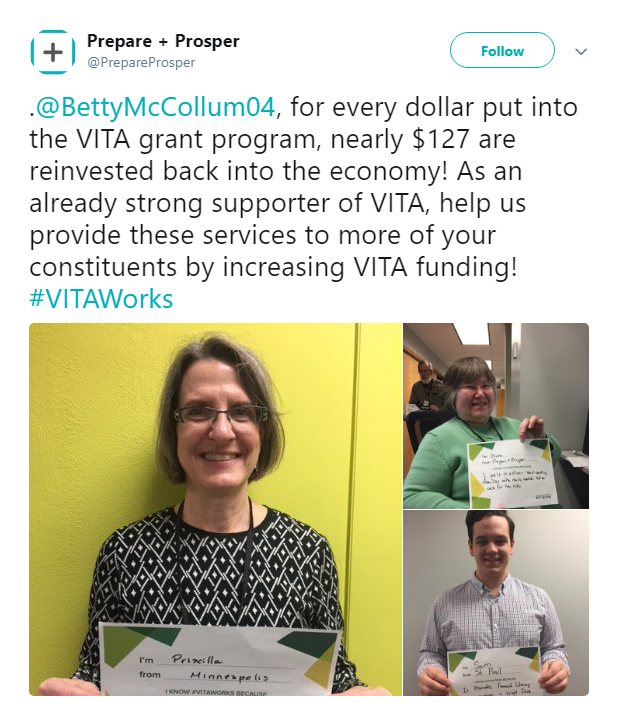
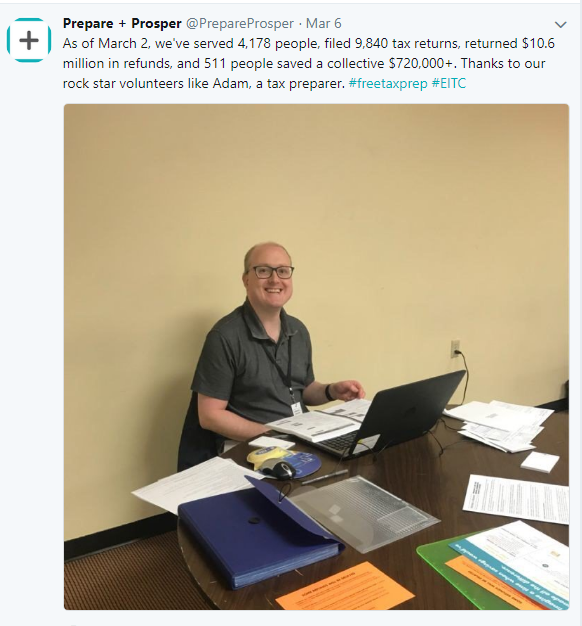
#VITAworks in Minnesota


Thank you for your volunteer Service

IRS Reject: IND-158

16 Mar 18
Kim Manuel
, ,
No Comments

Scenario:  The return was prepared for taxpayer/spouse whose between the age of 25 and 64 with Earned Income, however the IRS rejected the return for the following:

IRS reject:  Reject Code IND-158
Message If ‘EarnedIncomeCreditAmt’ in the return has a non-zero value and Schedule EIC (Form 1040A or 1040) is not present, then the Primary or Spouse must be at least 25 but less than 65 years old.
Data Value XX

Why did it get rejected?  The IRS master file has a date of birth on file for rejected person that puts the age out of the above range.

Solution:  The taxpayer/spouse will need to contact the Social Security Administration to determine what they have on file for the SSN and then request the information be corrected and/or updated in the IRS system.