Category: RESOLVED

2023 and 2022: 1095-A [RESOLVED]

01 Feb 24
Kim Manuel
No Comments

Scenario: I have completed the 1095-A by entering the appropriate data.  I click continue and the application gives me an error because it does not recognize the values that I have entered.

Workaround: No known workaround

Solution: We have opened a high priority ticket to get this resolved in both years of the application.

During the meantime, we recommend you create a return tag and tag the returns so you can go back and enter the data when this has been resolved.

IRS Rejected Returns [RESOLVED]

29 Jan 24
Kim Manuel
No Comments

Problem:  You currently cannot view the reason the return has been IRS Rejected on some returns.  This also impact the IRS Ack reports not displaying the reject reason.

Workaround:  None

Solution:  We are investigating why the reject reason is not displaying.

2023 and 2022 Form Finder — Not rendering results [RESOLVED]

04 Jan 24
Kim Manuel
No Comments

Scenario:  The 2023 and 2022 Form Finder feature is not rendering results

Workaround:  Utilize one of the other entry methods such as “Select” from the menu option or click on on the entry from the 1040 View

Resolution:  Our development team has a high priority ticket because this impacts your current training sessions.

2023 Practice Lab/2022 Production Return Access Issue [RESOLVED]

20 Nov 23
Craig Smith
No Comments

5:20pm ET – This issue has resolved. Access to 2022 and 2023 has been restored.

5:10pm ET – We are currently investigating an issue where users are unable to access returns in 2022 production and 2023 practice lab. Updates will be available on this post as they become available.

2021 and 2022 Fee Summary Error in E-file [RESOLVED]

07 Nov 23
Craig Smith
No Comments

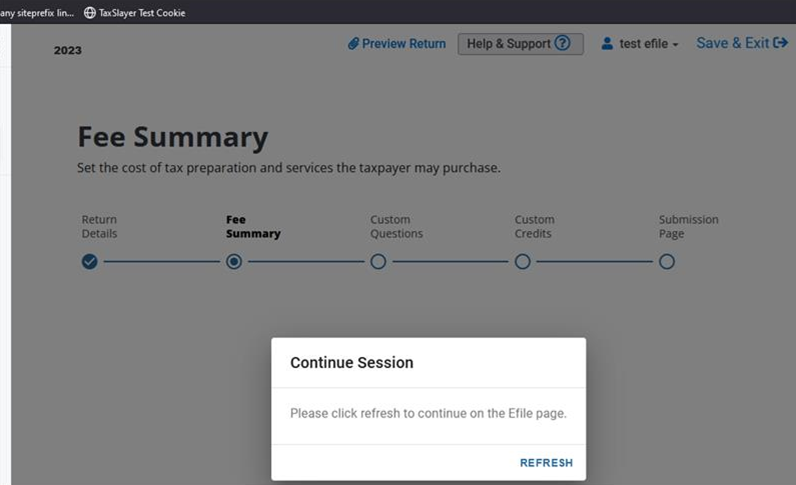
When inside the e-file menu for 2021 and 2022, when continuing from the Return Details page to the Fee Summary page, if you receive the below “Continue Session” messaging follow the instructions below for a workaround while our development team corrects this issue.

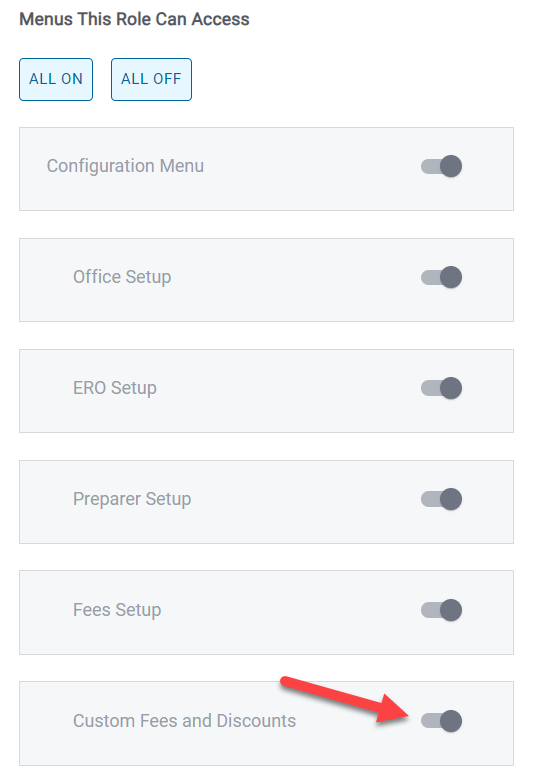
If you see the above messaging to continue your session, exit the return and from the main site menu go to Configuration > Roles and Permission > Edit (the appropriate Role). Scroll down and make sure the Custom Fees and Discounts is turned on (below). You must now log out of the program and log back in for the new permission to take effect. You can now go back into the return to continue through e-file.


TSPro Online: Return Locked Message at E-file [RESOLVED]

29 Aug 23
Craig Smith
No Comments

8/29/23 – 9:10am ET: Access to e-file should be available at this time.

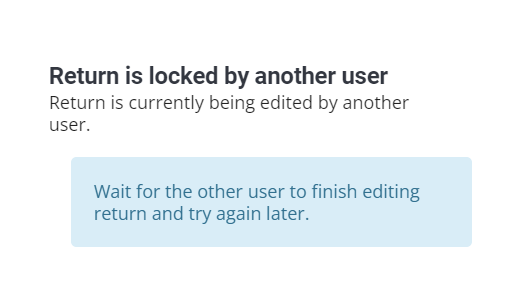
8/29/23 – 8:15am ET: We’re currently aware of an issue where users are seeing the below message when accessing the e-file menu. This is impacting 2021 and 2022. Our developers are actively working to resolve this issue.

Accessing 2020 E-file Menu Error [RESOLVED]

12 May 23
Craig Smith
No Comments

5/16/23 – This issue has been resolved.

A high priority issue has been entered for our development team regarding the issue some sites are experiencing when trying to access the e-file menu in the 2020 application. The issue number is #191. This post will be updated when the issue has been resolved.

2022 Pro Online: Issue calculating MI returns [RESOLVED]

08 Apr 23
Kim Manuel
No Comments

4/11/23 – This is resolved.


We are currently experiencing an issue with MI returns that are caught in a calculation loop.  If you need to file the federal return, remove the state and file only the federal return.  We recommend creating a return tag to tag the return so you can go back and file the state.  If you are filing a “state only” return due to a credit, we recommend creating a return tag to tag the returns so you can go back and file the state.