Category: Software News

FSA Kiosk Users: 1040-NR Filing Status Wizard

21 Feb 22
Kim Manuel
No Comments

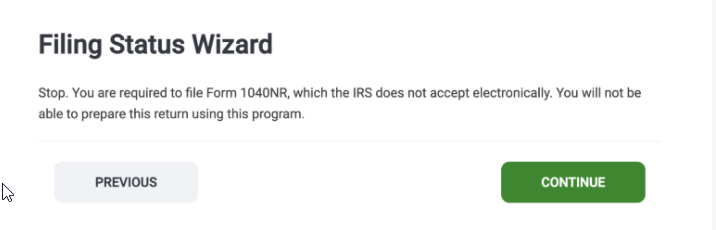
If you get questions from your taxpayers regarding the following message in the Filing Status Wizard, please tell them to ignore and click continue.  1040-NR is only supported via the assigned VITA/TCE Kiosk URLs and not with our consumer facing Do it Yourself product (www.taxslayer.com).

Pro Online 2021: Client Search list: Number of tax returns display issue

12 Feb 22
Kim Manuel
No Comments

Currently the number of tax returns listed at your site for 2021 is displaying the number for 2020 (Issue 6582)


TY2021: EITC Update Related to “Specified Students”

10 Feb 22
Craig Smith
No Comments

New for TY2021, the IRS adjusted the age requirement for a taxpayer with no qualifying child when determining EITC eligibility as it relates to students.  A taxpayer that is considered a “specified student” must be age 24 before they are eligible to receive EITC with no qualifying child.

Within the Personal Information of the application, making the highlighted selection shown below will not allow EITC unless the taxpayer, identified as a specified student, is at least age 24 and meets other EITC qualifications. You should refer to IRS guidance on how to make the appropriate vetting process to make the determination if the selection should be checked or not.


Steps for identifying any returns that may have already been prepared and filed prior to the new tax law being implemented into the application.

  • Navigate to Reports
  • Select Management Reports
  • The following reports include Filing Status, Taxpayer Date of Birth, AGI and EIC
    • Site Production Detail Report – Electronic
    • Site Production Detail Report – Paper

You can utilize the built-in filters to narrow your taxpayer results to those born no later than 1998 (under age 24) and who have AGI less than the EITC threshold for taxpayers with a filing status of Single


Unable to Advance Past 1st Page of E-file After Federal Return Accepted [RESOLVED]

04 Feb 22
Craig Smith
No Comments

2/8/2022 – This is now resolved.


We are aware of an issue where users are getting a validation message indicating a required selection is needed for the Federal return type after the Federal return has been accepted. This is prohibiting users from advancing past the Return Details page of e-file. Currently, this means if you are attempting to resubmit a previously rejected state return OR attempting to transmit a State Only return, you are unable. If you simply need to print a copy of a return and are trying to access the Submission Page, we recommend generating a PDF from Client List instead.

We have opened a high priority ticket (Issue 6620) with development.

Contacting VITA/TCE Support: Tip for getting a quicker resolution

03 Feb 22
Kim Manuel
No Comments

EVERY email you submit to VITA/TCE support should include at least one of the following

  • EFIN -or-
  • SIDN
  • Last 4 of the TP SSN (if reason for contact is about a return(s) at your site)

We are seeing at least 75% of all emails coming in without this information.   Unless the email is very generic, the support team will have to send a reply back asking for identifying information.  Please help us provide a more timely resolution by including this information in your original email.

Pro Online 2021: Signature Areas on the Submission Page

02 Feb 22
Kim Manuel
No Comments

We are getting several inquiries on the purpose of the signature areas on the Submission Page;

What is the purpose of the Taxpayer Signature block?

It actually serves two purposes.  In both cases, the signatures print on the tax return

Primary purpose:  This allows the preparer to see that the taxpayer has established and signed their documents via their customer portal
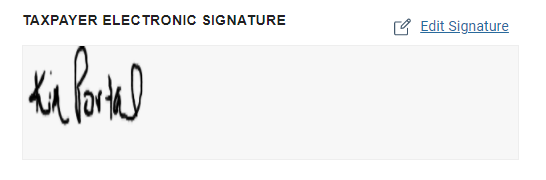


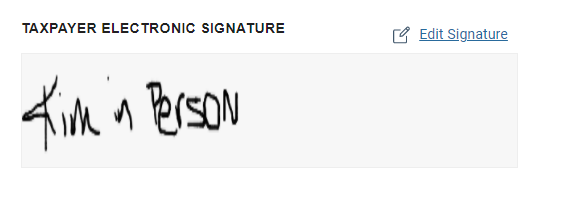
Secondary Purpose:  You can allow the taxpayer to use your mouse or touch screen and sign their tax return if you are preparing their return in person.


What is the purpose of the Preparer Signature Block?

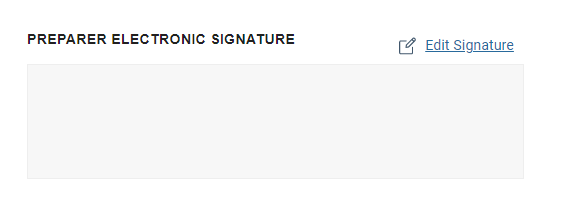
It actually does not serve any purpose since VITA/TCE volunteer preparers are not required to sign the tax return.  We have put in a work order to hide this block (it has been hidden in the past).  However, if you sign your name in it, it will print on the tax return.
Username Procedures: As volunteers begin using your production site

02 Feb 22
Kim Manuel
No Comments

If you are a volunteer for a site and your username is marked as “Inactive” when you attempt to login, you MUST contact your site administrator.  VITA/TCE support cannot mark your username as active because we do not know the procedures put in place for your site by the site administrator.

Pro Online 2021: Tips for printing from the Submission Page

29 Jan 22
Kim Manuel
No Comments

Scenario:  I do not see a PDF after the completion of the green progress bar

Solution:  The PDF will open in a new tab.  Look for the browser message that this pop-up is disallowed and allow for this type of pop-up