Tag: Practice Lab

Release Notes: Tuesday, September 10, 2018 5:00 am EST

10 Sep 18
Kim Manuel
,
No Comments

We will be placing returns in maintenance on Tuesday, September 10, 2018 at 5:00 am EST to perform a series of updates.  The update is scheduled to include the following:

Federal

  • Summary/Print — Added Taxpayer, Spouse and Dependents Age to Summary/Print

Carry Forward

  • Include unallowed loss on Schedule E

States

  • Rhode Island (RI) — Resolved an issue with the saving and printing of 1310 (Issue ID 2109)

Setting the stage for TS 2018

  • New York (NY) — Adding the ability to allow for PDF attachments
  • Pennsylvania (PA) —  If a deduction exists on the Federal return for the Early Withdrawal Penalty of CD or Savings, have a prompt when creating the PA return telling the user they have XXX amount on the Federal and to enter the amount, if any, on the PA return.

*Click here to download a PDF of our Cumulative Release Notes.

Suggestion Box Response: Through August 31, 2018

04 Sep 18
Kim Manuel
, , ,
No Comments

Click here to view PDF

Click here to submit a suggestion

There are three attachments

  • Attachment #1:  Dedicated to application and federal suggestions
  • Attachment #2: Dedicated to State suggestions
    • Sorted by State
  • Attachment #3:  TaxSlayer Suggestion Status
    • Broken into categories
    • Duplicates have been removed and only list the TaxSlayer Responses
    • Column indicating when the item is expected to be delivered (TS 2017 or TS 2018)
    • Column indicating if the item was added or updated since the last document (as always…prone to human error!!)

An example of the status column can be found by Tracking ID 269372 (Ctrl+F allows you search in the document)

Check out Attachment 3 to see the rest of the new and/or update items.

More exciting changes to come.

We are still reading through and analyzing the suggestions.  We are also beginning to update the Status column as we commit to implement a suggestions.

Click here to view PDF

The link will launch a Brainshark video with instructions on how to view the file.

Release Notes: Thursday, July 12th

11 Jul 18
Kim Manuel
,
No Comments

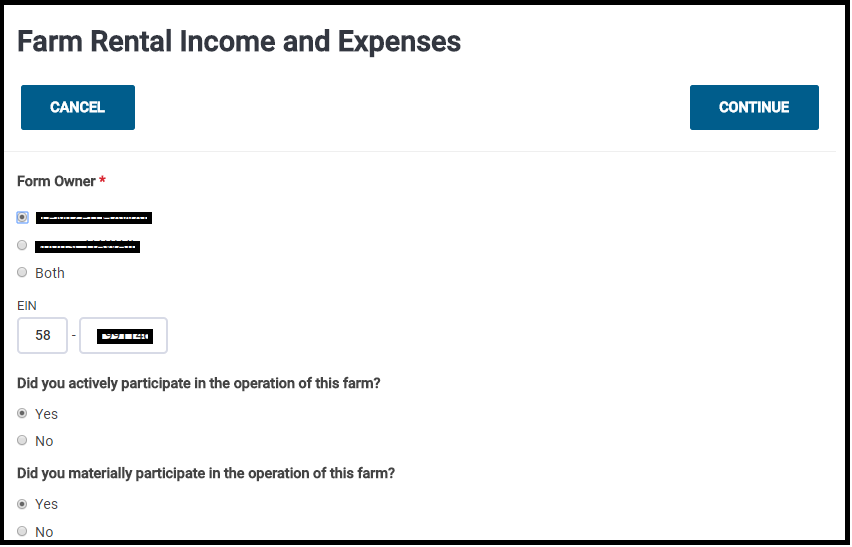
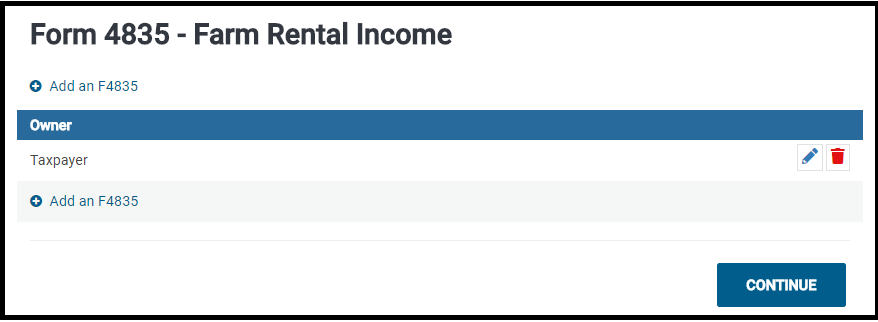
Form 4835:  Farm Rental Income and Expenses

Navigate to Income and select Begin/Edit on Other Income

Select Begin on the Farm Rental Income and Expenses line

Complete the applicable information on the page and select Continue

Click Continue on the Farm Rental Income Summary Page

Federal Message

Issue ID: 1827 Added a Fair Market Value message indicating if you contribute property with a fair market value that is more than your basis in it, you may have to reduce the fair market value by the amount of appreciation

Form 6251

Issue ID 2068:  Made a correction to line 43 (previously was not entering the amount based upon the filing status)

Kansas

Tracking ID 279662:  Added the ability to enter direct deposit information for K-40H/PT

New Mexico

Issue ID 2016:  The New Mexico amended return now renders the PDF when printing (previously rendered an error message)

Louisiana

Correction to Line 39 to print the appropriate number when the Federal return type is E-File: Direct Deposit and the state return type is Paper with Direct Deposit

Pennsylvania

Issue ID 2075:  PA Schedule B line 6 now subtracts to a number less than zero (previously, it was only calculating to zero)


Release Notes: Scheduled Deploy on Thursday, June 21st at 5:00am ET

20 Jun 18
Craig Smith
,
No Comments

The site will be placed in maintenance on Thursday, June 21st at 5:00am ET to release a series of updates and back-end work.

  • Form 8889 – Adding clarifying text next to coverage selection drop-down for what type of coverage should be selected if a TP/SP received a distribution from a HSA when no longer covered under a HPDP plan (Issue #1432)
  • Federal Direct Debit – Enhancement released that will prompt a warning to a user when a payment is entered to the IRS that is higher than the balance due
    • For example, if $1,000 is owed to the IRS, when selecting “E-file: Direct Debit” and entering $1,500 as the payment, a warning will show indicating the payment exceeds the amount owed.
  • Transmissions Menu – Enhancement released that will allow the columns within the Transmissions menu to be sortable
  • Practice Lab – Adding two additional Practice Returns under Section 6
    • Practice Return International
    • Practice Return Military

Release Notes: Scheduled Deploy Tuesday, June 19th at 5:00am ET

18 Jun 18
Craig Smith
,
No Comments

Returns will be placed in maintenance beginning Tuesday, June 19th at 5:00am ET to release updates.

  • IA: Update some text within the blue header inside the Itemized Deduction page (Issue #2033)
  • CA: Adding additional transparency inside the CA return (Other Income Taxable to California and Adjustments to Income Subject to California Tax menus) for users to easily see Federally reported amounts
  • MN: Adding additional transparency inside the MN return for Federally reported INT/DIV income, Business Income/Loss, Gains/Losses, Pension and Annuities, Rents and Royalties, Farm Income/Loss, and Other Income/Loss

Pro Online: “Save and Return” Added to Submission Page

14 Jun 18
Craig Smith
, , ,
No Comments

The next time you visit the Submission page inside of a return, you will notice the “Save and Return” button shown below. When clicked, this directs users to the Summary/Print page inside of the return without having to click the “Back” button to return to the first page of E-file then click “Back” once again to go back into a taxpayers return. Selecting “Save and Return” also saves data entered on the Submission and is also logged in Client Status under the Return Audit History.


Release Notes: Form 8919 (LIVE 5/24/18)

23 May 18
Kim Manuel
,
No Comments

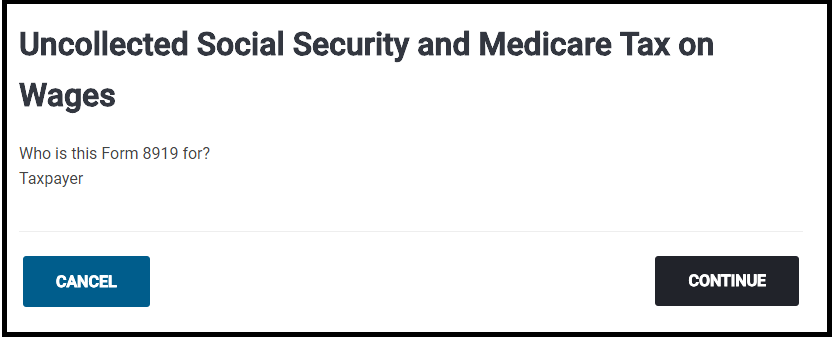
Navigate to Other Taxes and Select Begin on the following item:

Select if the form belongs to the Taxpayer or Spouse (in this screenshot, there was only a taxpayer)

Click Contiinue

Complete the Employer section

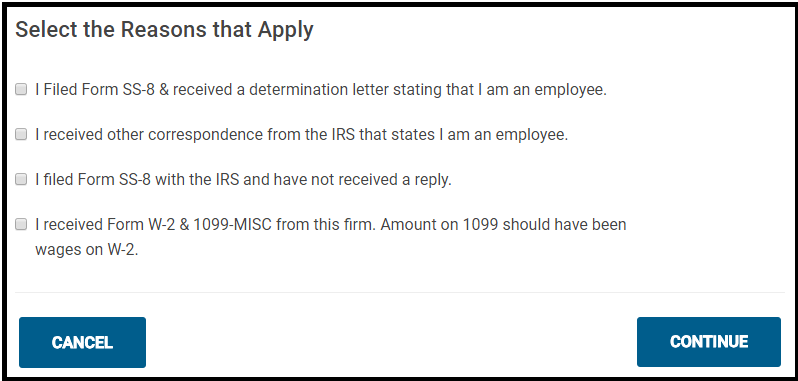
Select the appropriate reason:

Click Continue


Release Notes: Form 2120 (LIVE 5/24/18)

23 May 18
Kim Manuel
,
No Comments

Feature:

Adding the ability to complete Form 2120 from the application

Instructions:

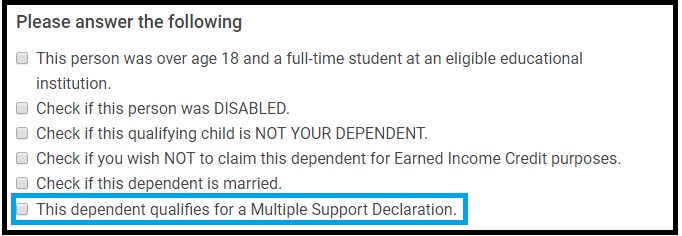
Select the following question when completing the Dependent/Qualifying person information

Click Continue

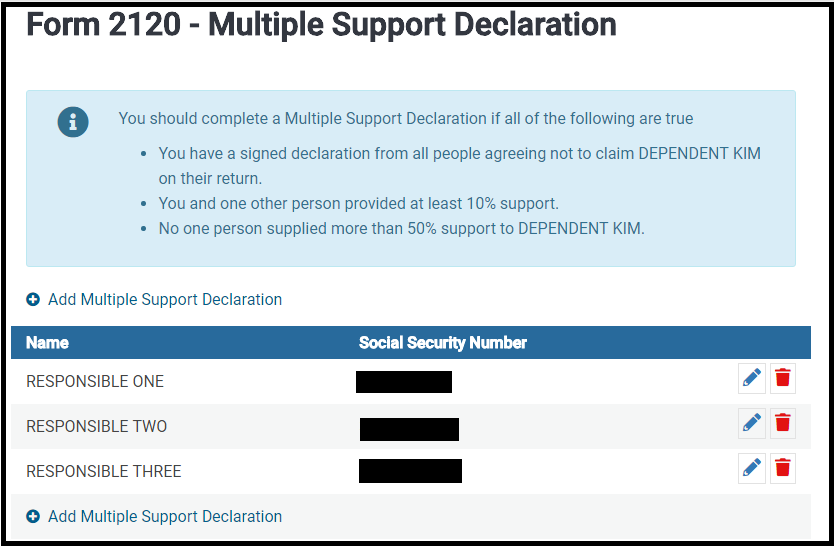
Complete the information for each person that provided at least 10%, but no more than 50% of the support that have agreed not to claim the listed individual as a dependent.

The 2120 Summary page will display the taxpayers that will be listed on Form 2120

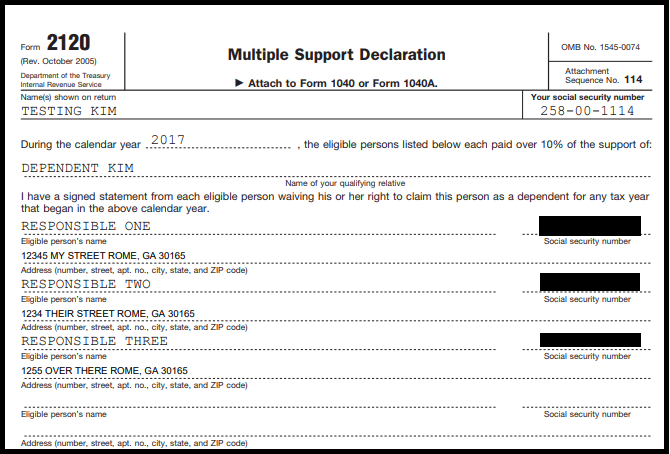
The form will print with the return

Blog posted 05/23/2018