Category: Software News

Volunteer Time: All Partner Call Notes – 2/28/2019

28 Feb 19
Craig Smith
No Comments

Below are the bullet points from our opening presentation at the beginning of the All Partner call today.

  • We received print approval from MA and the “Do Not Mail” strips were removed from PDF’s
  • Web Reports should be current by Monday, March 4th
  • Sites using FSA links for taxpayer self-prep need to make sure to refresh the URL between taxpayers to make sure their clients are creating their initial accounts using the correct URL
  • We are working to update the items from the Suggestion Box so we can start adding new items in March
  • We will have a short maintenance window on Thursday, March 7th at 11:00pm EST


Web Reports: Significant delay in processing data (Update 2/28)

28 Feb 19
Kim Manuel
No Comments

Update 2/28:  We still have approximately 128,000 returns to play back through the reporting system.  This is going to take another 2-3 days.


Due to having to take Web Reports on and off line over the past week, it is significantly behind in being updated with the most current data.  We are going to replay the data between midnight and 8 am until it is caught up.  This is going to take a few days.  We will update this post when all return data has been replayed.

Pro Online: Office Setup Recommendations

23 Feb 19
Kim Manuel
, , ,
No Comments

Question:  How should I have my Office Settings so the preparer does not print on the 8879 or on 1040 page 2?

Answer:  Select ERO Name Only from the Signature on Form 8879 drop down box and select Hide preparer Name on 1040 Print

0123 ERO Information

Question:  What does marking Disable Third Party Designee Prefill do?

Answer:  It prevents the preparer information from populating the third party designee information in the e-file section.  The section will remain available in the event a third party other than a volunteer preparer needs to be designated.

Question:  If I select Hide Preparer Name on 1040 print will it also hide the preparer name on the state return?

Answer;  Currently no, but we are working on a solution that will incorporate the use of this option at the state level.  When this feature is completed and in production the state name will not be printed on the state return if this is selected.

TaxSlayer Pro Online: Slowness Reported

19 Feb 19
Craig Smith
No Comments

11:47am ET – We are continuing to monitor as site performance is currently operating at optimal levels. If anything changes, we will return and update this post.

11:29am ET – We have received a couple reports of slowness on the site/web reports. At this time, we are actively monitoring with our engineering teams. If you experience consistent slowness, we recommend closing all instances of your browser (not just the tab) and start back with a fresh session connection.

TaxSlayer Pro Online: Management Reports (UPDATE)

19 Feb 19
Craig Smith
No Comments

February 19th – Management Reports are now turned back on and be actively used at your site(s).


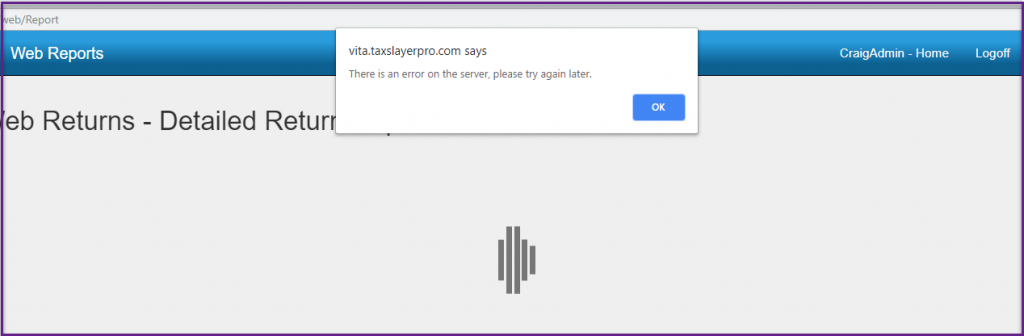
We wanted to provide an update on Management Reports. They remain turned off as we continue our investigations related to the issues experienced on Tuesday, February 12th. However, today, you will notice that you can now access the Management Reports menu, select a report, choose a date range and EFIN and click to run the report. When clicking to run the report, you will see the below screen. This is expected behavior at this time since Management Reports are turned off.

TaxSlayer Pro Online: Married Filing Separate (RESOLVED)

18 Feb 19
Kim Manuel
No Comments

Issure ID 2480 is now resolved. For impacted returns, open each return and go to the Filing Status screen within the Federal Basic Information menu. Make sure “Married Filing Separate” is marked then clicked Continue and follow the prompts. You will be presented with the question to indicate if the TP and SP lived together at any point during the year.


Issue ID 2480: MFS Question Removed to indicate if SP lived with TP at any point during the year

  • Can impact IRA Deduction and SSB calculations


Problems Loading MA Returns (RESOLVED)

15 Feb 19
Kim Manuel
No Comments

(COMPLETE) Update 4:25pm EST: All deployments have been completed. At this time, loading the MA state program should function as expected. We apologize for the inconvenience this has caused your sites, volunteers, and taxpayers.

Update 4:12pm EST: We are now deploying to the last set of servers.

Update 4:04pm EST: We have finished deployment to 24 servers and are now deploying to the fourth set at this time.

Update 3:53pm EST: We have finished deployment to 16 servers and are now deploying to the third set at this time.

Update 3:41pm EST: We have finished deployment to the first 8 servers and are deploying to the second set at this time.

Update 3:30pm EST: We are in the processing of deploying to the first set of 8 servers.

Update 3:22pm EST: Our current level of concurrent users on the site is now at an optimal volume to proceed with the second rolling deploy to the web services to minimize potential disruptions across all sites. This should take approximately 1.5 hours to complete and will begin at 3:30pm EST.


Update 12:36 pm EST:  Due to the number of concurrent users on the site, we deployed to the calculation servers first in an effort to minimize potential disruptions across all sites.  We are currently watching the number of concurrent users in order to conduct a second rolling deploy to the web services.

For those sites impacted by not being able to add a MA return, please make sure you utilize the return tag feature so you can go ahead and prepare the federal return.  You can also transmit the federal return and then use the State Only feature to send the state once you can add it to the return.


Update 11:56 am EST:  We are deploying to the last set of servers

Update 11:11 am EST:  We have deployed the fix to 24 services and are deploying the next set of 8 now (and yes, it is am in GA so I updated my other times

Update 10:59 am EST:  We have deployed the fix to 16 servers and are deploying to a third set of servers now.

Update 10:41 am EST:  We have deployed the fix to 8 servers and are deploying to a second set of servers

Update 10:26 am EST:  We are in the process of pushing out a fix to the MA loading issue.  We are doing this slowly across a few servers at a time to minimize potential disruptions.

We are aware that there is problem loading  MA returns.  The system will not let you add it to an existing return.  If you have a return with MA on it, you may experience a long running calculation.  If you can select the left navigation bar, select the personal information section to break the calculation.  You may want to delete the state and tag the return that it still needs MA to be added when available.


Volunteer Time: Q&A from All Partner Call – 2/14/2019

14 Feb 19
Craig Smith
No Comments

Below are bullet points from our opening presentation at the beginning of the All Partner call before opening up for Q&A from the field.

  • Discussed the challenges we experienced with the software on February 5th, 11th and 12th
  • We currently have web reports turned off so we can make sure they are optimized and do not have a negative impact on the system.  We hope to have them up soon, possibly after our maintenance window on Sunday.
  • If you do get an unexpected error at any time, we strongly recommend you close the browser (not just the tab) and start a new instance of the browser.
  • Watch the blog for state announcements regarding delays in acknowledgements and rejects
  • The “Back” button is once again available at the state level, replacing the “Cancel” button
  • Still getting some IRS 905 and 202 rejects.  If something changes with your EFIN, you need to notify your SPEC RM and TaxSlayer support rather than just changing it in the software.
  • If your site is experiencing slowness loading the list of customers on the Client list page, you can go to Office Setup and lower the number of returns to display from 999 to something lower.  This will change your client search to only display the last 100 returns instead of all returns.
  • The error links on the e-file page now take you to the error
  • Selecting the Ready to Re-transmit button on the submission page in the e-file section when working rejects will automatically add the return to the transmission list.

The following are questions and corresponding answers that we received on the Partner Call that was held on Thursday, February 1st.  We are posting the ones that are most applicable to all sites.

Q: We are seeing PA Local Return issues with wages not carrying from Federal entry nor performing any calculations.

  • We have asked this volunteer this volunteer to e-mail [email protected] with an EFIN and last 4 so we can review.

Q: Do rejected transmissions that are resubmitted stay as rejected until the accepted ack comes back?

  • Yes, when rejected returns are resubmitted for processing, their status will not change until a different acknowledgement is returned (an accepted acknowledgement).

Q: How long do transmitted returns that have been stuck take to get their ack once issue is resolved?

  • When stuck transmissions become “unstuck”, it can take up to several hours before a site may see acknowledgements because the queue requires time to release the number of returns that may have been stuck.

Q: Recommended browser to use?

  • We personally use Google Chrome (Kim and Craig) but we always recommend to volunteers to use the latest version of their preferred Internet browser.

Q: Update on 2015 returns issue when trying to access E-file?

  • This is reported as Issue 2705. It is currently being worked and we have asked that the priority be updated with development for a quicker resolution. Once fixed, it will be posted in our Release Notes on the VITA/TCE Blog.

Q: Reject Clients number not lowering when fixing returns?

  • As returns listed in the Reject Clients menu are corrected, resubmitted, and accepted by the IRS and/or State, they will be removed from the Reject Clients menu.

Q: ETA on web reports (Management Reports) being turned back on?

  • We do not have a specific ETA as our engineers and IT staff continue their investigations, but we are hopeful, web reports will be turned back on soon.

Q: Federal 1099-R information not transferring to MI, Schedule 1?

  • We asked this volunteer to e-mail [email protected] with the EFIN and last 4 of a return that we can further review.

Q: When will printing MA returns not include the water mark “Do Not Mail”?

  • Each software vendor must have their forms approved by each state for paper filing. Until these approvals are received, vendors must watermark their forms. Once we receive forms approval from MA, the watermark will be removed from the PDF’s.

Q: Issues with Transmissions from Transmission Menu not filing every return marked for e-file?

  • This is specific to attempting to file returns using the limited return view per page. We recommend they expand the Transmission menu to show 100 returns per page. We have also opened Issue 2620 to review the root issue.

Q: Why do Print Sets not show EIN for 1099-R?

  • We have asked this volunteer to contact support at [email protected] to provide additional information related to their question. We also noted that the Quality Review print set available to all sites includes the 1099-R and also includes the EIN.

Q: Status on Issue 2480 with MFS question being added back to the software?

  • Issue 2480 is currently being tested within our pre-production environments. Assuming it passes all levels, the fix could be pushed live as early as Monday, February 18th (note: not a hard delivery date).