8,000 -10,000 users
24,000 returns prepared in 2018 between 11:00 am Eastern and 12:15 pm Eastern
Snapshot of where we are at:

Help us reach 106,905 returns by 12:15 pm Eastern
8,000 -10,000 users
24,000 returns prepared in 2018 between 11:00 am Eastern and 12:15 pm Eastern
Snapshot of where we are at:
Help us reach 106,905 returns by 12:15 pm Eastern
12:15 PM: This concludes our TaxSlayer 2018 stress test. Thank you so much for sharing part of your day with us. You and everyone that participated in the first stress test, earned your “I made a difference” virtual button.
Please take a moment and share our experience with us. Stress Test 2 Survey
—————————————————————–
12:10 PM: We are now moving into the 5 minute stretch….Stay Calm and Stress On
12:00 PM: Update on return volume created in the past hour:
Returns = 2,334
Shout Out to Philadelphia — #2 Stresser City at noon
___________________________________________________________________
11:55 AM: We are back up to 1,500 users…New York City and taken back 2nd in the number of stressers participating today.
11:50 AM: We are down tot he final 25 minutes of our Stress Test. We really appreciate everyone who has taken the time to participate today and in our first stress test. We will be posting a survey link at the conclusion of our stress event.
_________________________________________________________________________________
11:45 AM: Woo hoo!!! Los Angeles…you rock with 80 Slayit Stressers….
Worcester…you are running in second place now
——————————————————————————————————————————————————————————
11:39 AM: If you complete the scenarios below, we welcome you to stay on board with us until the conclusion of the Stress Test at 12:15 PM Eastern. If you have worked through all of the scenarios below, be creative and complete the most complex return you can think of.
Update on Numbers: Down to 1400 concurrent users
Up to 2,151 returns created since 11:00 am Eastern
We have also had 156 new Practice lab Accounts created since 11:00 am
——————————————————————————————————————————–
11:35 AM: Friendly stressing competition between New York City and Los Angeles. Los Angeles just took over the number 1 slot for users. Come on New York…10 more people will move you back to the leader board……TaxSlayer’s friendly stress competition…
————————————————————————————————————————–
11:33 AM — Los Angeles just moved up to our number 2 “Stressing with us” city this morning. We are currently at 1,572 concurrent users…
———————————————————————————————————————-
11:31 AM –– Top 5 Stressing cities are:
New York
Albuquerque
Corpus Christi
Fort Myers
Virginia Beach
——————————————————————————————————————————————————————
11:28 AM – – Shout out our VITA sites in Puerto Rico for taking the time to stress with us this morning
11:23 AM — Awesome job, you all have created 1,533 returns in the past 23 minutes
11:18: We are up to 1,503 concurrent users. Give a shout out to all of your volunteers friends and family. Our goal is to simulate peak hour which runs between 8,000 and 10,000 concurrent users. This allows potential issues to identify themselves now and not on the first Saturday in February….Stress, Stress, Stress away today, so we don’t have to stress another day
______________________________________
11:15 am: Group 4 may begin your test scenarios — We are currently at 1,352 users and have completed 1,100 returns
11:10 am: Group 3 may begin your test scenarios — We are currently at 1,150 users and have completed 1,000 returns
————————————————————————————————————————————–
11:05 am Group 2 may begin your test scenarios — We are currently at 833 users
11:00 am Group 1 may begin your test scenarios
We will begin in 5 minutes;
Each group will have an assigned time to begin the testing process and scenarios
Make notes of the Practice Lab 2018 behavior as you execute the following instructions – any slowdowns, difficulties opening returns; problems completing inputs, navigation issues, etc.:
Scenarios:
Practice Socials and EIN Guidance: The Practice Lab automatically enforces 00 as the 4th and 5th digit of the taxpayer SSN when starting a return. Even though this is a secured, practice environment, we recommend you use 00 as the 4th and 5th digit of any SSN in the return. We also recommend that you use 00 as the 3rd and 4th digit of any EIN you are using.
Communications: TaxSlayer will be communicating to testers through the VITA/TCE Blog and the message center.
Feedback: We will post a link to a survey that will allow you to share your experiences with us.
Users: 8,000 – 10,000 concurrent users to most closely simulate our peak hour during tax season
Return preparation: 24,000 returns prepared during the period
Identify Items: Identify any items that need adjusting prior to busiest day of the tax season. We cannot do this without your participation.
Selecting the My Account Login from the VITA/TCE Springboard will take you to a more modern version of My Account.
Note: For now, it is going to take 30 – 90 seconds to render the login page. We are aware and are working on a solution.
You will use the same username and login credentials that you used for My Account. If you have forgotten them, you follow the same forgot password process as usual.

Select to download 2018, 2017, 2016 and/or 2015

Click View to display your EFIN Validation Code (required for completing desktop installation)

Displays your email address, telephone number and allows you to update your password
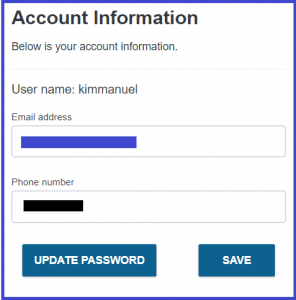
Allows you to view the information we have on file. Changes made to this page have no impact on your Pro Online setup or how we have you setup in our system.
Changing your SIDN: Email support
Changing your EFIN: Contact your SPEC Relationship Manager
Any changes you make to this page should also be emailed to your SPEC Relationship Manager so they can update the IRS Ordering System
Users: 8,000 – 10,000 concurrent users to most closely simulate our peak hour during tax season
Return preparation: 24,000 returns prepared during the period
Identify Items: Identify any items that need adjusting prior to busiest day of the tax season. We cannot do this without your participation.
The new 1040 Post Card and new Schedules 1 through 6 will require a print set to be created that can be used to print returns that will be mailed via paper to the IRS.
The existing print sets that TaxSlayer delivers will contain the “stacked” version of the schedules that will contain a “do not mail” watermark.
We can print two of the schedules on the same page as long as they are watermarked in a way that indicates they are not to be mailed to the IRS.
We are not sure yet, but it have a clear indication that it should be used to print “paper” returns that will be mailed to the IRS. The IRS requires that each of the new Schedules be printed on an individual page for all mailed returns.
We would like to thank the volunteers that participated in Thursday’s stress test. We want to share the results:
Your testing resulted in generating errors that resulted in errors generating a PDF. This allowed our infrastructure engineers and developers to analyze the error messages, understand the cause of the error, and make modifications to the code.
Purpose: To simulate peak hours during tax season and analyze any errors or anomalies seen. This allows us to make any necessary changes during December.
Click here to complete today’s Stress Test Survey
12:00 PM EST: This year’s first stress test will begin in 15 minutes. We are so excited for this opportunity and we appreciate everyone who is participating.
12:15 PM EST: Group 1 please begin
12:20 PM EST: Group 2 please begin
12:25 PM EST: Group 3 please begin
12:30 PM EST Group 4 please begin
12:33 PM EST: Keep up the good work…you have created over 1,100 returns in the past 18 minutes…we are at approximately 1,789 concurrent users…this equates to about 9 AM during peak weeks.
12:41 PM EST: We are up to approximately 1836 concurrent users….Keep up the good work and thank you for participating
12:53 PM EST: We are about 1/2 through the stress test. We are still running at around 1800 users…give a shout out to all of your volunteer friends and ask them to join you…stress now so you don’t have to stress later. You all are doing awesome…1,865 returns…
1:00 PM EST: 30 minutes left. There is plenty of time to make a difference. If you run through all of our scenarios, just enter returns like you prepare at your sites.
1:11 PM EST: We are receiving reports of Print failures and we are looking at them now. We are tracking this information
1:15 PM EST: We will be concluding the stress test at 1:30. It looks like we started receiving print time outs at 1:04 PM EST. We are continuing to trace the errors you are producing.
1:30 PM EST: This concludes our first 2018 stress test. Please join us again at 11:00 am EST on Saturday, December 8th. It will be holiday season, so bring a friend or two along with you… You all did a great thing today…you created 2,966 2018 returns, 685 2017 returns and generated print errors for us to review. Thank you all for your participation.
3:30 PM EST: We were able to identify and resolve a concern that caused the prints to time out because of your participation…Thank you
Each group will have an assigned time to begin the testing process and scenarios
Make notes of the Practice Lab 2018 behavior as you execute the following instructions – any slowdowns, difficulties opening returns; problems completing inputs, navigation issues, etc.:
Practice Lab URL: Practice Lab
Generic Password: TRAINPROWEB
Scenarios:
Practice Socials and EIN Guidance: The Practice Lab automatically enforces 00 as the 4th and 5th digit of the taxpayer SSN when starting a return. Even though this is a secured, practice environment, we recommend you use 00 as the 4th and 5th digit of any SSN in the return. We also recommend that you use 00 as the 3rd and 4th digit of any EIN you are using.
Communications: TaxSlayer will be communicating to testers through the VITA/TCE Blog and the message center.
Feedback: We will post a link to a survey that will allow you to share your experiences with us.