Category: Software News

MSA and Relational Sites: Security Template Information and Workaround

24 Jan 18
Kim Manuel
,
No Comments

We have identified a change in the behavior of assigning templates to the sites under your MSA and Relational groups from your group login.

Scenario:

Previously assigned user templates have changed for users at the site level.

Reason:

Assigning the Security Template from the group level is automatically changing the Security Template assigned to the users at the site level.

Identify if this happened

MSA groups — Each site can run the Username Report to verify the users assigned to each user at the site level.  This around the 4th column over.

Relational group — You can run the Username Report at the group level to see if anyone has been impacted.

We believe the sites impacted were assigned templates between Friday and today (Wednesday)

This does not impact other items that can be assigned.

We are actively working on a solution.  Until we have tested and delivered the solution you can do the following in order to get your security templates assigned at the site level (and not to change the template to all of the preparers at the site that have established templates)

Step 1:  Login as your MSA or Relational Group

Step 2:  Navigate to Security Templates

Step 3:  Select assign next to the Security Template

Step 4:  Place a check next to the site (if you are wanting to select all of your sites, you can use the Check/Uncheck All option)

Step 5:  Expand the list of users for the site(s)

Step 6:  Remove the checks from the boxes next to the users (DO NOT use Check/Uncheck All for this).  The example below shows that I have unchecked some preparers and not others.  In reality, I would remove the check from all users.

Step 7:  Complete Step 6 and select Continue

The following are examples of the two users that I have arrows next to above.  The screenshots are of the users from opening the Preparer(s) Menu at Kims Sample VITA/TCE Site

Example 1: Kims Site Admin with Blue Arrow where the assigned template DID NOT change because the check box was removed:

Example2 : Kim Richmond with Green Arrow where the assigned template DID  change because the check box was NOT removed:

Blog posted 01/24/2018   4:44 pm Eastern
Pro Online/Practice Lab: Product Update Alert Tuesday, Jan 23rd @ 5:00 am Eastern

22 Jan 18
Kim Manuel
, ,
No Comments

We will be putting the returns in maintenance mode at 5:00 am Eastern on Tuesday, January 23rd to perform a series of updates to include:

  • Adding several additions to the zip code database to automatically generate city and state
    • 85757 – Tucson, AZ
    • 32163 – The Villages, FL
    • 85193 – Casa Grande, AZ
    • 85298 – Gilbert, AZ
    • 85147 – Sacaton, AZ
  • Removing the requirement of Taxpayer/Spouse occupation from Basic Information
    • If preparing PA returns, the occupation entered in Federal Basic Information will carry to PA Basic Information

Blog Posted 01/22/2018  6:03 pm Eastern

Practice Lab 2017/Pro Online 2017: Form 8863 Institution Error

21 Jan 18
Kim Manuel
, ,
No Comments

Scenario:

Complete the Form 8863 entry page and use the browser auto-fill feature and click Continue.  Receive the following error:

Workaround:

Click the error and the page will take you to the Institution (typically this is institution 2 if you have completed the first institution information)

Click the X (see example above) and the following page will display:

Click OK and then Continue.   The Education Summary Page will display

Solution:

This will be resolved in a future update

Blog Posted 01/21/2018  10:52 am EST

Practice Lab 2017/Pro Online 2017: Form 8863 Cancel button

21 Jan 18
Kim Manuel
, ,
No Comments

Scenario:

Navigate to the 8863 and select Cancel

Issue:

The page does not go back to the Credits Menu as expected

Workaround:

Click any link in the left navigation panel under the Federal Section or enter a new form number in the Forms Selection box

Solution:

This will be resolved in a future update.

Blog posted 01/21/2018 10:43 am EST

Pro Online: Product Update Alert Monday, January 22 5:00 am Eastern

20 Jan 18
Kim Manuel
No Comments

We will be putting the return in maintenance mode on Monday, January 22nd at 5:00 am for a series of updates.

Blog Posted 01/20/2018 3:50 am EST

Pro Online 2017: Adding Global Consent to your Created Print Sets

18 Jan 18
Kim Manuel

No Comments

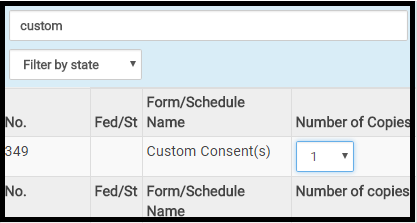
When you are editing an existing print set or creating a new print set you will need to search for Custom Consents and add a 1 for the count.  Below is an example:

blog Posted 01/18/2019

Pro Online: Product Update Alert for January 19th at 5:00am Eastern

18 Jan 18
Craig Smith
No Comments

We will be placing the site in maintenance made beginning Friday, January 19th at 5:00am Eastern to apply a series of updates. Items that were released with todays updates impacting TaxSlayer Pro Online:

  • Corrected misspelled text within the F1116
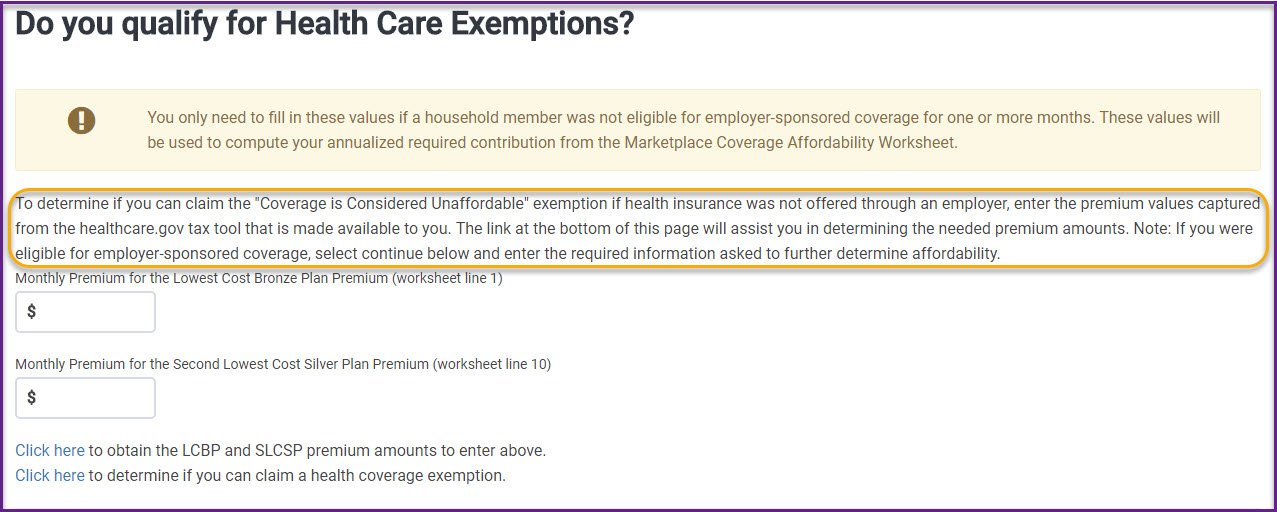
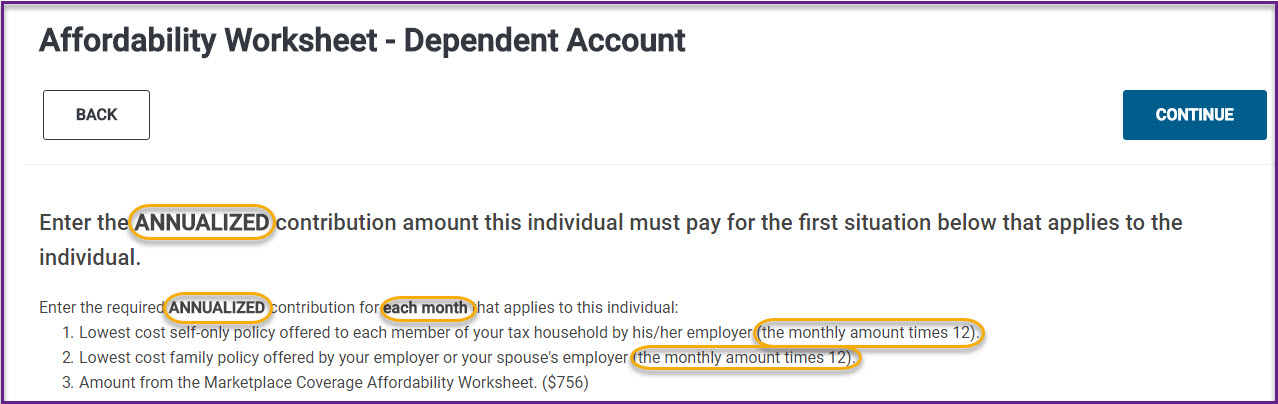
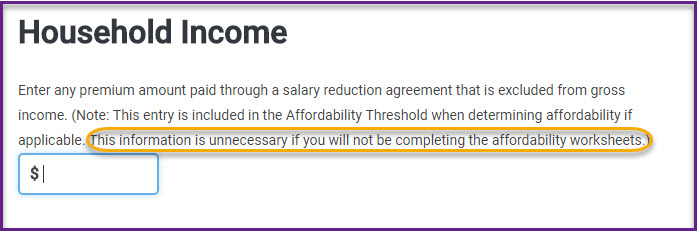
  • ACA: Issue was fixed where the Dependent MAGI screen was not showing for full-year coverage through the Marketplace for all household members and a 1095-A was received.

Pro Online: Product Update Alert: Thursday, January 18th Update information

17 Jan 18
Kim Manuel
, ,
No Comments

We will be putting returns and site in maintenance mode to apply a series of updated on Thursday, January 18th at 5:00am Eastern. This round of updates is scheduled to include the below items:

  • Allowing the preparer to use the (.) period on state percentages when using Internet Explorer
  • Solution for Global Carry Forward Pilot program
  • ACA — Resolve the dependent difference in taxable and non-taxable income not being added to Dependents MAGI
  • Reactivate Return
  • F2441 – Marking a Child Care Provider as tax-exempt for Hawaii no longer requires the HI 12-digit tax ID number.