Category: Software News

Pro Online: Office Setup and ERO Setup

24 Jan 17
Kim Manuel
,
No Comments

Warning:  DO NOT remove the street address from Office Setup and/or ERO Setup.

If you have removed the street address from Office setup, go to Configuration>> Office Setup and edit the Address field

If you have removed the street address from ERO setup, go to Configuration>> ERO Setup and edit the Address field

Your returns cannot be processed without a blank address.  We are in the process of Process Center Rejecting (Validation Error) any states that have been submitted to us with a blank address.

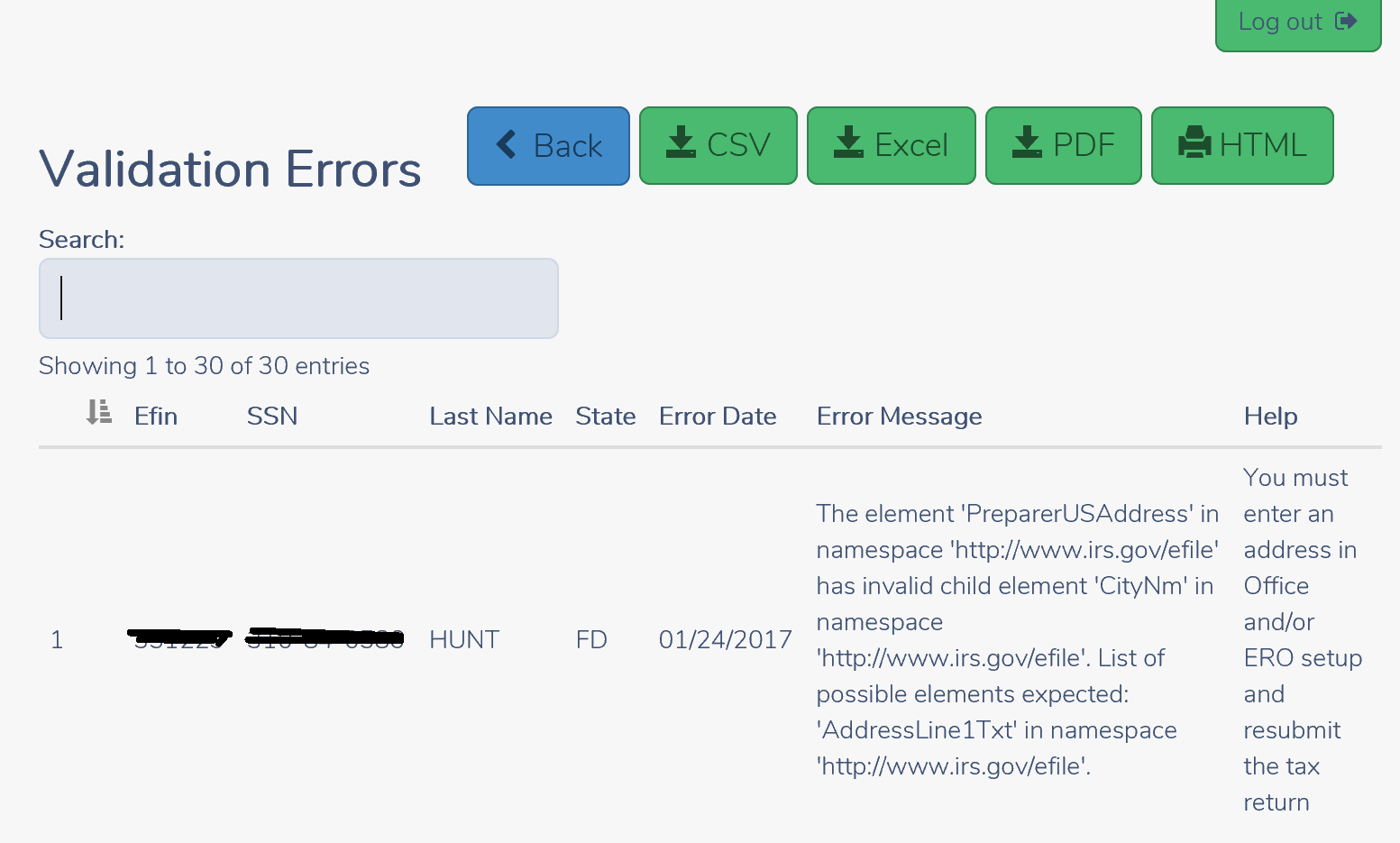
Below is an example of the Validation errors you will receive indicating the return is Processing Center rejected:


0124 validation errors removing address

Blog Posted 01/23/2017   10:21 AM EST

Pro Online: Rejected Returns Report

24 Jan 17
Kim Manuel
,
No Comments

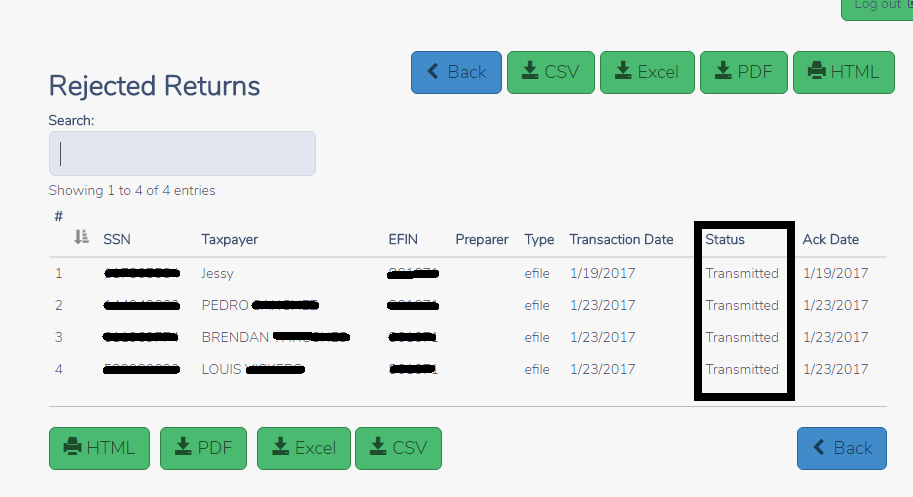
The rejected Returns report display a list of returns that have been IRS Rejected.  The Status column is currently showing ‘Transmitted’ instead of rejected

0124 Rejected Returns Report

Blog Posted 01/24/2017  8:53 AM EST

Pro Online Reports: IRS Acknowledgements and Old IRS Acknowledgements

24 Jan 17
Kim Manuel
,
No Comments

The following reports are now available

  • IRS Acknowledgements
  • Old IRS Acknowledgement

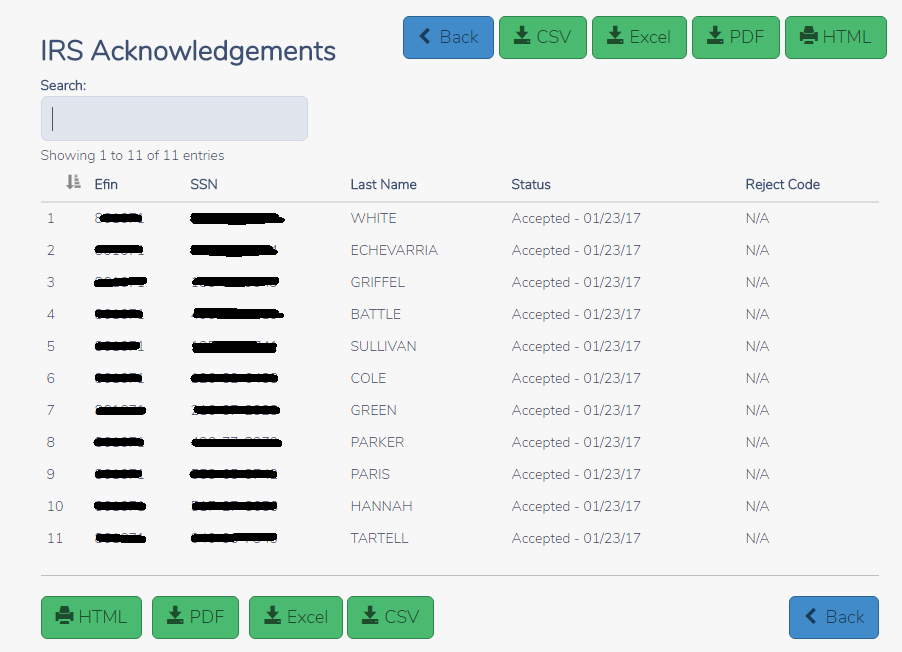
Click Select on IRS Acknowledgements to display the current acknowledgements that you have NOT previously viewed. Below is an example IRS Acknowledgement.  You can print the report via PDF or HTML or you can export the report to a CSV or Excel file.

0124 IRS Ack

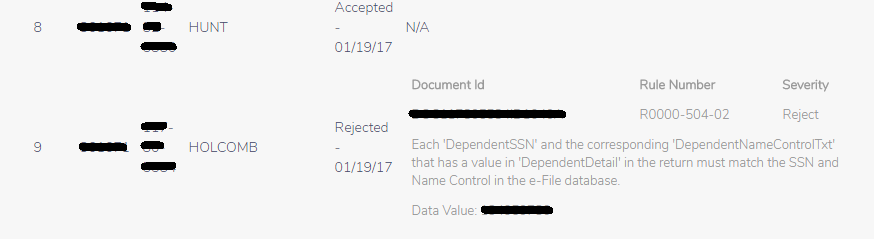
Below is an example of how detailed reject information displays on the IRS Ack or Old IRS Ack report.  This is the same information located for the return on their Client Status Page.

0124 irs ack with reject

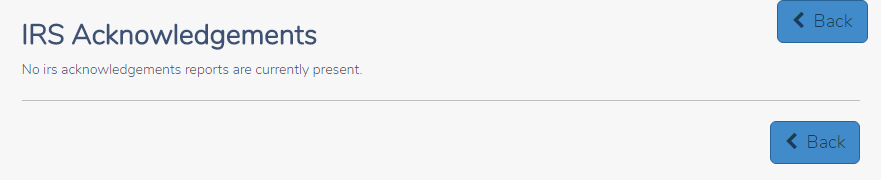
Once you have viewed the report or have NO current acknowledgements, you will see the following when you select IRS Acknowledgements:

0124 IRS acks no acks

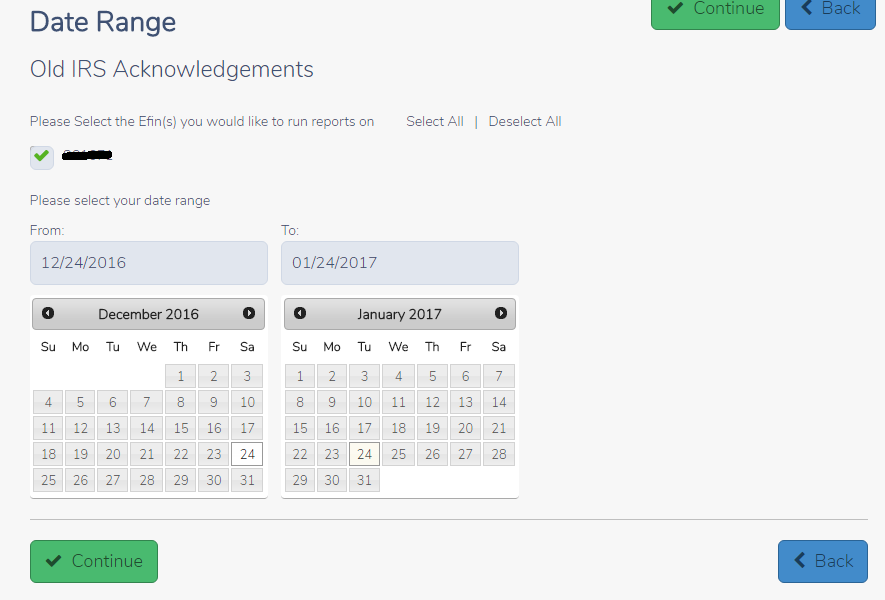
Using Old IRS Acknowledgement Reports:  All viewed acknowledgements are automatically displayed in Old IRS Acknowledgements if you need to view them at a later time.

Select your date range to narrow down the list and Click Continue

0124 old irs acks

You will see a list of all the IRS acks within the date range.  You can search by SSN or name to more easily find the acknowledgement.  You also have the option print via PDF or HTML and export to a CSV or Excel file.

0124 old irs acks search by ssn


Group Login: Creating and Assigning Questions

18 Jan 17
Kim Manuel
,
No Comments

The following instructions describe how to create and assign Question Templates:

(1) Login with your Group Login

(2) Click Select on Group Configuration

(3) Select Question Templates

(4) Click on either Create Question Template or Default Question Template

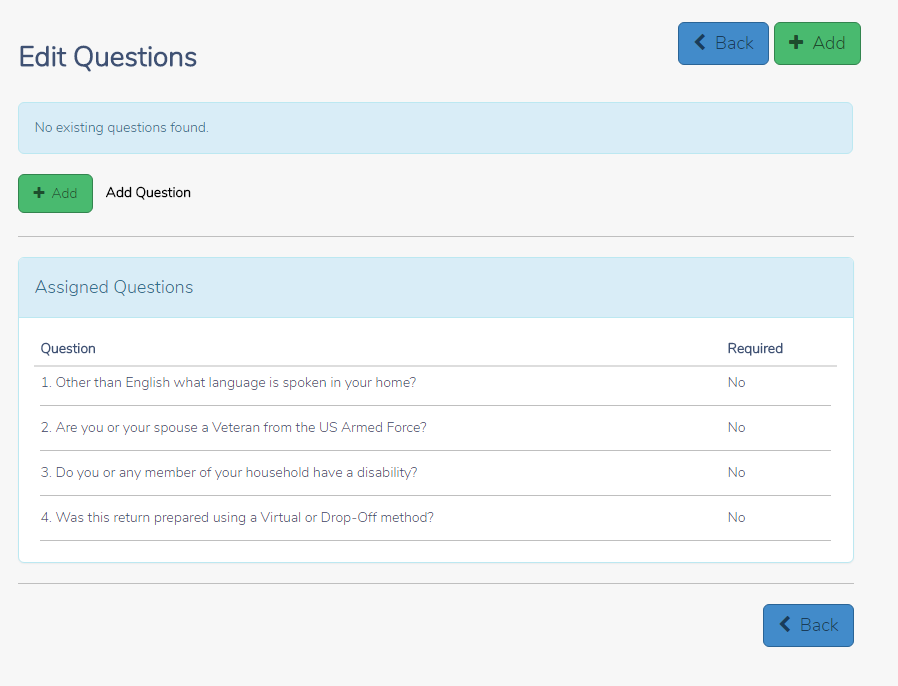
(5) Click Add to create the question and answer bank to assign.  Note:  You cannot re-assign any question templates assigned to your group.

0118 CREATE QUESTIONS

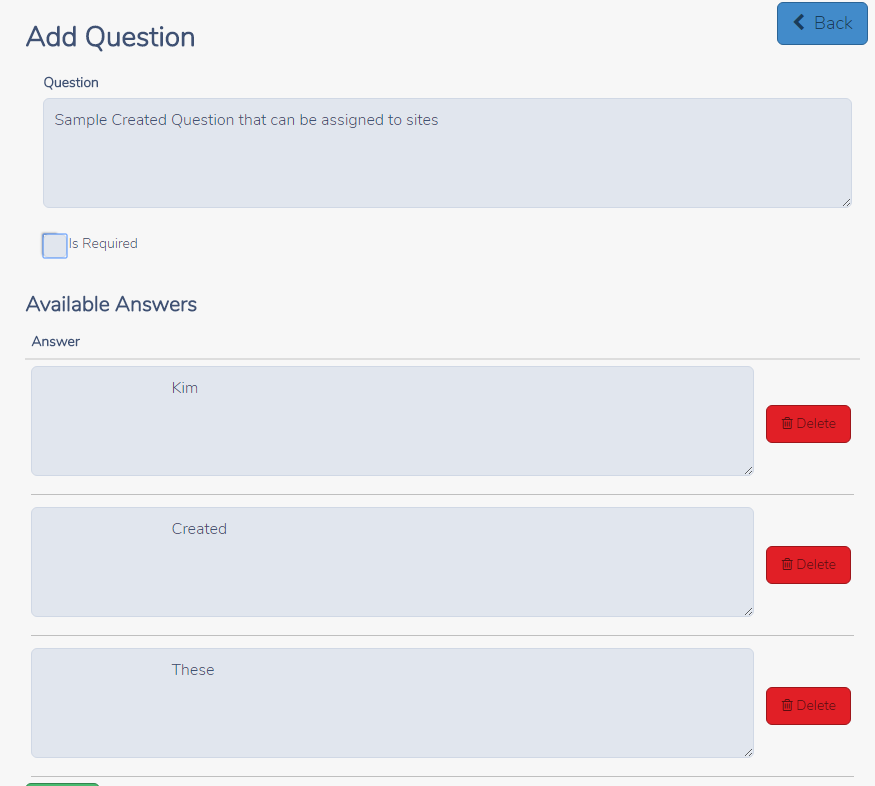
(6) Add Question and Answer Bank

0118 SAMPLE QUESTION

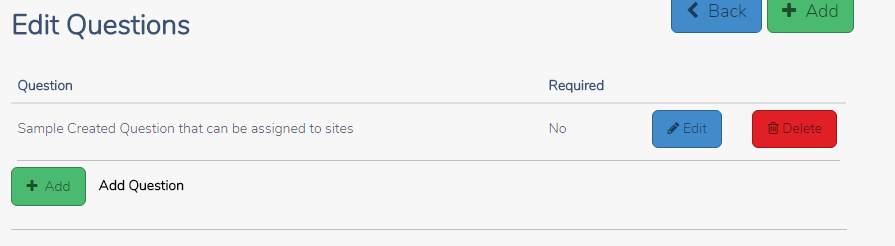
(7) After saving your question(s), click the Back Button to return to the Questions Main Page

0118 SAVED QUESTION

(8) Select the site(s) to assign the question(s) to and click Continue

0118 ASSIGN QUESTIONS TO

0116 SITE to assign to


Relational Admin (RA): Your Welcome Page

26 Dec 16
Kim Manuel
, ,
No Comments

You have received your login credentials for your Relational Admin group account.  This also requires the use of a Relational EFIN and the appropriate 7216 Consents.  We will be assigning the appropriate Reporting Consent that will be required to be completed for the purpose of electronic filing.

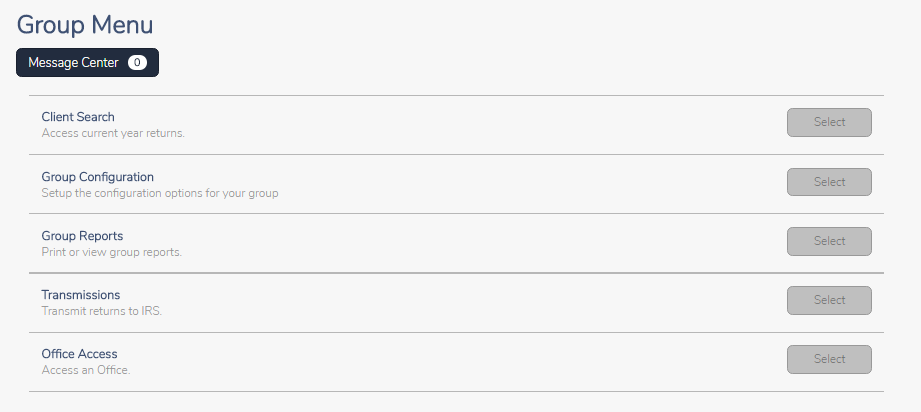
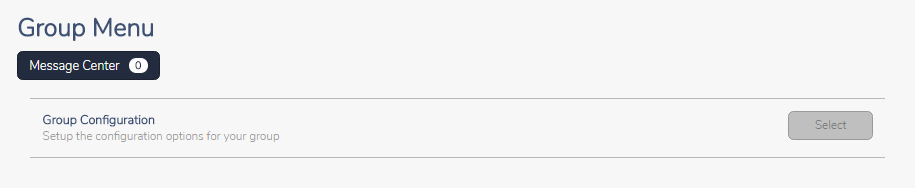
You will have access to Group Menu

1226-ra-welcome-page

Client Search = Allows you to search for a taxpayer from any of the sites under your group

Group Configuration = Allows you create configurable/setup items and assign to any of the sites under your group

Group Reports = Allows you to run reports for any of the sites under your group

Transmissions = Allows you to transmit returns for any of the sites under your group

Office Access = Allows you to access any office under your group with your group login credentials.  At this point you can assist the site in quality reviewing returns if the site utilizes the built-in review process to mark returns ready for review, create preparers/users, and much more

Multi Site Admin (MSA): Your Welcome Page

26 Dec 16
Kim Manuel
, ,
No Comments

You have received your login credentials for your Multi-Site Admin group account.  This allows you to create configurable items and assign them to the sites that are listed under your MSA group.

You will have access to Group Configuration when you login.

1226-msa-login

Click Select to access the Configuration Menu.  The items located on the Configuration Menu allows you to create items and assign it to other sites under your MSA umbrella.

1226-msa-configuration-menu

Pro Online: 1040X Training video and Mini Guide

06 Dec 16
Kim Manuel
, ,
No Comments

Click here to review the 1040X Training video and download the corresponding mini guide

Desktop: Office Identifier

01 Dec 16
Kim Manuel
, ,
No Comments

Purpose:  The Office Identifier is a number generated by TaxSlayer.  This is a Vendor Control Number required for electronic filing.  The field must be present in the-e-file for acceptance.  The goal is for the IRS to validate the number in the e-file with the number uploaded by the software vendor.

Question:  Where is this located?

Answer:  The field will be displayed on your Office/Firm Setup screen where you enter your Firm Information.

Question:  How do I find the office identifier

Answer:  Login to My Account from the VITA/TCE Springboard with the username and password you established via the User Information email link.  (Links will be sent by COB 12/02/2016) Once you are logged in, select Account History on the left navigation bar.

my-account-account-history

Question:  Is this  number unique to my site?

Answer:  Yes, it is unique to the EFIN.

Question:  Will this number ever change?

Answer: The number will change if the EFIN associated with your site changes