Author Archives: %s

MFA: Updating your Preparer Information (Series 1, Part 4) Updated 10/5

05 Sep 17
Kim Manuel
,
No Comments

We are currently scheduled to roll out a “soft launch” of MFA on Thursday, September 7th.  The first step in the roll out is verifying and updating the preparer information we have on file for our users.  Once the updates are deployed to the system, the following will occur:

(1) Launch the application as normal

(2) Enter your Username, Password and Security Code

(3) Complete the following Account Update page

  • Username must be changed if less than six characters
  • Enter the cell phone number twice.   This must be a unique number unless otherwise designated for multiple use by the site administrator
  • Enter the email address twice.  This must be a unique email address unless otherwise designated for multiple use by the site administrator
  • Enter your password twice (same one you entered on the login screen)

(4) Click Update

(5) The information entered on this page, automatically updates the information for the username in the site’s Preparer(s) menu.

Note:  This does not trigger MFA when completing the Account Update page.  Multi Factor Authentication will be triggered for the user in seven (7) days from updating the account page or when they access the site via a separate browser or computer.


VITA/TCE Springboard: Everything is now at your fingertips

25 Aug 17
Kim Manuel
, ,
No Comments

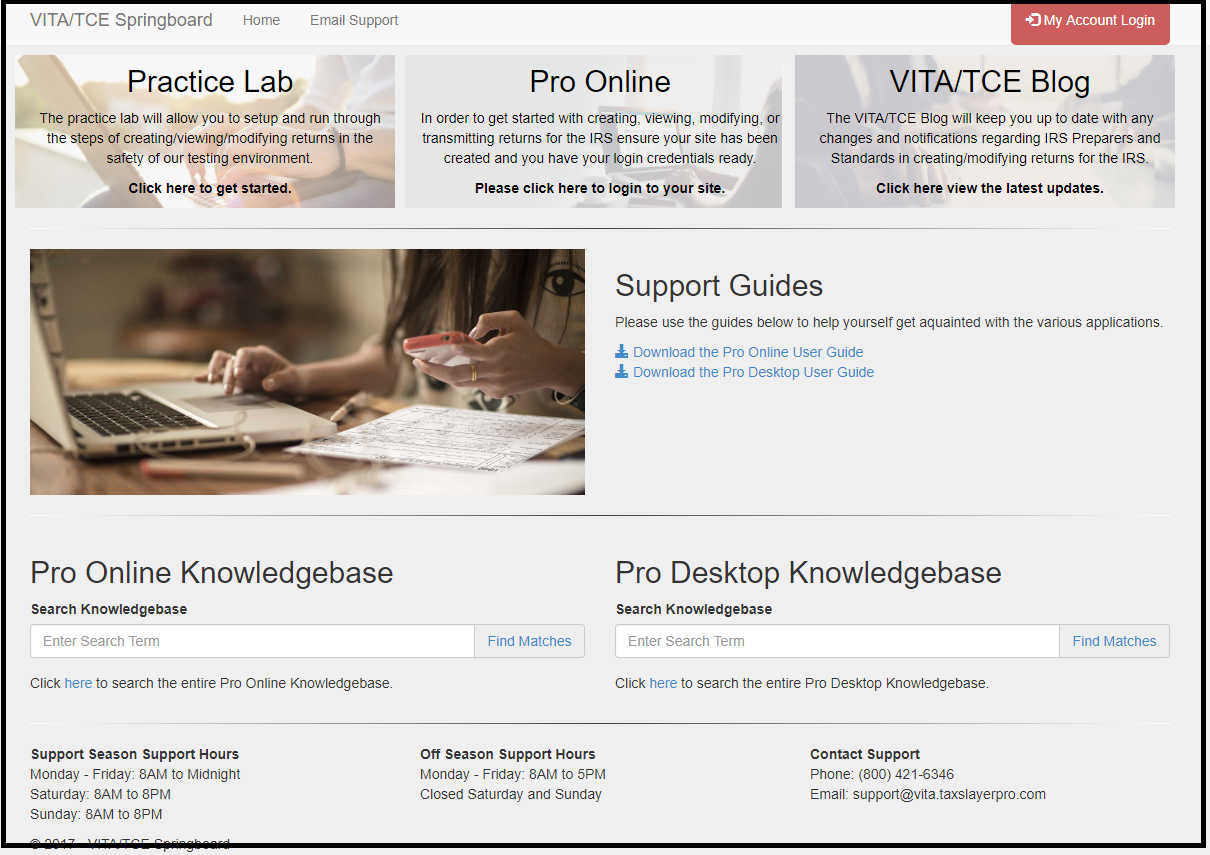
This fresh new looks allows you to access more information without having to scroll.

Pro Online: New Field on Preparer(s) Menu 2848 CAF Number

24 Aug 17
Kim Manuel
No Comments

The new field (outlined below) is not applicable to VITA/TCE sites.  It is NOT a number you need to obtain from anywhere and enter.  This is a number assigned to Paid Preparers when they are designated as the Power of Attorney or Third Party Designee

Pro Online Sneak Peek: Changes to the Login Process

23 Aug 17
Kim Manuel
, ,
No Comments

We will be changing the look of the Login page, as well as some wording prior to the tax season.  We will be using the verbiage “Access Code” instead of “Security Code”

Old Look:

New Look:

Change in Unsuccessful Login Attempts Procedures:

Three (3) unsuccessful login attempts will trigger the Multi-Factor Authentication process.  Please refer to Question 2 from the blog post titled MFA:  Timing Questions (Series 1, Part 3) posted on Monday, August 21st.

Blog Posted 08/23/2017


MFA: Timing Questions (Series 1, Part 3)

21 Aug 17
Kim Manuel
,
No Comments

Q1:  Once I receive the authentication code via email or text, how long is it valid for?

A1:  It is valid until you close the browser session or request another authentication code.

Q2: A previous question (Part 2, Question 5) asked about locking the account if the authentication code was entered incorrectly.  Will there be a limitation on the times a user can attempt to login with their username, password and access code (formerly Security code) before they will prompted for MFA? (Updated 10/5)

A2:  Yes.  Once a user has attempted to login three (3) times unsuccessfully because they do not know their password they will be required to re-authenticate via MFA on the fourth attempt   The purpose is to prevent cyber criminals from making automated attempts of randomizing and finding your password.  Cyber Criminals can crack strong 16-character passwords in less an hour.


Pro Online Sneak Peek: Left Navigation Panel Views

19 Aug 17
Kim Manuel
,
No Comments

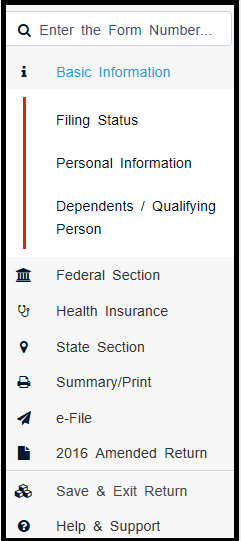
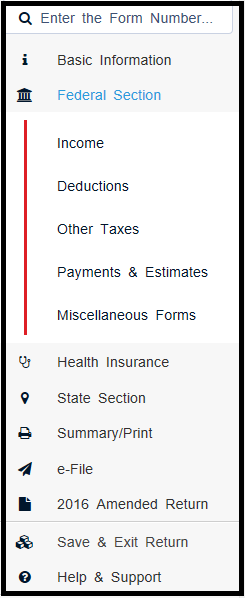
The following views will be delivered prior to tax season.  The expanded links take you directly to the section for easier navigation within the return.

Left Panel with Basic Information Expanded

Left Panel with Federal Section Expanded

Left Panel with Summary/Print Expanded

blog posted 08/19/2017

MFA: Authentication Code Questions and Answers (Series 1, Part 2)

18 Aug 17
Kim Manuel
,
No Comments

Q1:  Can one cell phone number be used for more than one volunteer? (Updated 10/5)

A1:  Multiple usernames can be attached to one cell phone number.  We understand that preparer volunteers are at multiple sites and/or have multiple usernames.

Q2:  Does the authorization code reference the user that it is for?

A2:  No, the code for both Text and email notifications indicate it is a code for TaxSlayer (No URL) and a 6 digit code.

Q3:  What is your target delivery time for the authorization code?

A3:  Text is going to be the fastest delivery method and is delivered with seconds.  Email delivery is fast as well, but it could get delayed by email services by the email provider.

 Q4:  Once a code is used, does it immediately become cancelled, or can it potentially be used more than once?

A4:  The authorization code is a one-time use code.  It becomes invalid immediately after entered and submitted.  It also becomes invalid if the user request the code to be sent again.

Q5:  Is there a number of times the user can attempt to enter the code before the application locks?

A5:  We do not lock the application based on attempts to enter the authentication code

Q6:  Is there a limit for how many requests can be made for a specific user name?

A6:  No, not at this time.


MFA: Questions and Answers (Series 1, Part 1)

17 Aug 17
Kim Manuel
,
No Comments

This is part of a series of educational posts about Multi-Factor Authentication (MFA).  As we receive questions, we will begin posting those that apply to all sites, along with answers.

Q1:  Once a user authenticates on a specific computer, how long before they will have to authenticate again on that specific computer?

A1:  The site administrator will have the ability to set the parameters from the minimum (1 day) to the maximum (still being determined by the IRS Security Working Group) for each preparer depending on the needs of the site.  When we turn the feature on, it will be defaulted to the IRS Security Working Groups recommendation.  As we receive the details, we will update the answer.

Q2: Would a TaxSlayer update wipe out the MFA Authentication?

A2:  No, we do not anticipate this happening.

Q3:  Would a computer or browser update wipe out the MFA Authentication?

A3:  We have not experienced this with our other software applications currently using MFA.  If the host site performs some type of maintenance on the computers on a nightly basis (such as wiping them and applying a fresh profile), the users will have to authenticate each day regardless of the range set by the site administrator because it will be like logging into a new device.