Category: Software News

MFA: Account Update is now in effect (Series 2, Part 1)

07 Sep 17
Kim Manuel
,
No Comments

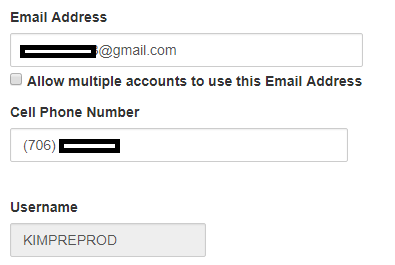
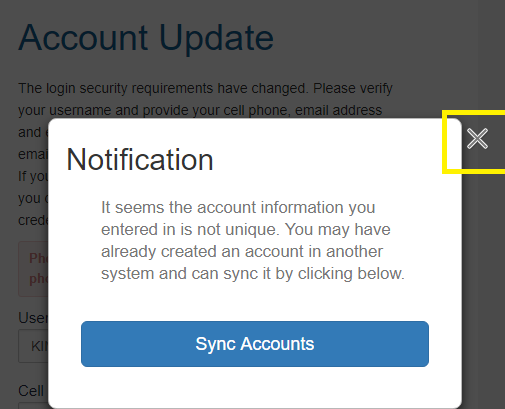
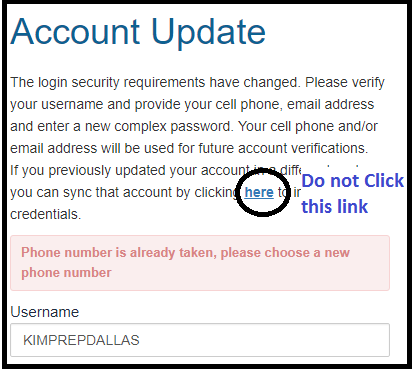
The Account Update page is now in effect.  The screen is different than the original screen we blogged about.  You will be required to enter and confirm the following information:

  • cell phone (Optional, not required…this was resolved from an earlier status of it being required)
  • email address (remember, if it is going to be used for multiple users, a user with privileges to access Preparer(s) menu must mark the box to allow multiple usernames for the email account)
  • Password

Blog Posted 09/07/2017  8:02 AM Eastern


MFA: What triggers authentication? (Series 1, Part 7) — Updated 09/07 9:34 AM

06 Sep 17
Kim Manuel
,
No Comments

Below are items that will trigger the need for a user at their production site to authenticate as we know them today:

  • The first time a user logs in to a unique device
  • When a user’s authentication has expired
  • When a computer is re-imaged
  • Three failed login attempts
  • When the “Forgot Password” feature is initiated
  • (Updated Addition) Logging in with a different browser on the same computer (i.e. logging in with Chrome and then opening Internet Explorer and logging in)

Blog Posted 09/06/2017

MFA: Questions and Answers (Series 1, Part 6)

06 Sep 17
Kim Manuel
,
No Comments

Q1:  Does MFA apply to the Practice Lab?

A1:  No, MFA is only applicable to your production site

Q2:  I am a desktop user…does MFA impact my site?

A2:  MFA is not applicable to the software itself, however, you will have to authenticate to login to your My Account page to retrieve your Vendor Control Number.  There are other security requirements that will be applicable to the desktop application.

Q3:  Can the site coordinator complete the MFA verification process for all of the users at their site?

A3:  The purpose of MFA is to authenticate the user that is logging into the system to prepare the returns.  There is no indication in the email or text message that indicates the username that the code is for.

Q4:  If the user is going to verify their MFA information the first time they login and can update it, can we, as Admins, just leave that info blank when we create a new user?

A4:  The admin will still be required to enter an email address in when creating new users, but they can leave the cell phone blank.

Q5:  If a user is a multi-site user, do we need to check that box for each site they are setup on?

A5:  No, the selection for allowing the email address to be used by multiple users, only has to be selected one time.

Q6:  Why is TaxSlayer turning on MFA this early, when the majority of the volunteers will not be logging in to their production sites until December or January?

A6:  There are a couple of reasons:  (1) We want to give the site admins the extra time to review their user list and make any necessary changes prior to the majority of the volunteers logging in.  (2) This allows the site admin to experience the process and setup procedures that can be followed during the season. (3) Allows us to gather feedback from our year round sites so we can build FAQs and put out additional educational information.


MFA: How will I know when MFA is triggered? (Series 1, part 5)

06 Sep 17
Kim Manuel
,
No Comments

Each time a user is required to authenticate, they will be displayed the Account Verification page.  This allows the user to select a delivery option.  They will have up to two options (1) via email and/or (2) via text if a cell phone number is on file.

Choose the appropriate method of receiving the authentication code and select Send Code

Enter the code in the Verification Code box (Do not close this window until you enter the code)

Click Verify

The application will validate the authorization code.  Once the code is validated, the user will be taken to the Welcome Page.

Blog Posted 09/06/2017

MFA: Updating your Preparer Information (Series 1, Part 4) Updated 10/5

05 Sep 17
Kim Manuel
,
No Comments

We are currently scheduled to roll out a “soft launch” of MFA on Thursday, September 7th.  The first step in the roll out is verifying and updating the preparer information we have on file for our users.  Once the updates are deployed to the system, the following will occur:

(1) Launch the application as normal

(2) Enter your Username, Password and Security Code

(3) Complete the following Account Update page

  • Username must be changed if less than six characters
  • Enter the cell phone number twice.   This must be a unique number unless otherwise designated for multiple use by the site administrator
  • Enter the email address twice.  This must be a unique email address unless otherwise designated for multiple use by the site administrator
  • Enter your password twice (same one you entered on the login screen)

(4) Click Update

(5) The information entered on this page, automatically updates the information for the username in the site’s Preparer(s) menu.

Note:  This does not trigger MFA when completing the Account Update page.  Multi Factor Authentication will be triggered for the user in seven (7) days from updating the account page or when they access the site via a separate browser or computer.


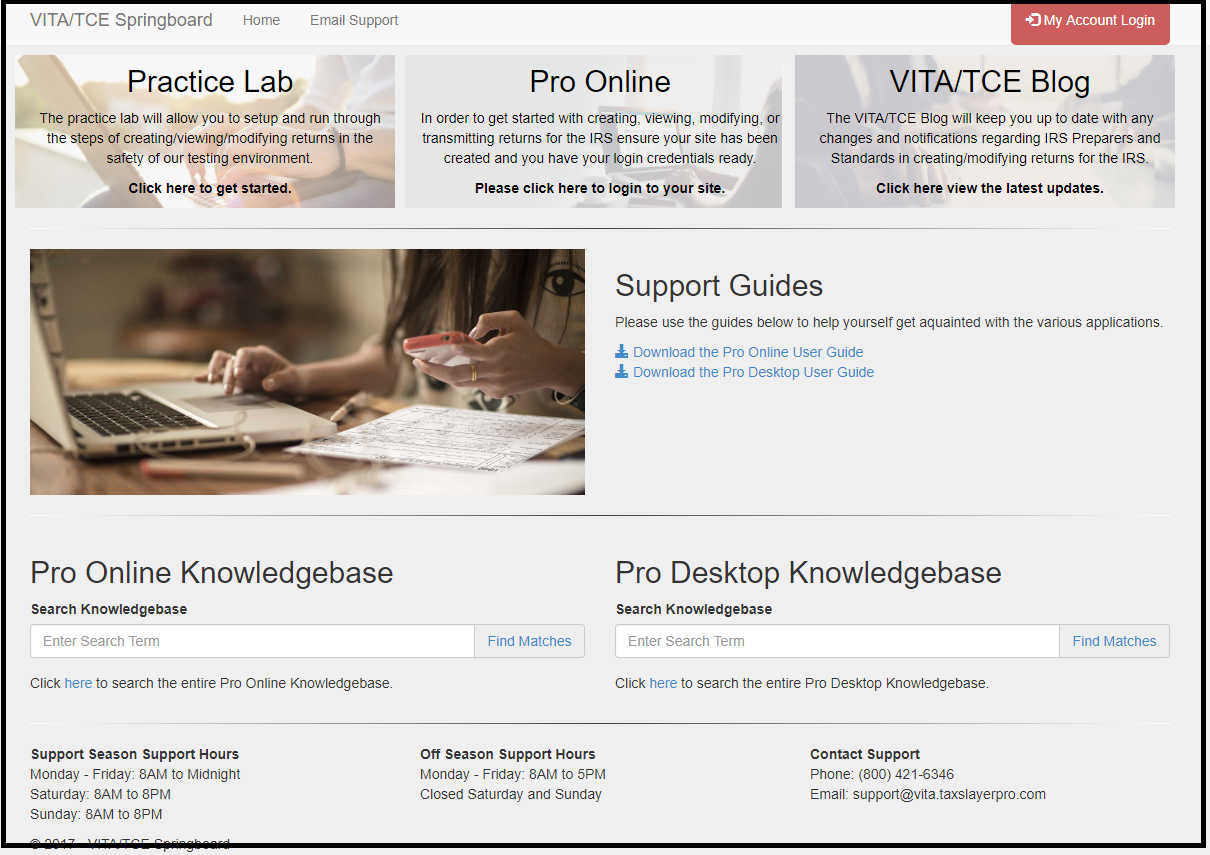
VITA/TCE Springboard: Everything is now at your fingertips

25 Aug 17
Kim Manuel
, ,
No Comments

This fresh new looks allows you to access more information without having to scroll.

Pro Online: New Field on Preparer(s) Menu 2848 CAF Number

24 Aug 17
Kim Manuel
No Comments

The new field (outlined below) is not applicable to VITA/TCE sites.  It is NOT a number you need to obtain from anywhere and enter.  This is a number assigned to Paid Preparers when they are designated as the Power of Attorney or Third Party Designee

Site Production State Summary Report: Preparer Name Column Added

23 Aug 17
Craig Smith

No Comments

Within “Management Reports”, the “Site Production State Summary Report” now has a column specific to the Preparer Name shown below. This allows sites to filter state returns prepared by volunteer. This was a request received as some sites are required to produce this information for further funding.