Category: What’s New

Release Notes: Form 2120 (LIVE 5/24/18)

23 May 18
Kim Manuel
,
No Comments

Feature:

Adding the ability to complete Form 2120 from the application

Instructions:

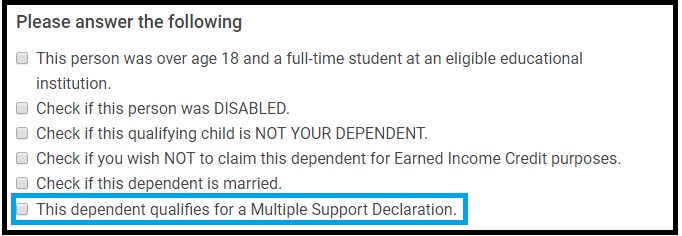
Select the following question when completing the Dependent/Qualifying person information

Click Continue

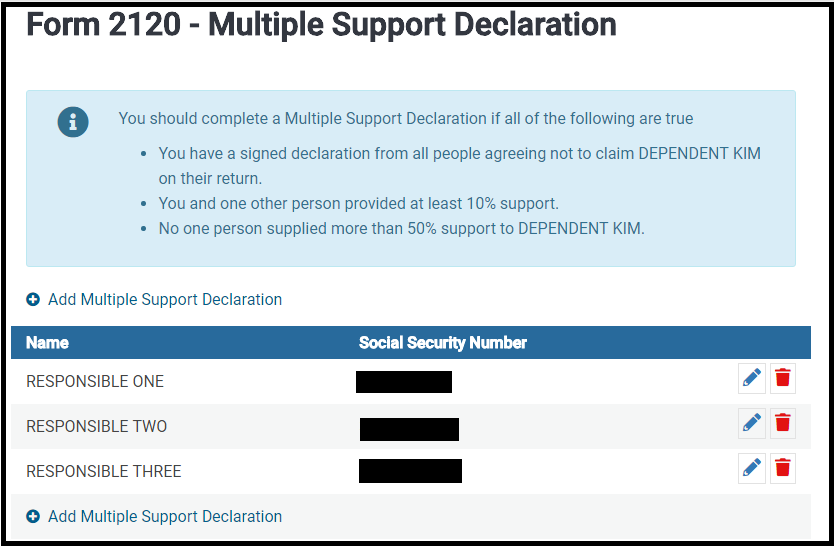
Complete the information for each person that provided at least 10%, but no more than 50% of the support that have agreed not to claim the listed individual as a dependent.

The 2120 Summary page will display the taxpayers that will be listed on Form 2120

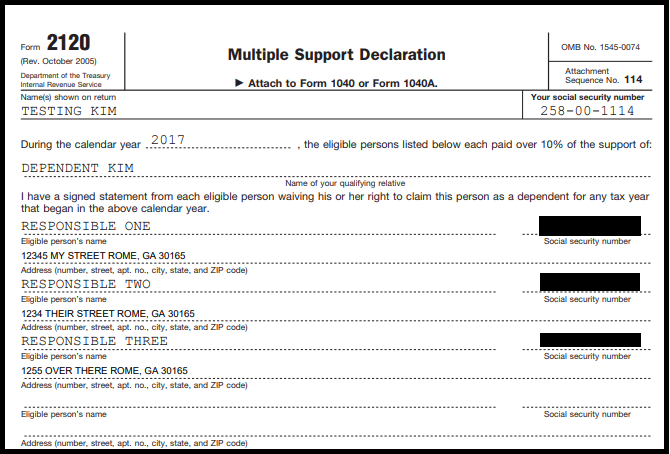
The form will print with the return

Blog posted 05/23/2018

Release Notes: Adding “Save and Enter Another” Button to Additional Entry Forms (LIVE 5/24/18)

23 May 18
Kim Manuel
,
No Comments

The Save and Enter Another button will be added to the following entry pages:

  • W-2
  • Interest Income
  • Dividend Income
  • Schedule B Other Interest
  • 1099-R
  • RRB-1099-R
  • W-2G

Purpose:

Allows the preparer to open a blank entry screen without having to go back to the summary page when entering income information.

Benefits:

  • Quick Data input
  • Allows the preparer to enter multiple income documents when using Taxpayer Profiles
  • Allows the preparer to enter multiple income documents when using the Quick File feature

Note:  Selecting Continue will take you to the Income Summary Screen


Release Notes: Thursday, May 24th @ 5:00 am Eastern

23 May 18
Kim Manuel
No Comments

We will be putting the returns in maintenance mode for a series of updates on Thursday, May 24th at 5:00 am EST.  The update is subject to be rescheduled.  It is scheduled to include the following:

  • Add Form 2120 – Multiple Support Declaration
    • Will be prompted to complete this form after adding a dependent and checking the box, “This dependent qualifies for a Multiple Support Declaration
    • The option to add up to four (4) Form 2120’s is available
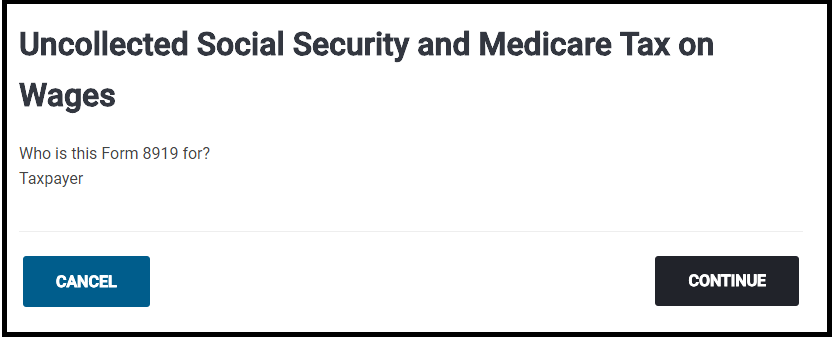
  • Add Form 8919 – Uncollected Social Security and Medicare Tax on Wages
    • Available within the “Other Taxes” menu of the Federal Section
  • AddSave and Enter Another” button on the W-2 entry page
  • Remove the requirement for the ID for Home Mortgage Interest Not Reported on 1098 (Issue #1812)
  • AddSave and Enter Another” button on the Interest Income entry screen
  • AddSave and Enter Another” button on the RRB-1099-R entry screen
  • AddSave and Enter Another” button on the Schedule B Other Interest Entry Screen
  • AddSave and Enter Another” button on the Dividend Income entry screen
  • AddSave and Enter Another” button on the 1099-R entry screen
  • AddSave and Enter Another” button on the W-2G entry screen
  • Add “AGI” column to show AGI on Site Production Detail Report – Paper (Issue #135)
  • Fixed an issue where exporting the “Return Questions” report to Excel was throwing an error (Issue #1986)
  • Phase II: 1040PR when using 1040 – Added the ability to adjust earned income specific to assisting in calculating CTC/ACTC when less than 3 qualifying dependents are on the return (Issue #1793)
  • 1040NR:  Access Schedule OI in Basic Information by clicking Continue on the Dependents section
    • No longer have to access the federal section prior to completing Schedule OI

Suggestion Box: Response Document through May 22nd

23 May 18
Kim Manuel

No Comments

There are two spreadsheets

  • Spreadsheet #1:  Dedicated to application and federal suggestions
  • Spreadsheet #2: Dedicated to State suggestions

An example of the status column can be found by Tracking ID 269372 (Ctrl+F allows you search in the document)

Below are some of the items that we have committed to completing (We are still reviewing all requests and there will be more commitments coming your way)

  • Display AGI
  • Make Consents Year Specific
  • Create a Consent report that indicates the consent Title and corresponding acceptance or denial

More exciting changes to come.

We are still reading through and analyzing the suggestions.  We are also beginning to update the Status column as we commit to implement a suggestions.

Click here to view PDF

The link will launch a Brainshark video with instructions on how to view the file.

Suggestion Box: Responses through May 11th

14 May 18
Kim Manuel
, ,
No Comments

There are two spreadsheets

  • Spreadsheet #1:  Dedicated to application and federal suggestions
  • Spreadsheet #2: Dedicated to State suggestions

An example of the status column can be found by Tracking ID 269372 (Ctrl+F allows you search in the document)

Below are some of the items that we have committed to completing (We are still reviewing all requests and there will be more commitments coming your way)

  • 1040NR: Load Schedule OI while in Taxpayer Information
  • 1040NR:  Carry data from schedule OI to Form 8843
  • Add a Save and Enter another button to make repeat entries easier for the following
    • W-2 entry page
    • Interest Income entry page
    • Dividend Income entry page
    • 1099-Entry entry page

More exciting changes to come.

We are still reading through and analyzing the suggestions.  We are also beginning to update the Status column as we commit to implement a suggestions.

Click here to view PDF

The link will launch a Brainshark video with instructions on how to view the file.
Release Notes: Scheduled Production Deployment – 5/14/18 at 5:00am ET

11 May 18
Craig Smith
No Comments

We will be placing the site in maintenance on Monday, May 14th at 5:00am ET to release a series of updates.

  • 1040-PR using 1040 – Ability to adjust earned income specific to CTC/ACTC when claiming less than 3 qualifying dependents (Issue #1793)
  • Zip Code Update
    • 99354 – Richland, WA (Issue #1980)
  • 1040-NR/Schedule OI – Text update within the “Travel Dates” menu to clarify only travel dates specific to the current filing year should be provided
  • GA – Remove the automatic e-mail pre-fill entry within GA Basic Information (Issue #2000)
  • KS – Correct an issue where excluded SSS disability income was not removed from K-40H household income calculation (Issue #407)
  • MI – Correct a PDF display issue where the percentage entry for Veteran Disability (1040-CR2) was not carrying to the return (Issue #1991)
  • VT – Correct a PDF display issue where the Form 144 entries for additional household members (if more than 2) were not carrying to a new statement in the PDF (Issue #1999)

Suggestion Box: Responses through May 4th

07 May 18
Kim Manuel
, ,
No Comments

There are two spreadsheets

  • Spreadsheet #1:  Dedicated to application and federal suggestions
  • Spreadsheet #2: Dedicated to State suggestions

An example of the status column can be found by Tracking ID 269372 (Ctrl+F allows you search in the document)

Below are some of the items that we have committed to completing (We are still reviewing all requests and there will be more commitments coming your way)

  • Display AGI
  • Add the following Federal Forms
    • Form 8919
    • Form 2120
    • Form 4835
    • Preparer Explanation Forms
  • Ability to print the state from the State Summary page (already live)
  • Ability to return to the 1040 view if you link from the 1040 view (already live)

More exciting changes to come.

We are still reading through and analyzing the suggestions.  We are also beginning to update the Status column as we commit to implement a suggestions.

Click here to view PDF

The link will launch a Brainshark video with instructions on how to view the file.

Addition of Gambling Loss entry within W-2G (LIVE – 5/3/18)

02 May 18
Craig Smith
, ,
No Comments

Schedule to be released tomorrow, May 3rd!

When accessing the W-2G menu, right below the Gambling Winnings field, there will also a new Gambling Losses field. This allows users to go ahead and enter the losses applicable to the reported winnings within the W-2G. These losses will automatically carry to Line 28 of the Schedule A and will no longer require the preparer to remember to report gambling losses later during return preparation.

Note: Any gambling winnings not reported on a W-2G, applicable losses will still be entered within the Itemized Deduction menu and will add to the total gambling losses carried from W-2G entries.