Category: What’s New

Pro Online: Custom Consents Now Year Specific!

14 Jun 18
Craig Smith
,
No Comments

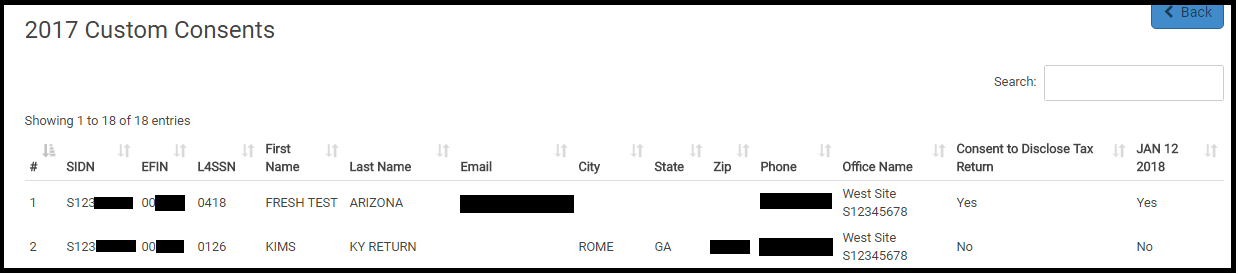
An enhancement released today now gives users (with the appropriate security template) the ability to assign Custom Consents to a specific tax year at their site(s). There is also the option to assign Custom Consents to all tax years at your site(s). Now, when accessing Configuration>Consent Forms a drop-down field is available to select the tax year for the consent to display or you can select “ALL“.


Pro Online: “Save and Return” Added to Submission Page

14 Jun 18
Craig Smith
, , ,
No Comments

The next time you visit the Submission page inside of a return, you will notice the “Save and Return” button shown below. When clicked, this directs users to the Summary/Print page inside of the return without having to click the “Back” button to return to the first page of E-file then click “Back” once again to go back into a taxpayers return. Selecting “Save and Return” also saves data entered on the Submission and is also logged in Client Status under the Return Audit History.


Suggestion Box Responses: Updated through June 8th.

12 Jun 18
Kim Manuel
, ,
No Comments

Click here to view PDF

Click here to submit a suggestion

There are two spreadsheets

  • Spreadsheet #1:  Dedicated to application and federal suggestions
  • Spreadsheet #2: Dedicated to State suggestions

An example of the status column can be found by Tracking ID 269372 (Ctrl+F allows you search in the document)

Below are some of the items that we have committed to completing (We are still reviewing all requests and there will be more commitments coming your way)

  • Change the wording from Cancel to Back in the state programs to be consistent with the Federal program
  • Several new “committed” items in the state spreadsheet

More exciting changes to come.

We are still reading through and analyzing the suggestions.  We are also beginning to update the Status column as we commit to implement a suggestions.

Click here to view PDF

The link will launch a Brainshark video with instructions on how to view the file.

Release Notes: Tuesday, June 12th at 5:00am ET

11 Jun 18
Craig Smith
No Comments

We will be releasing a couple updates on Tuesday, June 12th at 5:00am ET.

  • Firefox Browser – Fixing an issue when using Mozilla Firefox within the Federal Estimated Payments menu. Tabbing no longer moves cursor to next entry field when tabbing from 2nd entry box (Issue #2008).
  • Schedule A, Gambling Losses Text Update – With the recent addition of the Gambling Loss entry field within the W-2G entry menu in the Income section, text has been added to the Schedule A, Misc Deduction menu to not re-enter losses already reported on the W-2G.
  • Tracking ID 277609 –  View Full SSN designation in Security Templates now applies to Review Returns, as well as the Client list.

Release Notes: Tuesday, June 5th at 5:00am ET

04 Jun 18
Craig Smith
No Comments

This will be the re-scheduled deployment from Thursday, May 31st. This update will mostly include back-end work.

  • PA Local Form – Remove the second mention of “for” within Basic Information when asking “City for Which You are Filing for:
  • Release Notes – Update the URL within Release Notes on the left navigation bar to redirect users to the Release Notes category in the VITA/TCE Blog
  • Review Returns – Previously, with a Security Template that did not allow full view of the SSN from “Client List” still showed the full SSN when inside the “Review Returns” menu. Update released today also masks the first 5-digits of the Taxpayer SSN within the “Review Returns” menu for users with a security template that does not allow full SSN view.

Release Notes: Thursday, May 31st at 5:00am ET (Rescheduled for 6/5/18)

30 May 18
Craig Smith
No Comments

There is a scheduled deployment on Thursday, May 31st at 5:00am ET to release some updates. This update will mostly include back-end work.

  • PA Local Form – Remove the second mention of “for” within Basic Information when asking “City for Which You are Filing for:

Suggestion Box: Responses through May 29th

30 May 18
Kim Manuel
,
No Comments

There are two spreadsheets

  • Spreadsheet #1:  Dedicated to application and federal suggestions
  • Spreadsheet #2: Dedicated to State suggestions

An example of the status column can be found by Tracking ID 269372 (Ctrl+F allows you search in the document)

Below are some of the items that we have committed to completing (We are still reviewing all requests and there will be more commitments coming your way)

  • Ability to sort the Transmission columns
  • SSN under Review Returns will be masked if the user cannot view full SSN

More exciting changes to come.

We are still reading through and analyzing the suggestions.  We are also beginning to update the Status column as we commit to implement a suggestions.

Click here to view PDF

The link will launch a Brainshark video with instructions on how to view the file.

Release Notes: Form 8919 (LIVE 5/24/18)

23 May 18
Kim Manuel
,
No Comments

Navigate to Other Taxes and Select Begin on the following item:

Select if the form belongs to the Taxpayer or Spouse (in this screenshot, there was only a taxpayer)

Click Contiinue

Complete the Employer section

Select the appropriate reason:

Click Continue