Category: Training

FAQ: Pro Online Relational EFIN Consents

21 Oct 17
Kim Manuel
,
No Comments

The following were questions asked during our Administrative Webinar:

Q: If I order software that contains a relational EFIN, will the relational consent automatically show up in each return or do I need to add it?

A:  The Relational Consent will be assigned to the sites by TaxSlayer.

Q:  What is the purpose of the assigned Relational consent?

A:  This is what allows TaxSlayer to share taxpayer information with the main Relational EFIN for the purposes of running reports.

Q: Can an assigned Consent be modified?

A:  No, assigned consents cannot be modified.

Q: What does the system actually do if folks do not consent to relational EFIN?

A:  The efile cannot be created and the return will have to be paper filed.

Q:  Will the pin auto filled for those consents?

A:  No, the PIN for consents cannot be automatically generated

Q:  Is the Relational EFIN scenario applicable to desktop users?

A:  No, it is only applicable to Pro Online users.

Blog Posted 10/21/2017
FAQ: Pro Online Client List

20 Oct 17
Kim Manuel
,
No Comments

The following were common questions asked during our Site Administrative Webinar:

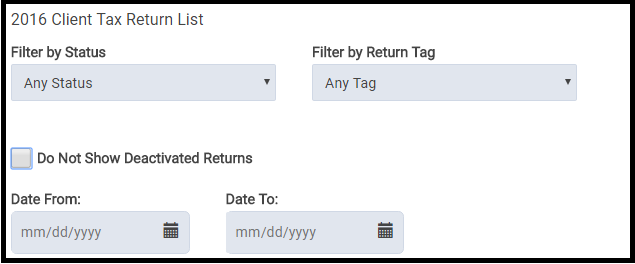
Q:  Will the date the tax return was created be displayed on the client list?

A:  No, but you can easily filter the returns by date.

Q:  Can you transfer a prepared return to another user?

A:  Yes, if the user has the appropriate rights enabled in their security template, the preparer can be changed from the Tools drop down on the Office Client List.  Select Change Preparer from the drop down list and then select the appropriate preparer to change the return to:

 Q: Will paper return show as paper return this year?

A:  Yes, it also currently shows as paper for TaxSlayer 2016 if the return type in e-file for the federal return is marked with a paper option.

Q: Is there any way to “lock” a return after it has been quality reviewed so nobody but admins can get back into it?

A: No, but there is a new feature that allows the site admin to restrict who can see a return once it has been accepted so no changes can be made to it.  Another option would be to password protect the returns.  This will prevent the user from editing the return, printing the return, or seeing the information listed in Client Return History.

Blog Posted 10/20/2017

MFA: When Can an E-mail Address be used across Multiple Usernames (Series 2, Part 5)

08 Sep 17
Craig Smith
,
No Comments

One of the common questions received yesterday (9/7/17) after launching MFA was from site administrators or volunteers with a security template allowing access to Configuration>Preparer Setup.

Scenario: I have multiple volunteers at my site that also volunteer at other sites. When I access my own Preparer(s) Setup Menu page, I can see the checkbox to allow my e-mail address to be used across multiple accounts. However, when I access the Preparer(s) Setup Menu page for other volunteers at my site, I do not see the checkbox under their e-mail address entry field.

Q1:  Why can’t I see the checkbox for my volunteers?

A1: The reason you are able to see the checkbox under your Preparer(s) Setup Menu page is because you completed the Account Update screen after MFA was launched.  As each volunteer completes the Account Update screen for their username, the checkbox will be available within their Preparer(s) Setup Menu page.

Group Login: Creating and Assigning Questions

18 Jan 17
Kim Manuel
,
No Comments

The following instructions describe how to create and assign Question Templates:

(1) Login with your Group Login

(2) Click Select on Group Configuration

(3) Select Question Templates

(4) Click on either Create Question Template or Default Question Template

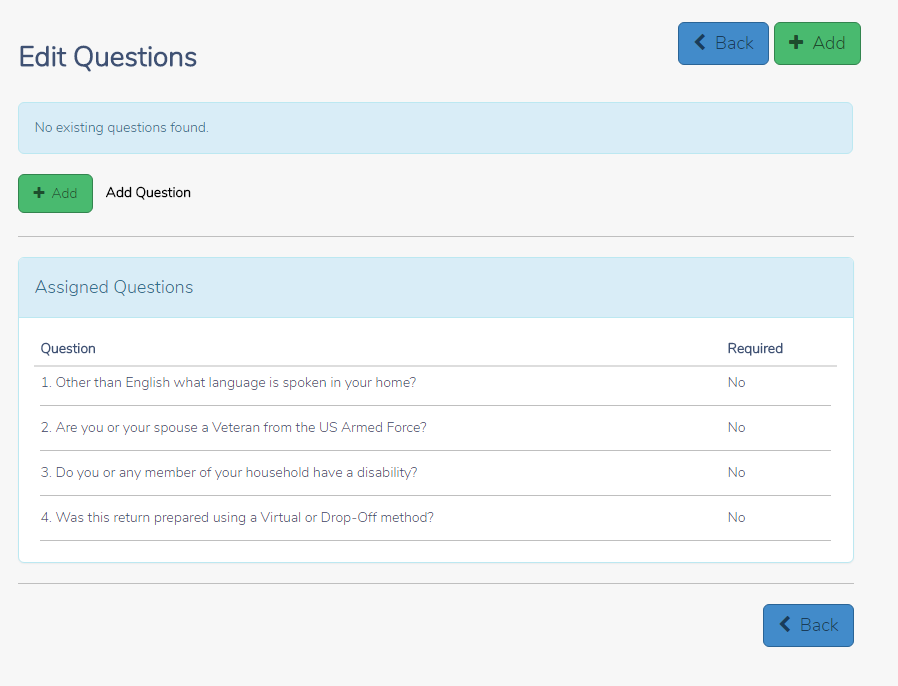
(5) Click Add to create the question and answer bank to assign.  Note:  You cannot re-assign any question templates assigned to your group.

0118 CREATE QUESTIONS

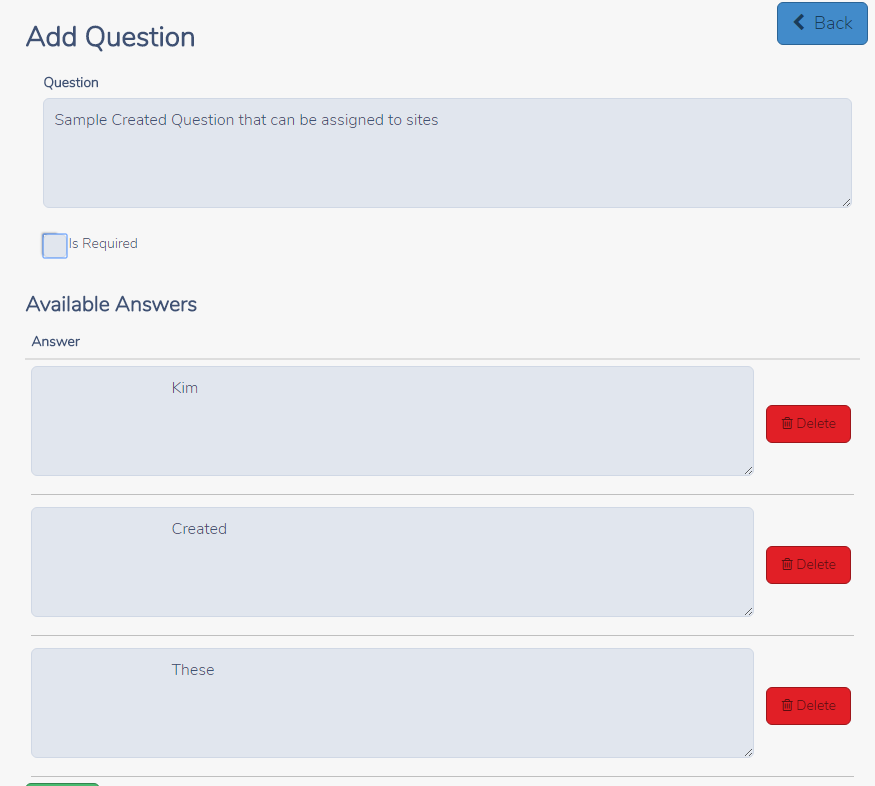
(6) Add Question and Answer Bank

0118 SAMPLE QUESTION

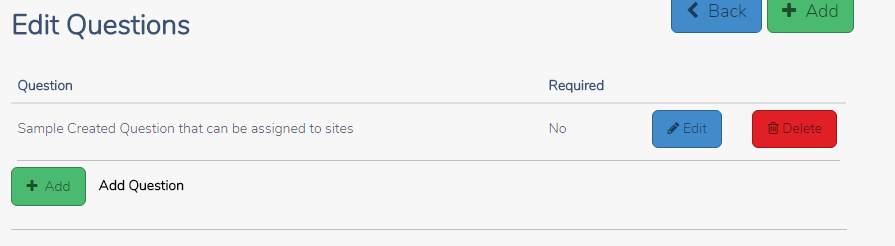
(7) After saving your question(s), click the Back Button to return to the Questions Main Page

0118 SAVED QUESTION

(8) Select the site(s) to assign the question(s) to and click Continue

0118 ASSIGN QUESTIONS TO

0116 SITE to assign to


Pro Online: 1040X Training video and Mini Guide

06 Dec 16
Kim Manuel
, ,
No Comments

Click here to review the 1040X Training video and download the corresponding mini guide

Desktop: Office Identifier

01 Dec 16
Kim Manuel
, ,
No Comments

Purpose:  The Office Identifier is a number generated by TaxSlayer.  This is a Vendor Control Number required for electronic filing.  The field must be present in the-e-file for acceptance.  The goal is for the IRS to validate the number in the e-file with the number uploaded by the software vendor.

Question:  Where is this located?

Answer:  The field will be displayed on your Office/Firm Setup screen where you enter your Firm Information.

Question:  How do I find the office identifier

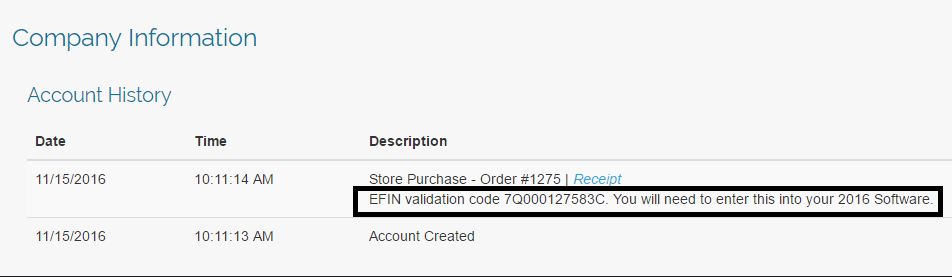
Answer:  Login to My Account from the VITA/TCE Springboard with the username and password you established via the User Information email link.  (Links will be sent by COB 12/02/2016) Once you are logged in, select Account History on the left navigation bar.

my-account-account-history

Question:  Is this  number unique to my site?

Answer:  Yes, it is unique to the EFIN.

Question:  Will this number ever change?

Answer: The number will change if the EFIN associated with your site changes


Pro Online: Office Identifier

01 Dec 16
Kim Manuel
, , ,
No Comments

Purpose:  The Office Identifier is a number generated by TaxSlayer and imported into a field in ERO Setup.  This is a Vendor Control Number required for electronic filing.  The field must be present in the-e-file for acceptance.  The goal is for the IRS to validate the number in the e-file with the number uploaded by the software vendor.

Question:  Where is this located?

Answer:  On the ERO screen in Configuration

office-efin-identifier

Question:  I deleted it or it was not present when I edited ERO Setup.  How do I find out what the control number is?

Answer:  Login to My Account from the VITA/TCE Springboard with the username and password you established via the User Information email link.  Once you are logged in, select Account History on the left navigation bar.

my-account-account-history

Question:  Is this  number unique to my site?

Answer:  Yes, it is unique to the EFIN.

Question:  Will this number ever change?

Answer: The number will change if the EFIN associated with your site changes

Question:  Do I need to add an additional ERO to my site?

Answer:  No, you can modify the information imported if you need to change the site name and/or address associated with the imported ERO setup.

View and Print Return in Spanish

07 Nov 16
Kim Manuel
, ,
No Comments

Viewing and printing returns in Spanish is determined at the return level.

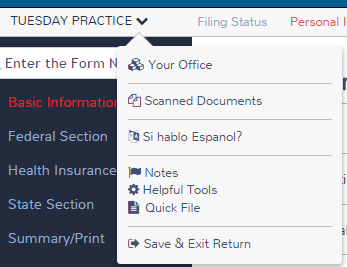
Select the drop down arrow next to the taxpayer’s name and then select Si hablo Espanol?

change-to-spanish

Select Espanol

spanish-select-it

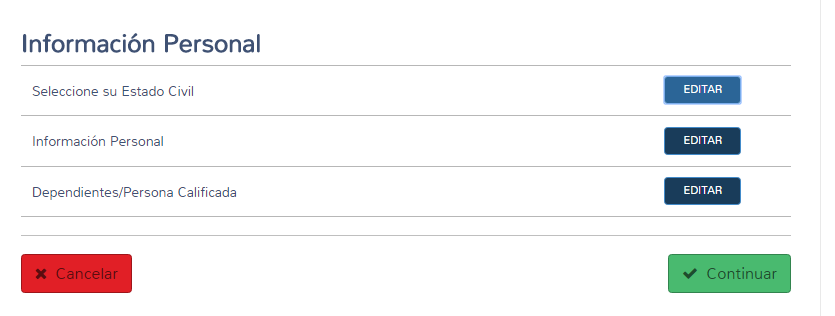
The screen will display in Spanish

spanish-personal-information

The forms will also print in Spanish.  There is currently an issue with the Spanish print utilizing the wrong year form.  This will be corrected