Author Archives: %s

1040NR: Where do I Start?

07 Nov 16
Kim Manuel
, , ,
No Comments

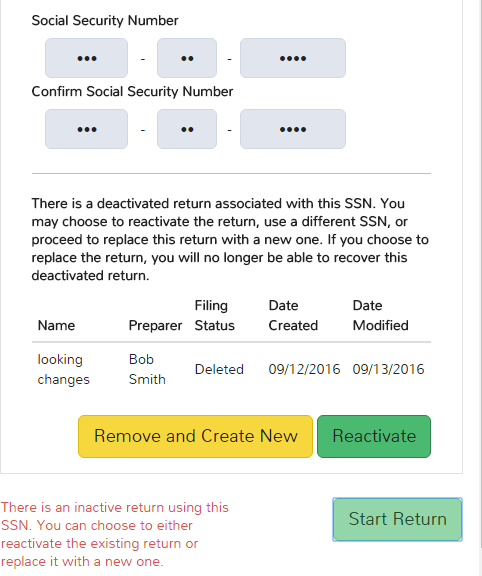
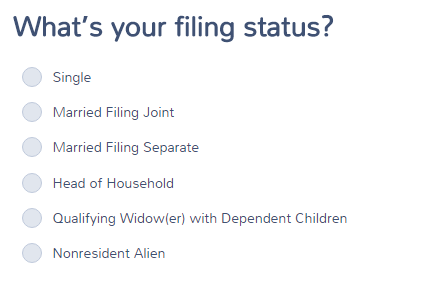
The 1040NR/1040NR EZ selection will be made at the point of selecting a Filing Status after the roll out of Taxslayer 2016.   We will be creating detailed training material on return navigation.   You will see this change over the next few weeks as we move through e-file testing with the IRS.

The below screenshot reflects where you will start the return.

1040nr


Best Practice: Adding more than 4 entries for W-2 Box 12

24 Oct 16
Kim Manuel
, ,
No Comments

Generally a W-2 only has need for 4 entries in Box 12.  Occasionally you will need more.  When faced with this situation, you can follow this simple solution:

  • Add the first four entries to the original W-2
  • Add a second W-2 with the same employer ID (the program will ask you if you are sure you want to do this as  precaution)
  • Subtract $1 from Gross Wages in the original W-2
  • Put in $1 for Gross Wages in the 2nd W-2
  • Enter the additional entries for Box 12

The program will add the W-2 information together when it is sent to the IRS in the electronic file.

How do I access Prior Year Returns in Pro Desktop?

05 Oct 16
Kim Manuel

No Comments

TaxSlayer will deliver the current year and three prior year installs for all sites placing an order for the TaxSlayer Pro Desktop software.

Each year will be installed and will be accessed by clicking on a  year specific icon.

How do I access Prior Year Applications in Pro Online?

05 Oct 16
Kim Manuel
,
No Comments

The site administrator controls whether or not a preparer has the ability to prepare prior year returns.  If the preparer has a Security Template that enables prior year returns, they will access the prior years from their Welcome Page.

The Preparer will login to one URL and have access to the current year application and the three prior year applications.

What Browsers are compatible with Pro Online?

05 Oct 16
Kim Manuel
,
No Comments

TaxSlayer Pro Online is compatible with the following browsers:

  • Chrome (Recommended)
  • Safari
  • Edge
  • Firefox
  • Internet Explorer (Must be used with Windows 8 or higher)…End of Life for Microsoft support is January 31, 2020


Note: We recommend that you have the latest version of the browser.

What Browsers does the Practice Lab Support?

05 Oct 16
Kim Manuel
,
No Comments

The Practice Lab is compatible with the following browsers:

  • Internet Explorer
  • Chrome
  • Safari
  • Edge
  • Firefox

Note: We recommend that you have the latest version of the browser.


Message Center

04 Oct 16
Kim Manuel
,
No Comments

What is the purpose of the Message Center?

The message center has two purposes:

(1) A one way communication between TaxSlayer and the sites.  The one way communication allows TaxSlayer to send out important notifications and software tips based on the type of inquiries we are getting through our support staff.

(2) Allow a communication channel within the users/preparers at the site.  Any user will have the ability to communicate with any user within their site via the Message Center.

Note:  Messages posted in the Practice Lab by users are not accessible by TaxSlayer Support.