Category: e-File

Pro Online 2017: Validation error for ZIPCd element is invalid (UPDATED 1:23 PM EST)

29 Jan 18
Kim Manuel
,
No Comments

Scenario:  You have transmitted returns and your status is remaining “Transmitted”

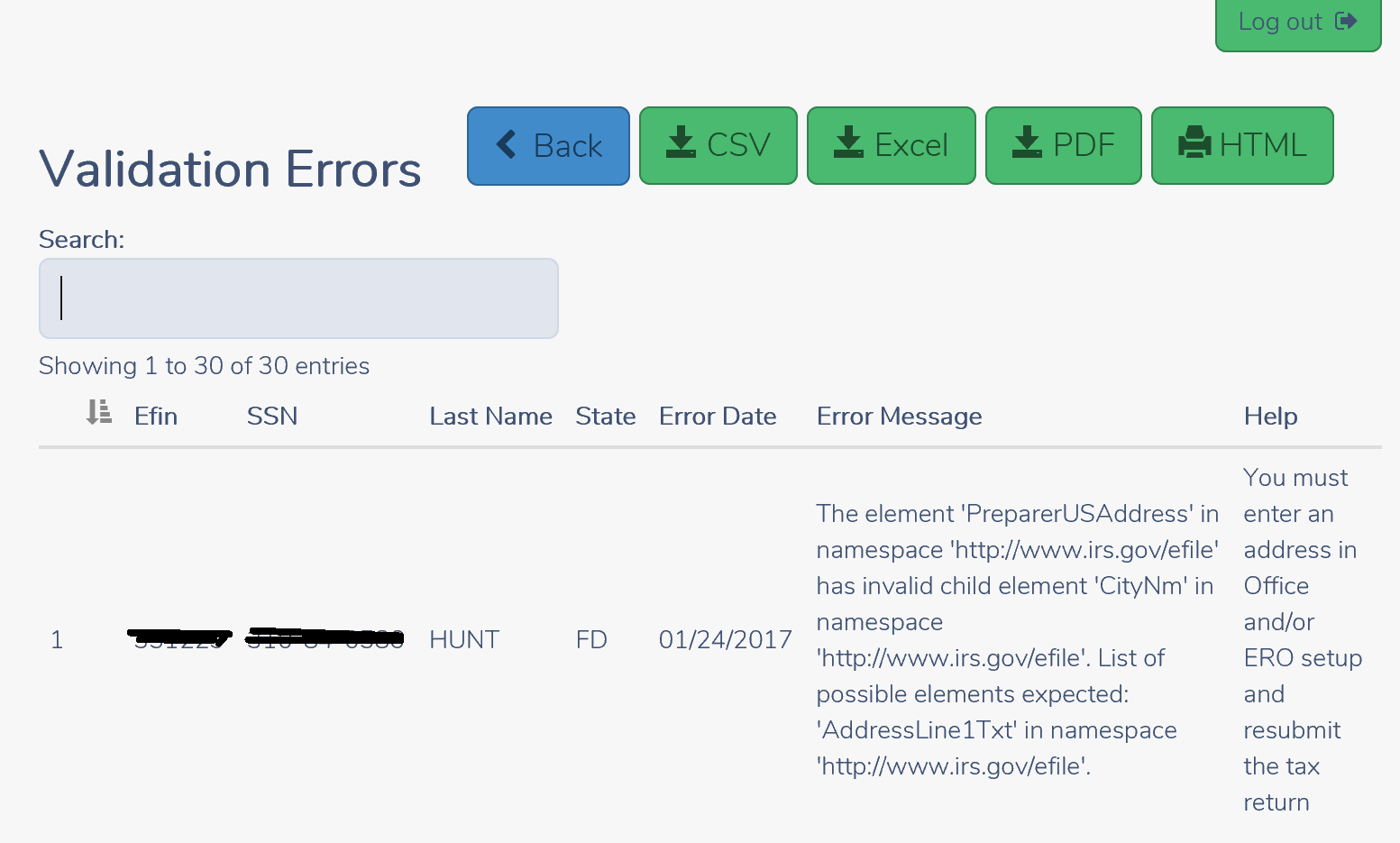
Navigate to Reports and run the “Validation Erros” Report to see if you are receiving the following error:

Note:  It will be the State abbreviations of your specific site.

Updated info: Next, navigate to the Configuration>>ERO Setup and verify that the zip code field for both have the zip code and not your state abbreviations. We automatically uploaded this information to correct the zip code in ERO setup at approximately 1:00 pm EST.

The zip code we entered was based on the order we received from the IRS.  Make the appropriate correction to the zip code field.

How to I send these returns after the correction to setup has been made?

Note:  You DO NOT have to open each return.

  1. Run the Validation Errors report first to identify the taxpayers
  2. Navigate to Transmissions
  3. Select Add Returns

4.  Select the returns that received the validation error (most likely all that are listed with the status of Transmitted)
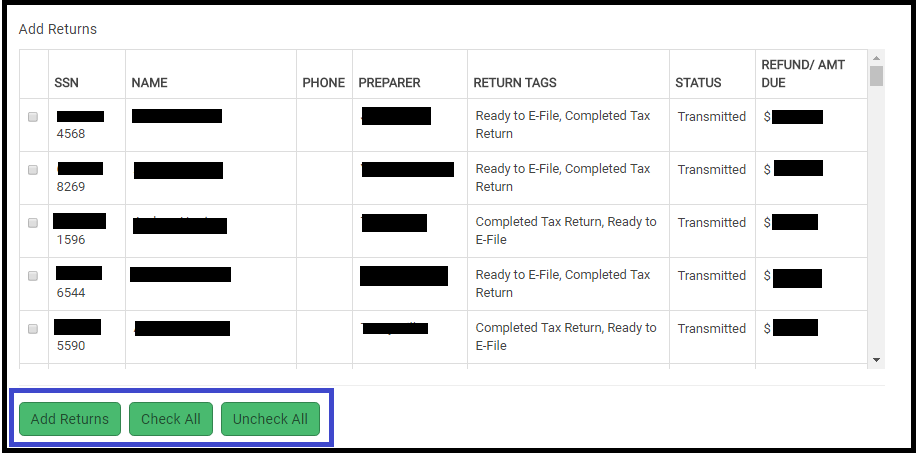
5.  Once all the selections are made, click Add Returns

6. close the dialog box by selecting the X in the upper right corner

These returns are now available for you to resend.

Blog posted 01/29/2018
FAQ: Pro Online e-file Part 2

26 Oct 17
Kim Manuel
,
No Comments

Continuation of questions we received about e-file during the Administrator Webinar

Q: Anywhere to see state validation errors?

A:  Yes, they are listed on the Validation Errors report under the Reports Section.  They typically have a detailed explanation of the validation error and a helpful hint on how to correct it.

Q:  How can I determine if a state return was transmitted with the federal?

A:  You can run reports for Returns Awaiting Acknowledgements.   This report is located under Management Reports.  If the state is marked for e-file it is automatically transmitted with the Federal return.  Once the Federal return is accepted, it will be made available for the state to pick up and process.

Q:  Once a rejected return is corrected, does it automatically queue up for re-transmission? I just have to add it to the transmission page?

A:  No, you have to click Add Return and add it to the transmission.

Q:  What prior year returns will I be able to electronically file when Pro Online 2017 is delivered?

A:  The IRS accepts electronic files for the current year and 2 prior years.  You will be able to file electronically with TSO 2017, TSO 2016 and TSO 2015.

Q:  Will tags prevent efile (which is preferable) ? or can it be efiled regardless of whether there or not?

A:  You can make return tags required in office setup to create an e-file

Q: If a return is rejected and we must paper file it, will we be able to change the status to complete?

A:  When you change the return type in e-file to a paper option, it will automatically change the status to paper.  This new feature is already available in the application

Q:  Will selecting a return type of paper on the efile screen cause the Status to change to Paper

A:  Yes, this is a new feature we added over the summer.

FAQ: Pro Online e-File Part 1

25 Oct 17
Kim Manuel
No Comments

These are some of the questions we received about Electronic Filing during our Administrator Webinar:

Q: On the transmissions screen, if a return has rejected and then been corrected and resubmitted, how does it show on the transmissions screen?  Will it show both the original reject and the subsequent transmission?

A:  Once a rejected return has been corrected and transmitted, it no longer shows on the Transmission screen.  The client History will show the original transmission date/time, the reject, and the secondary transmission date/time.  If the return is rejected a subsequent time, it will show on your Rejected Clients list.  Rejected returns must be added to the transmission list by selecting the Add Returns button.

Q:  When a return is created for e-file does a “time created” register as well?

A:  We do store Date/Time Created.  You can see this in Client Return Status

Q:  How will it look if we need to send the state only when the federal cannot be e-filed?

A:  You will select the Send State Only box in e-file and select a federal filing type.  You will see a message that the state will be sent by itself.  Even though you must select a federal filing type, the federal return will not be filed.  Once e-file information is complete, the user can either select to send the return from the submission page or it will display to be sent on the transmission page.

Q:  Can a return be modified after it has been marked complete?

A:  Yes, the return can always be modified

Q:  Rejected Clients on Welcome screen-will this bring up state rejects, too?

A:  No, this list is generated based on IRS rejected returns

Q: When you do a tax return and submit from the Submission page within the return, do you still have to go to the transmissions tab to send them to the IRS?

A:  If you select Save and Transmit from the Submission page in e-file, you do not need to go to the transmission page for that return.

Blog posted 10/25/2017


FAQ: Pro Online: Due Diligence Checklist

24 Oct 17
Kim Manuel
, , , ,
No Comments

These are some of the questions we received about the due diligence checklist during our Administrator Webinar:

Q: Are the EITC questions and other questions underneath it going to stay populated when the return goes from the preparer to the reviewer and the reviewer is  going through the screens?

A:  Due Diligence will not be required for TaxSlayer Pro Online 2017.  However, the questions do remain answered for the prior years when someone goes back through them fore view purposes.

Q: If there is no longer a due diligence checklist, how can the preparer remove the EIC when the program calculates it, but the taxpayer does not qualify?

A:  The process will remain the same.  Navigate to Form 8862 via Forms Search and complete the Not Eligible for EIC section

Q: Will the due diligence check list go away for prior years or just TY 2017?

A: Just TaxSlayer Pro Online 2017

Q: Will the Due Diligence checklist go away for desktop?

A:  No, this only applies to TaxSlayer Pro Online.


Blog posted 10/24/2017


Imperfect Return Indicator — What is it?

27 Jan 17
Kim Manuel
, ,
No Comments

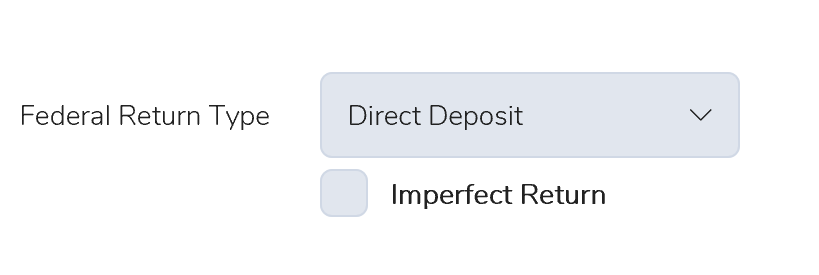
If your federal return is rejected for a SSN/Name Control business rule, you will see the Imperfect Return option appear under the Federal Return type on your e-file page.

0127 Imperfect Return

We give the preparer the choice of working with the taxpayer to make this correction or allowing the IRS to make the the correction.  If selected, an “Exception” status indicates to the IRS that the return was previously rejected for the business rule.  The IRS will continue to process the return and a notice will be sent to the taxpayer advising them of any change made as a result of the Imperfect Return indicator.  This prompts the IRS system to match the information from previously accepted returns.  The returns with the Imperfect Return indicator are typically processed in 4-6 weeks after acceptance.

Disadvantages of Using the Imperfect Indicator;  The IRS matches the information on the back end the site is unaware of the match changes to make corrections on the return.  This will result in the same data being carried forward next year and the return being rejected for the same business rule.


Blog Posted 01/27/2017  7:50 AM EST


Pro Online: Illinois Scenario Page and E-file Scenarios

25 Jan 17
Kim Manuel
, , ,
No Comments

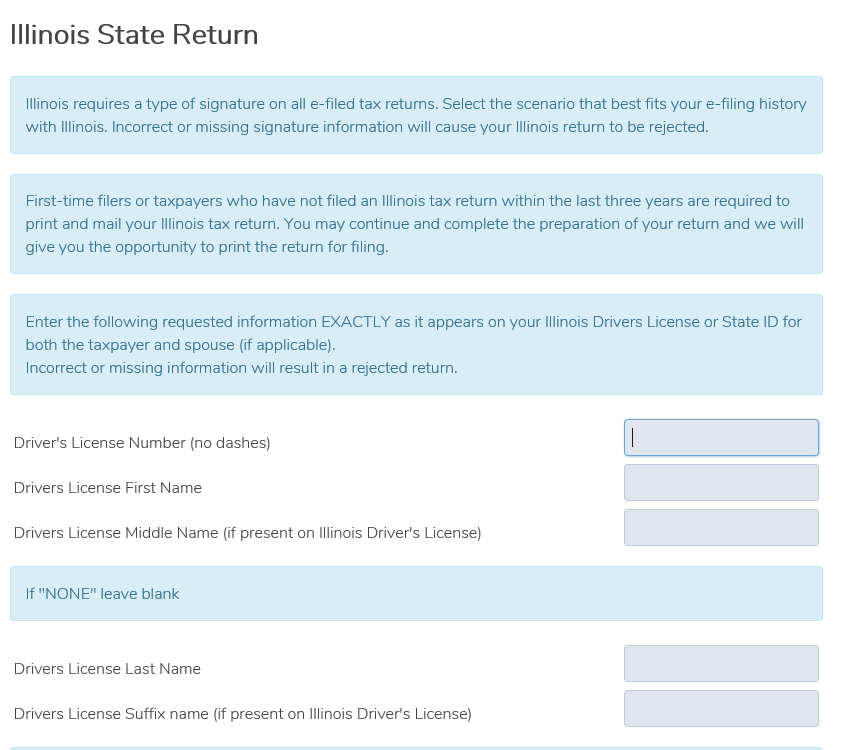
You DO NOT  have to nor need to complete the IL short view page.  Click Continue to proceed through the page.  It is not required for electronic filing purposes for VITA/TCE.

0125 IL SHORT VIEW PAGE

The E-filing Information page under Enter Myself is also not applicable for VITA/TCE.  You are not required to complete the page.

0125 IL personal information section

Blog Posted 01/25/2017  8:14 AM EST

Pro Online: Validation Errors Report

24 Jan 17
Kim Manuel
,
No Comments

As you progress through tax season, you will have a good idea about how long a return should be in the status of Transmitted.  If you detect returns in the status of Transmitted for more than a few hours, you should run your Validation Errors report.

0124 validation errors report

This will be a listing of returns that did not pass the secondary validation at the Processing Center.

0124 validation screen

You have the option of  printing to HTML or PDF and exporting to a CSV or Excel File,  Most of the error messages will have a helpful tip as how to make the correction.

The next step is open the return and make the correction.  In the above case, once the address was added back to Office Setup and/or ERO setup, the next steps would be the following:

(1) Open the Return

(2) Select the E-file Section

(3) Click through the pages (they have already been completed the first time a transmission was attempted).

(4) When you get to the Submission page you have 2 options

Option 1 (Recommended) If the preparer/user conducting this task has the ability to Send to IRS Enabled in their Security Template, you can click

0124 save and transmit

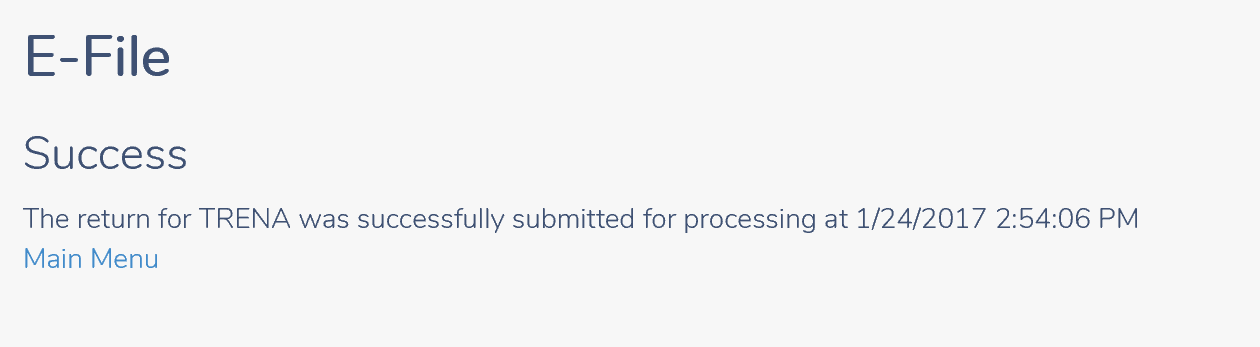
You will then get a confirmation page that the return was transmitted. click Main Menu to return to the Welcome Page

0124 save and transmit confirmation

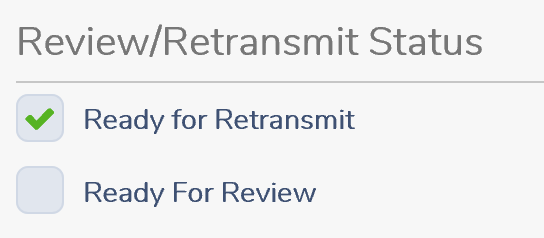
Option 2: The preparer can open each return and go through the same process as above, when they get to the Submission page in e-file, we recommend that you select the option of Ready for Retransmit

0124 ready to retransmit

Then select Save and Exit Return.  Once you have completed this for each return, you can send multiple returns from Transmissions.

Click Select on Transmissions

Reminder:  Only the returns with the status of Complete or Complete(Flagged for Retransmissions)

Click Add Returns

0124 add returns

Select the return(s) with the status of Transmitted (Flagged for Retransmit) and click Add Returns.  the return(s) will be removed from the window.  Click the X in the upper right hand corner.

0124 select flagged return (2)

This adds the return(s) to the normal transmission list.  Proceed as normal by selecting the Transmit to the IRS button.

Blog Posted 01/23/2017  3:15 PM EST


Pro Online: Office Setup and ERO Setup

24 Jan 17
Kim Manuel
,
No Comments

Warning:  DO NOT remove the street address from Office Setup and/or ERO Setup.

If you have removed the street address from Office setup, go to Configuration>> Office Setup and edit the Address field

If you have removed the street address from ERO setup, go to Configuration>> ERO Setup and edit the Address field

Your returns cannot be processed without a blank address.  We are in the process of Process Center Rejecting (Validation Error) any states that have been submitted to us with a blank address.

Below is an example of the Validation errors you will receive indicating the return is Processing Center rejected:


0124 validation errors removing address

Blog Posted 01/23/2017   10:21 AM EST