Category: Software News

2017 Orders: Pro Online – Renewal with No Site Admin Change

15 Dec 17
Craig Smith

No Comments

As we continue to receive and process orders from the IRS, we wanted to post a reminder of how setting up your site works if you are simply renewing for the upcoming tax season and the Site Administrator has NOT changed.

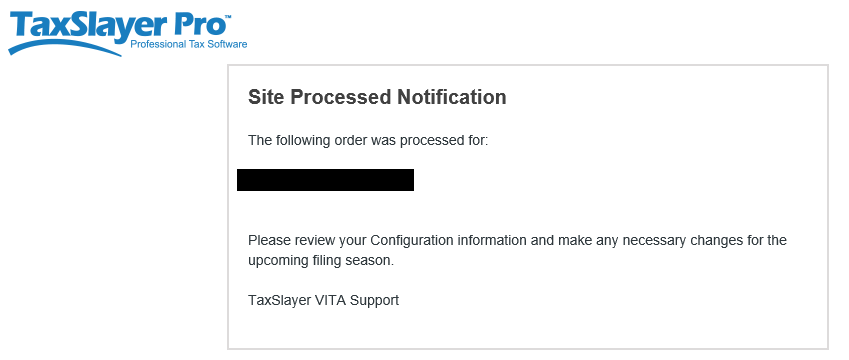
When we receive an order for a site that existed this past tax season and the Site Administrator has NOT changed, the existing Site Administrator (listed on the order) will receive one (1) e-mail from TaxSlayer Pro. The Site Administrator will receive the “Site Processed Notification” e-mail with the message body shown below. Notice a link to activate your site is NOT included. This is because your site was previously activated around this time last year (2016) and is still active. Since you are the existing Site Administrator, use your existing login credentials for the site listed in your e-mail to verify the entries in the “Configuration” menu are accurate and make adjustments if needed.


Practice Lab: Password Requirements Clarification

14 Dec 17
Kim Manuel

No Comments

Point of clarification:  The password is a minimum of 15 characters (not specifically 15 characters).  It must be a strong password with at least 1 Upper case letter, 1 lower case letter, 1 number, and one of the special characters that you typically use in your production password.

When:  January 1, 2018

What:  The password requirements for the Practice Lab will require users to have a strong password with a minimum of 15 characters.

How does this impact existing Users?  Existing users whose current password does NOT meet the new requirement will be prompted to change their password to a strong password with a minimum of 15 characters the first time they login to the Practice Lab beginning January 1, 2018

How does this impact new users?  New users creating accounts beginning January 1, 2018 will be required to enter a strong password with a minimum of 15 characters.

Does this impact my production username and password?  No.  The requirements for your production passwords will not change because you are required to authenticate via Multi-Factor Authentication (MFA).

blog posted 12/14/2017

Pro Online: Production Update Alert – 12/14/17 at 6:00am Eastern

13 Dec 17
Craig Smith
No Comments

A production deployment is scheduled for Thursday, December 14th, at 6:00am Eastern. This update should be complete prior to 8:00am Eastern.

Practice Lab: Changes to Password Requirements

12 Dec 17
Kim Manuel

No Comments

When:  January 1, 2018

What:  The password requirements for the Practice Lab will require users to have a 15 character strong password.

How does this impact existing Users?  Existing users will be prompted to change their password to a 15 character strong password the first time they login to the Practice Lab beginning January 1, 2018

How does this impact new users?  New users creating accounts beginning January 1, 2018 will be required to enter a 15 character strong password.

Does this impact my production username and password?  No.  The requirements for your production passwords will not change because you are required to authenticate via Multi-Factor Authentication (MFA).


Blog Posted 12/12/2017

Stress Test Information: Date, Times and Scenarios

04 Dec 17
Kim Manuel
,
No Comments

Stress Test 1:  December 6, 2017   12:30pm – 2:00 pm eastern

Production Environment Site:  Practice Lab

Prerequisites:

  • Username and password established prior to the testing date
  • Minimum of five returns created by the user prior to the beginning of the testing period. These returns should reflect the type of returns you prepare at your site during tax season

Testing Groups:

  • Each group will have an assigned time to begin the testing process and scenarios
    • Group A: Beginning letter of last name A – G   Begin 12:30 pm
    • Group B: Beginning letter of last name S – Z   Begin 12:40 pm
    • Group C: Beginning letter of last name H – L   Begin 12:50 pm
    • Group D: Beginning letter of last name M – R   Begin 1:00 pm

Make notes of the Practice Lab 2017 behavior as you execute the following instructions – any slowdowns, difficulties opening returns; problems completing inputs, navigation issues, etc.:

Scenarios:

  1. Login to Practice Lab 2017
  2. Create a new return using Basic (No Profile) that has a minimum of 2 income documents from basic information through creating an e-file. Save and Exit the return
  3. Open an existing return, navigate to the Income Section and add an additional income document. Navigate to Summary/Print and select View/Print Return.  Select Print your 2017 Tax Return to render the PDF.  Close the PDF.  Select Save & Exit Return
  4. Create a new return using Master Taxpayer Profile that has at least Interest and/or Dividends. Generate the PDF for the Schedule B.  Navigate to Deductions and complete Itemized Deductions.  Generate the PDF for Itemized Deductions. Save and exit the Return
  5. Switch years to 2016
  6. Create a new return using Basic (No Profile) that has a minimum of 2 income documents from basic information through creating an e-file. Save and Exit the return
  7. Switch years back to 2017
  8. Select the Quality Review Print Set for a return in the client list and generate the PDF
  9. Open an existing return. Navigate to the state section.  Delete any associated state.  Add a state and complete the state return.  Generate a PDF from the Summary/Print page.  Save and exit the return from the Summary/Print page

Communications:  TaxSlayer will be communicating to testers through the VITA/TCE Blog and the message center.

Practice Lab 2017: Preliminary versions of the states are available (UPDATE 12/5/17)

04 Dec 17
Kim Manuel
, ,
No Comments

We have released preliminary version of all states.  We wanted to give you an early look at some of the changes we are making to the state programs for TY2017, even though they are NOT finalized.

We are continuing to work on areas that improve the user experience, as well as, update the programs with updated tax law and e-file changes as it is released by the state agencies.

We did not release the localities with this early release.

Are tax calculations in the states finalized?

No, this is a preliminary version of states.  As we receive finalized tax law and e-file changes from the states, we will be updating the state software.  This will be a continual and ongoing process through early January (which is typical of any tax year).

Are all items such as dependents and credits flowing from the federal to the state?

No, this is a preliminary version of the state.   Updating the state software will be a continual and ongoing process through early January.

I am beginning the training process for my volunteers, what year should I use to train on tax software for the purposes of state tax calculations?

You should train your volunteers using the TaxSlayer Pro Online 2016 for the purposes of state calculations.  You can utilize TY2017 states for the purposes of demonstrating how they will navigate through the state portion of the return.

I am receiving an “Unexpected error” message when I click Continue or navigate to the e-file section after loading the state. *RESOLVED 12/5/17*

We are actively working to resolve this error.  You can utilize the left navigation panel to navigate through the return instead of using the “Continue” button to navigate between sections.  If you need to utilize the e-file section, you will need to remove the state from the return until an update resolves this error. *THIS HAS BEEN RESOLVED* You can now access the e-file menu with a state return loaded into your 2017 Practice Lab accounts.

Are the new features requested for the states available with this release?

The majority of the new features have not been released with the preliminary version of the states.  As we finalize testing on these features, they will be updated in the Practice Lab.

 

Practice Lab 2017:  W-2 and 1099R Printouts (Updated 12/1/2017)

01 Dec 17
Kim Manuel
, , ,
No Comments

Update 12/1/2017:  The W-2 has been updated to 2017 in the print outs.

The print out of the W-2s and 1099-Rs in the Quality review print set reflect 2016 instead of 2017.  These are internal forms and will be updated to reflect 2017 prior to January 8, 2018


Blog Posted 11/15/2017  12:48 PM Eastern

Practice Lab 2017/Pro Online: Health Insurance “View/Print” a single Form Live

30 Nov 17
Craig Smith
, , , , ,
No Comments

The “View Form” feature is now live after completing the Health Insurance menu to view either F8962 or F8965.

Form 8965: If a return has an exemption claimed, the “View Form” option is available directly on the Health Care Exemption screen after adding the first exemption.


Form 8962: If the return requires Form 8962, the “View Form” option is available on the first page of the Health Insurance Questionnaire AFTER the Health Insurance Questionnaire has been completed. This location was chosen primarily for quality review. When the Quality Reviewer is going back through a return, they will be able to generate the PDF at the beginning of the Health Insurance section prior to checking entries.


Note: Utilizing the “View Form” feature from the above screen will only generate Form 8962 if it is included with the return based on how the Health Insurance section was completed. Otherwise, a blank page will show.