Practice Returns 1 through 7 , International Practice Return, Military Practice Return, and the Puerto Rico Practice Returns found under Section 6 of the Practice Lab have been updated using 2018 figures.

Practice Returns 1 through 7 , International Practice Return, Military Practice Return, and the Puerto Rico Practice Returns found under Section 6 of the Practice Lab have been updated using 2018 figures.
With the initial launch of the 2018 TaxSlayer Pro Online software, reporting Tax-Exempt Interest and Dividend Income now requires less clicks! On the screen below in Income>Interest and Dividend Income menu, the highlighted menus for the main 1099-INT and 1099-DIV entries now house the tax-exempt income entries. The radio button to select “Tax Exempt Interest and Dividend Income…” will be removed in future updates prior to the filing season.
Note: The entry for “Specified Private Activity Bond” has also been added to the 1099-INT/DIV entry pages and will automatically carry to Form 6251 (Alternative Minimum Tax) when applicable.

We will be placing the site in maintenance on Tuesday, October 30th at 5:00am ET to release a series of updates.
CLIENT SEARCH
WEB REPORTS
*Click here to download a PDF of our Cumulative Release Notes.
We would like to extend an invitation for you to participate in our stress test events. Our goal is to have 12,000 -15,000 concurrent users during this period, so we can closely simulate our peak hours during the season.
When: Thursday, November 15, 2018
Time: 12:15 PM – 1:30 PM Eastern
Where: TaxSlayer Practice Lab 2018 from anywhere with an internet connection
When: Saturday, December 8, 2018
Time: 11:00 am – 12: 15 PM Eastern
Where: TaxSlayer Practice Lab 2018 from anywhere with an internet connection
If you have a reject for EIN or SS Number highlighted the incorrect number in red. We have many clients that have multiple children, W-2s. and/or 1099-R.
There are several ways in the software to make this determination.
(1) click the word Reject under the status column to display the rejected value
(2) Selecting Client Status from the tools drop down on the Client List will display the reject value and
(3) the IRS acknowledgement will display the reject value. This is typically the last 4 digits of the rejected SSN or the EIN if it is a 1099R or W2 getting rejected.
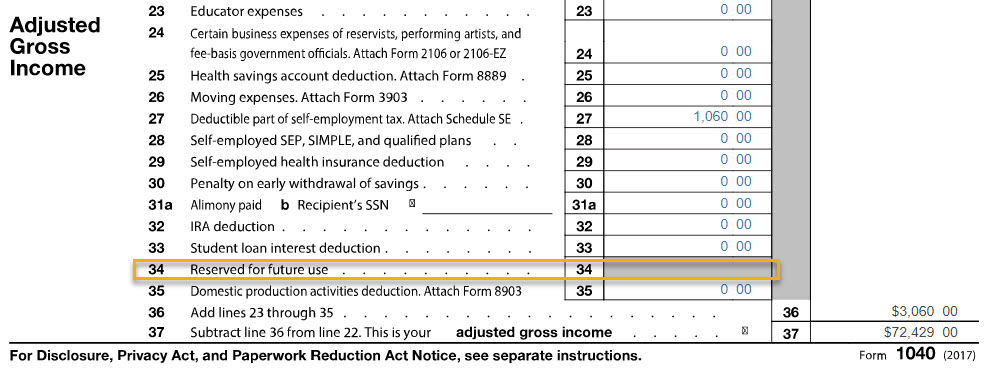
With adding back the Tuition and Fees Deduction, the “1040 View” display for Line 34 currently shows as “Reserved for future use”. This will be updated in a future release. Tuition and Fees Deduction claimed carries to the 1040 PDF and is included in the calculation of the return.
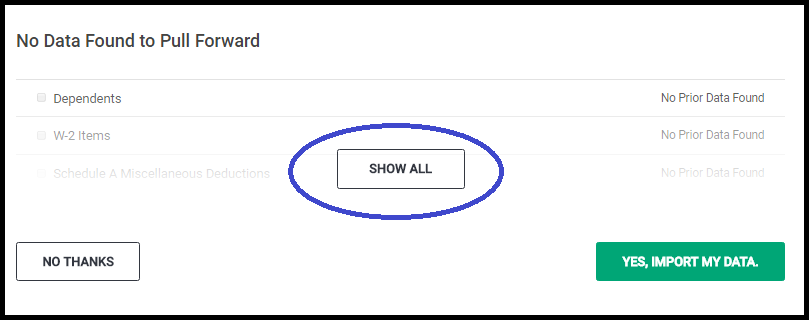
The top portion of the Pull Data to Current Return screen displays the specifics of the items that will be pulled forward. This is a good opportunity to check through what the taxpayer has provided to see if they have forgotten something. For example: If you have three W-2s listed (as I do below) and the taxpayer has only provided you with two W-2s, this is a good opportunity to ask about the third. If they no longer have a W-2 from that employer, simply remove the checkbox.
Note: Being prompted to Pull Data to Current return only occurs one time when you initially create the return.

The bottom half of the screen, displays the items that have no data to pull forward. You have the opportunity to do three things at this point:
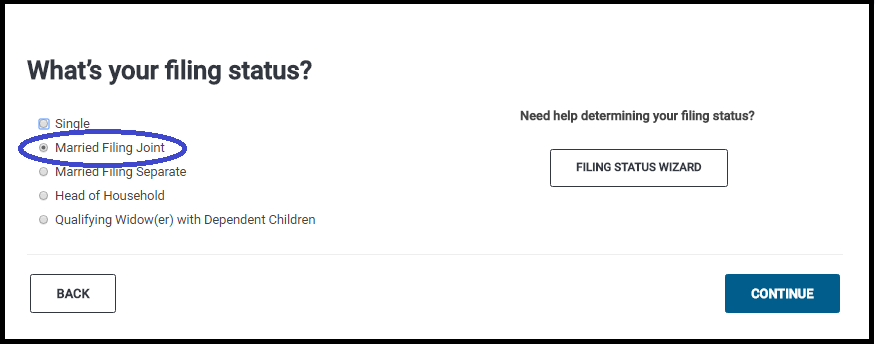
The Filing Status of the prior year return will be selected. You have the opportunity at this point to make changes. In the screenshot below my prior year return was MFJ. Click Continue to review the Taxpayer/Spouse demographic information and make any corrective changes.
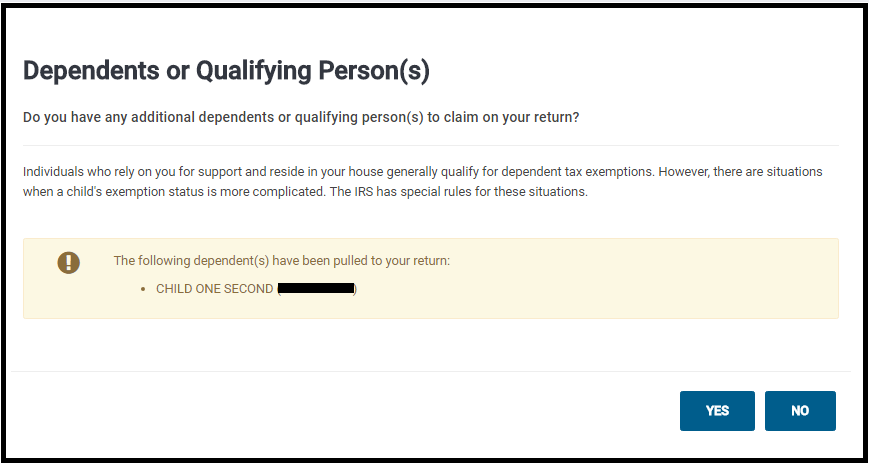
This screen will display the dependents that were selected in the dependent section. If you have additional dependents or want to make modifications select Yes, otherwise, selecting no will take you to the Federal Section.
This example has three W-2s selected to pull forward. Note: Removing the check will prevent the information from pulling forward.

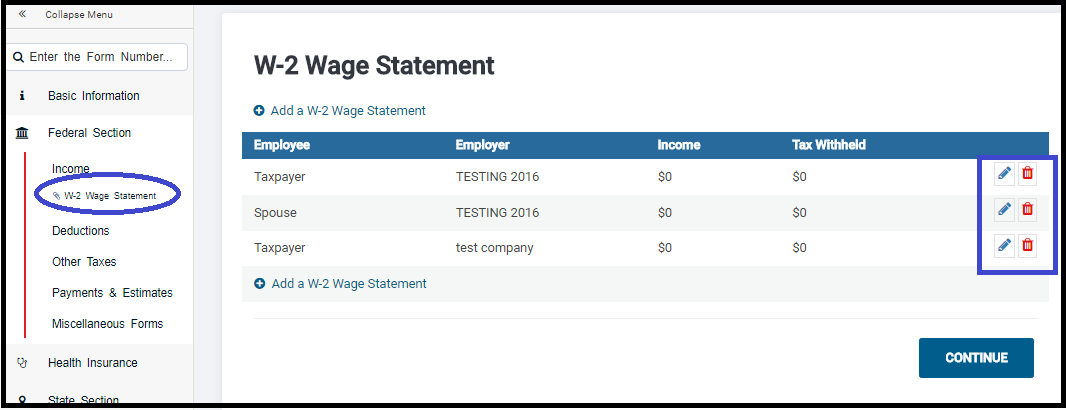
This is what your screen will look like after pulling the data forward. At this point, you can edit the income document and enter the current year income information. Note: If you changed the address in the Personal Information Section, you will also need to change it on the income document you pulled forward. Notice it loaded the W-2 Wage Statement as part of the Forms Completed feature. Simply click on it to manage the W-2s.
Blog Posted 01/16/2017 7:54 am eastern
We are excited to announce that the addition of the Affordability Worksheet (Phase II of Health Insurance redesign) will be released soon (tomorrow that is – 1/12/18)! Click here to then download a PDF providing additional information regarding the implementation of the Affordability Worksheet. The PDF will be found on the left-hand navigation bar after clicking the link.
Remember, the intent on the redesign after adding the Affordability Worksheet is specific to the order in which claiming exemptions is presented to the user. Previously, the determination to claim the affordability exemption was presented too early in the Health Insurance menu way before users had the opportunity to claim other coverage exemptions that applied (causing increased legwork on the preparer). The general order for claiming exemptions for not having Health Insurance is as follows: