Tag: Training

Practice Lab 2017:  W-2 and 1099R Printouts (Updated 12/1/2017)

01 Dec 17
Kim Manuel
, , ,
No Comments

Update 12/1/2017:  The W-2 has been updated to 2017 in the print outs.

The print out of the W-2s and 1099-Rs in the Quality review print set reflect 2016 instead of 2017.  These are internal forms and will be updated to reflect 2017 prior to January 8, 2018


Blog Posted 11/15/2017  12:48 PM Eastern

Practice Lab 2017/Pro Online: Health Insurance “View/Print” a single Form Live

30 Nov 17
Craig Smith
, , , , ,
No Comments

The “View Form” feature is now live after completing the Health Insurance menu to view either F8962 or F8965.

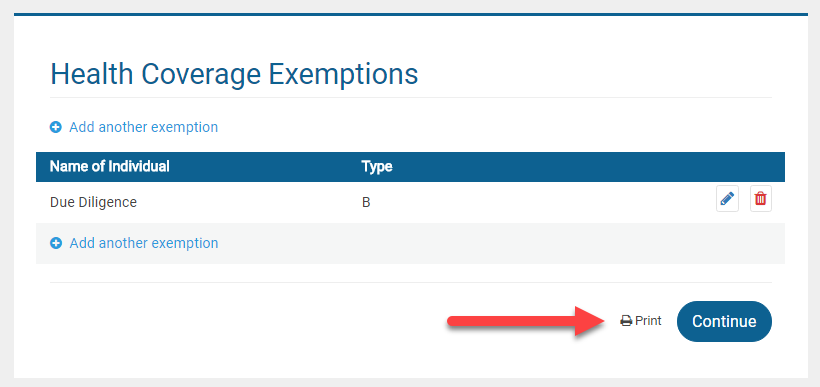
Form 8965: If a return has an exemption claimed, the “View Form” option is available directly on the Health Care Exemption screen after adding the first exemption.


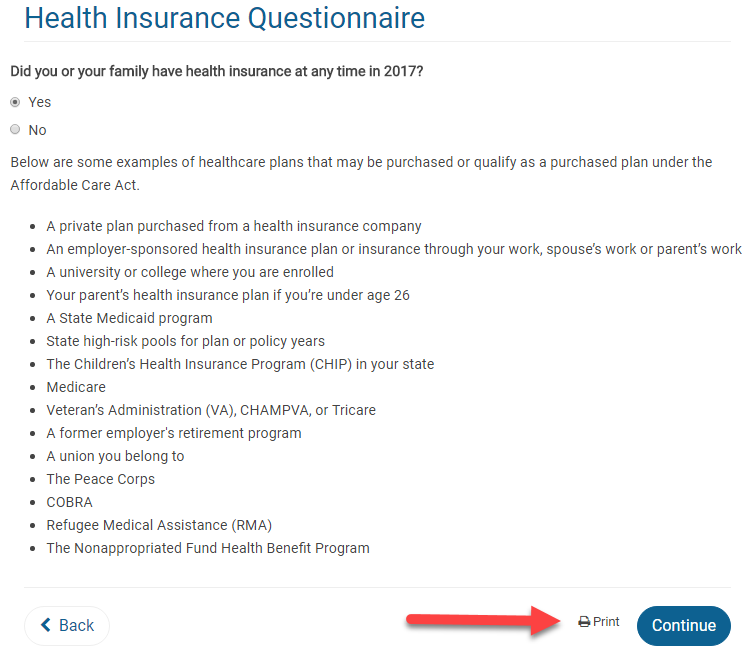
Form 8962: If the return requires Form 8962, the “View Form” option is available on the first page of the Health Insurance Questionnaire AFTER the Health Insurance Questionnaire has been completed. This location was chosen primarily for quality review. When the Quality Reviewer is going back through a return, they will be able to generate the PDF at the beginning of the Health Insurance section prior to checking entries.


Note: Utilizing the “View Form” feature from the above screen will only generate Form 8962 if it is included with the return based on how the Health Insurance section was completed. Otherwise, a blank page will show.

FAQ: Pro Online: Due Diligence Checklist

24 Oct 17
Kim Manuel
, , , ,
No Comments

These are some of the questions we received about the due diligence checklist during our Administrator Webinar:

Q: Are the EITC questions and other questions underneath it going to stay populated when the return goes from the preparer to the reviewer and the reviewer is  going through the screens?

A:  Due Diligence will not be required for TaxSlayer Pro Online 2017.  However, the questions do remain answered for the prior years when someone goes back through them fore view purposes.

Q: If there is no longer a due diligence checklist, how can the preparer remove the EIC when the program calculates it, but the taxpayer does not qualify?

A:  The process will remain the same.  Navigate to Form 8862 via Forms Search and complete the Not Eligible for EIC section

Q: Will the due diligence check list go away for prior years or just TY 2017?

A: Just TaxSlayer Pro Online 2017

Q: Will the Due Diligence checklist go away for desktop?

A:  No, this only applies to TaxSlayer Pro Online.


Blog posted 10/24/2017


FAQ: Pro Online Custom Questions

23 Oct 17
Kim Manuel
, ,
No Comments

These are some of the questions we received about Custom Questions during our Administrator Webinar:

Q: Is there a way to make the Assigned Questions = REQUIRED?

A:  The four default question we deliver at the request of the IRS cannot be marked  as required.  Custom questions that are created at the site level can be marked as required.  If the site belongs to a multi-site or relational group, the questions can be marked required before they are assigned to the site.

Q:  Can you make a pre-set question inactive because you are substituting your own version of the question and you want that one active?

A:  No, assigned questions cannot be marked as inactive, however the 4 assigned are not required to be answered.  It is important to note that if you are using your own version of the question, those answers are not being reported up to the IRS in their weekly reports.

Q: Will the 4 delivered questions show up for all the years of the software, or only for the 2017 year?

A:  Yes, the 4 assigned questions on behalf of the IRS will show up in the returns for all years

Q: How do you collect the data after you have gathered it?

A: Reports can be run at a site level for the data captured for custom questions.

Q:  Can one rearrange the order of the answers to preset questions ?

A:  No, they will be arranged in the order requested by the IRS Core Team.

Q: I want to require Custom questions for the current year, but not for prior years.  Is there a way to “unrequire them” for prior years?

A:  No

Q: Can more than one response to a single question be marked?

A:  No.  If you are seeing a pattern of taxpayers with a combination, you can add that combination to the answer bank at any point.  The modified questions and answers are available for existing and new returns.

Q: Can you delete those questions completely?

A: No, you cannot modify or delete anything assigned to the site.

Blog Posted 10/23/2017


FAQ: Pro Online Client List

20 Oct 17
Kim Manuel
,
No Comments

The following were common questions asked during our Site Administrative Webinar:

Q:  Will the date the tax return was created be displayed on the client list?

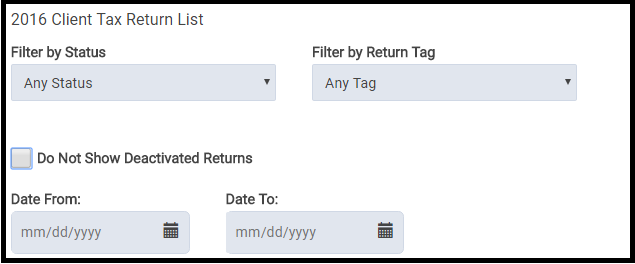
A:  No, but you can easily filter the returns by date.

Q:  Can you transfer a prepared return to another user?

A:  Yes, if the user has the appropriate rights enabled in their security template, the preparer can be changed from the Tools drop down on the Office Client List.  Select Change Preparer from the drop down list and then select the appropriate preparer to change the return to:

 Q: Will paper return show as paper return this year?

A:  Yes, it also currently shows as paper for TaxSlayer 2016 if the return type in e-file for the federal return is marked with a paper option.

Q: Is there any way to “lock” a return after it has been quality reviewed so nobody but admins can get back into it?

A: No, but there is a new feature that allows the site admin to restrict who can see a return once it has been accepted so no changes can be made to it.  Another option would be to password protect the returns.  This will prevent the user from editing the return, printing the return, or seeing the information listed in Client Return History.

Blog Posted 10/20/2017

Pro Online: Changing the Order of Custom Answers (Live in Production)

26 Jul 17
Kim Manuel
, ,
No Comments

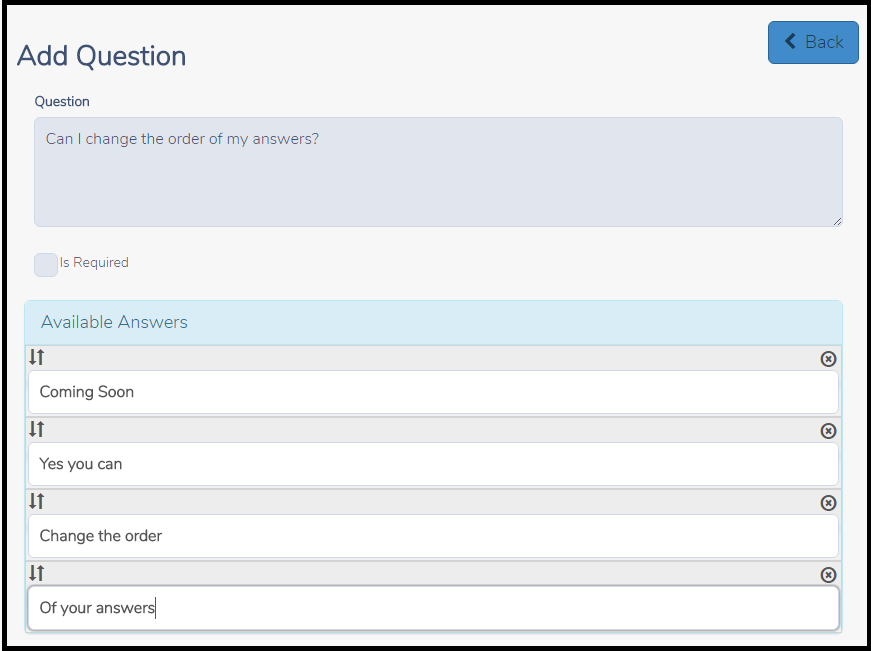
The ability to change the order of how the answers display for the custom questions created at your site or created by a multi-site/Relational login and assigned to a site will be deployed prior to the upcoming tax season.  This will allow you to manage the order you want the answers to be displayed during return creation.  Another advantage of this change will allow you to “insert” an answer where you need it mid season rather than having to delete the list and start over.

Old Custom Question and Answer page:

Coming Soon:  Custom Question and Answer page.

Simply drag the answers to the positions you want them to appear during return preparation

Blog Posted 07/26/2017

Pro Online: 1040X Training video and Mini Guide

06 Dec 16
Kim Manuel
, ,
No Comments

Click here to review the 1040X Training video and download the corresponding mini guide

Pro Online: Office Identifier

01 Dec 16
Kim Manuel
, , ,
No Comments

Purpose:  The Office Identifier is a number generated by TaxSlayer and imported into a field in ERO Setup.  This is a Vendor Control Number required for electronic filing.  The field must be present in the-e-file for acceptance.  The goal is for the IRS to validate the number in the e-file with the number uploaded by the software vendor.

Question:  Where is this located?

Answer:  On the ERO screen in Configuration

office-efin-identifier

Question:  I deleted it or it was not present when I edited ERO Setup.  How do I find out what the control number is?

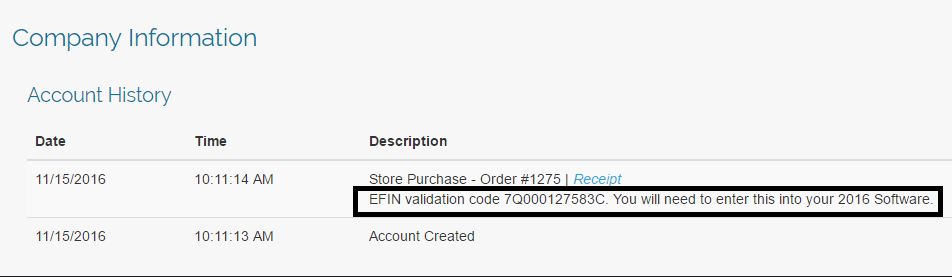
Answer:  Login to My Account from the VITA/TCE Springboard with the username and password you established via the User Information email link.  Once you are logged in, select Account History on the left navigation bar.
my-account-account-history

Question:  Is this  number unique to my site?

Answer:  Yes, it is unique to the EFIN.

Question:  Will this number ever change?

Answer: The number will change if the EFIN associated with your site changes

Question:  Do I need to add an additional ERO to my site?

Answer:  No, you can modify the information imported if you need to change the site name and/or address associated with the imported ERO setup.